
If you’re searching for adobe firefly reviews, you’re likely trying to decide whether this AI-powered design tool is worth your time and money. With the rise of generative AI tools, Adobe Firefly has quickly become a major player—especially for designers, marketers, and content creators. But does it truly deliver on its promises?
In this detailed article, we’ll break down real user feedback, expert opinions, pros and cons, features, and whether Adobe Firefly is the right tool for you.
What Is Adobe Firefly?
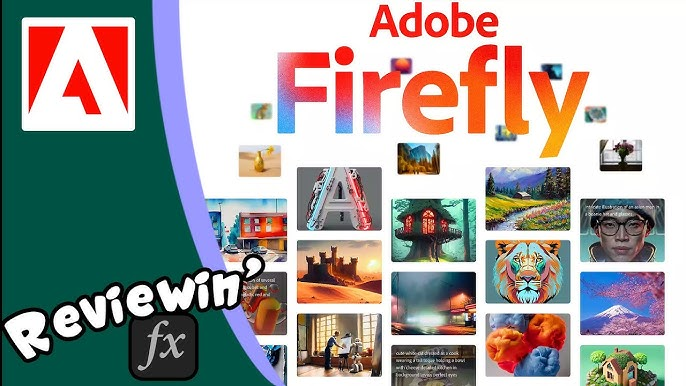
Adobe Firefly is an AI-powered creative tool developed by Adobe that allows users to generate images, text effects, and design assets using simple text prompts.
It integrates seamlessly with tools like:
- Adobe Photoshop
- Adobe Illustrator
- Adobe Creative Cloud
Firefly focuses on simplifying design workflows by automating complex creative tasks.
Adobe Firefly Reviews (Overall Ratings)
Across multiple platforms, adobe firefly reviews are generally positive but mixed in certain areas:
- ⭐ 4.1/5 average rating (Gartner)
- ⭐ 4.4/5 rating (Capterra)
- ⭐ 8.5/10 expert score (ToolColumn)
These ratings suggest that while users appreciate its features and integration, there are still some limitations.
Key Features Highlighted in Adobe Firefly Reviews
1. Text-to-Image Generation
Firefly allows users to create high-quality visuals from simple prompts. This is one of its most popular features.
2. Generative Fill (Game-Changer)
The Generative Fill feature in Photoshop is often called the “killer feature” because it allows users to:
- Add or remove objects
- Extend images
- Fill missing areas intelligently
3. Text Effects & Styling
Users can create stylized text designs with AI—perfect for branding and social media.
4. Multi-Format Creation
Firefly supports:
- Images
- Videos
- Audio
- Vector graphics
5. Commercial Safety (Big Advantage)
One standout point in many adobe firefly reviews is its legal safety.
Unlike competitors, Firefly is trained on:
- Licensed Adobe Stock images
- Public domain content
This means users can safely use generated content for commercial projects
You may also like it:
Best Face App Download APK – Transform Photos With AI Filters
2025’s Best Video Banane Wala Photo Apps (Free & Pro)
Top Video Photo Banane Wala Apps For Stunning Videos – Aarya Editz
Pros of Adobe Firefly
✔ Seamless Adobe Integration
If you already use Adobe tools, Firefly fits perfectly into your workflow.
✔ Beginner-Friendly Interface
Even non-designers can create professional visuals easily.
✔ Commercially Safe Outputs
Adobe provides legal protection for generated content—rare in AI tools.
✔ Wide Creative Capabilities
Supports multiple formats (image, video, vector, etc.).
Cons of Adobe Firefly
❌ Inconsistent Output Quality
Some users report that results can be hit-or-miss.
❌ Credit-Based Pricing
Firefly uses a credit system, which can make costs unpredictable.
❌ Not the Best Image Quality
Compared to tools like Midjourney, Firefly sometimes lacks creativity and detail.
❌ Requires High Resources
Performance can depend on system power and internet speed.
Real User Feedback (Community Insights)
From online discussions, user opinions are quite mixed.
Some users appreciate its integration and ease of use, while others criticize quality:
“Firefly’s quality lags behind Midjourney… licensing is appealing but output isn’t always usable.”
Other complaints include:
- Poor handling of complex prompts
- Deformed images (hands, faces)
- Credit loss on failed outputs
However, many still use it because it’s included in Adobe subscriptions.
Adobe Firefly vs Competitors
| Feature | Adobe Firefly | Midjourney |
| Ease of Use | Very easy | Moderate |
| Integration | Excellent (Adobe tools) | Limited |
| Image Quality | Good | Excellent |
| Commercial Safety | Strong | Limited |
| Pricing Model | Credit-based | Subscription |
👉 Verdict: Firefly is best for Adobe users, while others may prefer Midjourney for pure image quality.
Pricing Overview
Adobe Firefly uses a credit-based system:
- Free tier available (limited credits)
- Paid plans included with Creative Cloud
- Extra credits cost additional money
This model is one of the most criticized aspects in adobe firefly reviews.
Who Should Use Adobe Firefly?
Best For:
- Graphic designers using Adobe tools
- Marketing teams
- Content creators
- Beginners in design
Not Ideal For:
- Users needing ultra-realistic AI art
- Budget-conscious users
- Those wanting unlimited generation
Final Verdict: Is Adobe Firefly Worth It?
After analyzing multiple adobe firefly reviews, the verdict is clear:
👉 Yes, but only in the right context.
- If you’re already using Adobe tools → Highly recommended
- If you want the best AI image quality → Look elsewhere
- If you need commercial-safe content → One of the best options
Firefly isn’t perfect, but it’s evolving quickly and becoming a powerful all-in-one AI design tool.
FAQs
1. Is Adobe Firefly free?
Yes, it offers a free plan with limited credits.
2. Is Adobe Firefly better than Midjourney?
Not for image quality, but better for integration and legal safety.
3. Can I use Firefly images commercially?
Yes, Adobe provides commercial usage protection.
4. Is Adobe Firefly good for beginners?
Yes, it’s very easy to use and beginner-friendly.
