
Video editing has become an important skill for many people. Whether you want to create YouTube videos, social media content, school projects, business promotions, or personal videos, a laptop can help you edit and improve your videos from home.
Many beginners think video editing is difficult, but learning how to edit videos on laptop can be simple when you understand the basic steps. You only need suitable video editing software, your video clips, and some basic knowledge about cutting, arranging, and improving videos.
In this guide, we will explain how to edit videos on laptop in an easy and user-friendly way. You will learn how to import videos, trim unwanted clips, add text and music, use transitions, improve video quality, and export your final video.
Whether you are a complete beginner or want to improve your basic editing skills, this guide will help you understand the video editing process step by step.
What Do You Need to Edit Videos on a Laptop?
Before learning how to edit videos on laptop, it is helpful to prepare a few basic things. You do not always need an expensive or professional setup to start. With a suitable laptop, video editing software, and your video files, you can begin creating simple and useful videos.
A Suitable Laptop
Your laptop is the main device you will use for video editing. Basic video editing can be done on many normal laptops, especially when working with short videos and simple effects.
However, high-resolution videos, long projects, and advanced effects usually require better performance. A laptop with enough memory, storage space, and processing power can make the editing process smoother.
Video Editing Software
You will need video editing software to cut, arrange, and improve your videos. The software you choose should depend on your experience level and the type of videos you want to create.
Beginners may prefer simple software with basic tools, while experienced users may need advanced features such as color correction, multiple video tracks, and special effects.
Enough Storage Space
Video files can take up a large amount of storage, especially high-quality recordings. You may also need extra space for music, images, project files, and exported videos.
Before starting a large project, check how much free storage your laptop has. If storage is limited, you can move old files or use external storage when needed. How To Edit Videos On Laptop
Video Files and Other Media
You need the original video clips that you want to edit. Depending on your project, you may also use images, background music, sound effects, logos, and voice recordings. How To Edit Videos On Laptop
Keeping these files organized in separate folders can save time during the editing process.
Headphones or Speakers
Good audio is an important part of video editing. Headphones can help you listen carefully for background noise, volume problems, and audio mistakes.
You can also use your laptop speakers for basic editing, but headphones often provide better detail.
A Stable Power Source
Video editing and exporting can use a lot of battery power. For longer projects, it is helpful to keep your laptop connected to a charger. How To Edit Videos On Laptop
This can prevent your laptop from shutting down while you are working or exporting a video.
Optional External Storage
If you work with large video files, an external hard drive or other storage device can help you store your original clips and completed projects.
This can also help keep your laptop’s main storage from becoming full.
How to Edit Videos on Laptop: Basic Steps
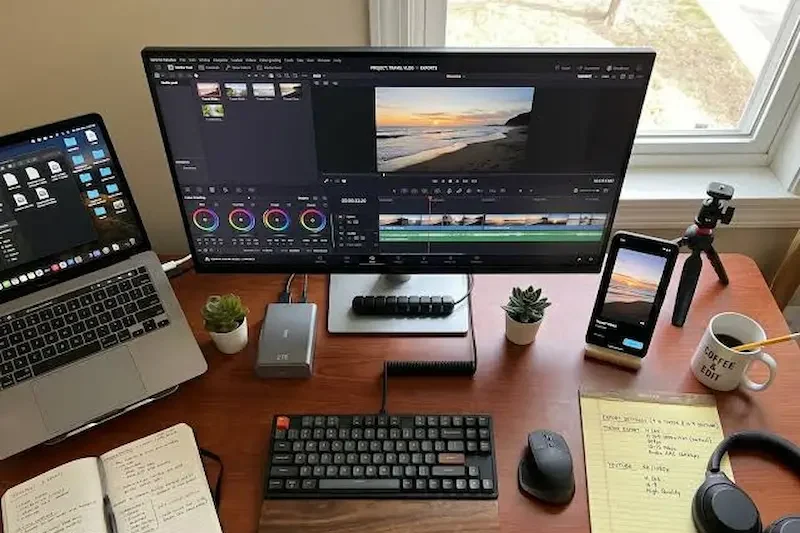
Learning how to edit videos on laptop becomes much easier when you follow a simple process. Most video editing projects follow similar steps, even if you use different editing software. How To Edit Videos On Laptop
Choose Your Video Editing Software
First, select video editing software that matches your needs and laptop performance. Beginners should choose an editor with simple tools for cutting, trimming, adding text, and adding music.
Create a New Project
Open your video editing software and create a new project. Give your project a clear name so you can find it easily later. How To Edit Videos On Laptop
Choose the appropriate video settings, such as resolution and frame rate, based on your original video files and where you plan to share the finished video.
Import Your Video Files
Add the video clips you want to edit into your project. You can also import images, music, sound effects, and other media files.
Keeping all your project files in one organized folder can make the editing process easier.
Arrange Clips on the Timeline
Drag your video clips onto the timeline and place them in the order you want viewers to see them.
The timeline allows you to organize your video, move clips, and control the timing of each scene.
Trim and Cut Unwanted Parts
Watch your clips and remove mistakes, long pauses, unnecessary scenes, or unwanted sections.
You can trim the beginning or end of a clip or split a longer clip into smaller sections.
Add Text and Titles
Add useful text to your video, such as a title, headings, names, captions, or important information.
Make sure the text is easy to read and stays on the screen long enough for viewers to understand it.
Add Music and Improve Audio
You can add background music, voiceovers, or sound effects to make your video more engaging.
Adjust the volume carefully so that background music does not make spoken words difficult to hear.
Add Transitions and Effects
Transitions can help create smoother changes between video clips. You can also use simple effects to improve the appearance of your video.
Avoid adding too many effects because excessive editing can make the video distracting.
Preview the Complete Video
Before exporting, watch the entire video from beginning to end. Check for mistakes, incorrect cuts, spelling errors, audio problems, and poorly placed text.
Make any necessary changes before creating the final file.
Export Your Video
When you are satisfied with the editing, export the final video. Choose a suitable format, resolution, quality, file name, and save location.
After exporting, play the final video once more to make sure everything looks and sounds correct.
You may also like it:
You may also like it:
Easy Friendship Drawings In Pencil – A Complete Guide – Aarya Editz
Simple Geometric Wall Paint Ideas – A Unique Guide – Aarya Editz
Best Boy Photo Editor For Men: A Unique Guide – Aarya Editz
Choose the Right Video Editing Software
Choosing the right software is an important step when learning how to edit videos on laptop. The best option depends on your experience, the type of videos you want to create, and your laptop’s performance.
Beginners should usually start with software that has a simple interface and basic editing tools. As your skills improve, you can move to more advanced video editing programs.
Simple Video Editors for Beginners
Beginner-friendly video editors usually provide easy tools for cutting clips, trimming videos, adding text, adding music, and using simple transitions.
These tools are useful for creating short videos, social media content, presentations, and basic YouTube videos. A simple editor can help you learn the basics without feeling overwhelmed by too many advanced features. How To Edit Videos On Laptop
Free Video Editing Software
Free video editing software can be a good choice for beginners who want to learn without spending money. Many free editors offer useful features such as video trimming, text, transitions, filters, and audio editing. How To Edit Videos On Laptop
Before choosing free software, check whether it works well with your laptop and supports the video formats you plan to use. How To Edit Videos On Laptop
Professional Video Editing Software
Professional video editing software provides more advanced features, including multiple video tracks, detailed color correction, advanced audio tools, special effects, and professional export settings.
These programs can be useful for experienced creators and people working on larger projects. However, they may require more time to learn and a more powerful laptop for smooth performance.
Choose Software Based on Your Laptop
Before installing a video editor, check the system requirements. Some advanced software can use a large amount of memory and processing power.
If you have a basic or low-end laptop, choose lightweight software and avoid running too many programs while editing. How To Edit Videos On Laptop
Start With Basic Features
You do not need to learn every feature immediately. Start by learning how to import videos, arrange clips, trim unwanted sections, add text, adjust audio, and export your video.
Once you become comfortable with these basics, you can explore advanced features such as color correction, effects, and more detailed audio editing.
Create a New Video Project
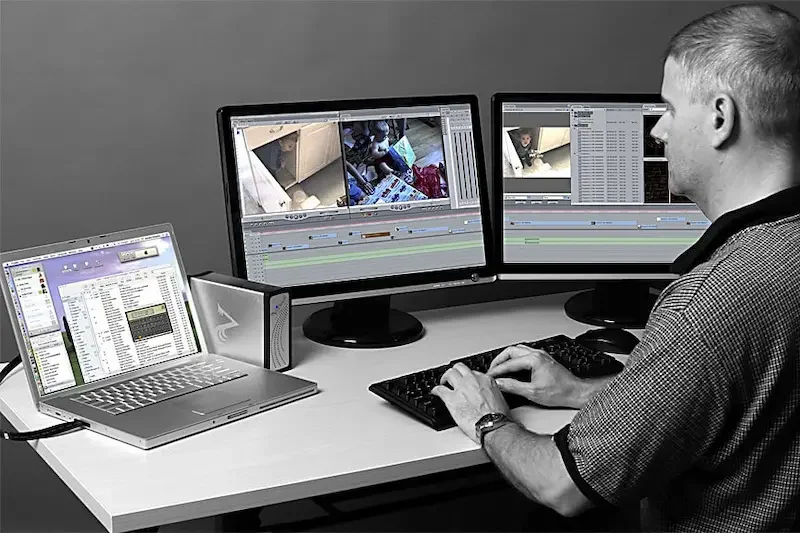
After choosing your video editing software, the next step is to create a new project. A project is the workspace where you organize your video clips, audio, images, text, and other media before exporting the final video. How To Edit Videos On Laptop
Start a New Project
Open your video editing software and select the option to create a new project. Give your project a clear and simple name so you can easily find it later. How To Edit Videos On Laptop
For example, if you are creating a YouTube tutorial, you can use a name related to the topic instead of a general name. How To Edit Videos On Laptop
Choose the Video Resolution
Most video editors ask you to select the project resolution. The resolution affects how clear and detailed your final video will look.
Common options include:
- 1280 × 720 for HD videos
- 1920 × 1080 for Full HD videos How To Edit Videos On Laptop
- Higher resolutions for high-quality projects
For beginners, Full HD is often a practical choice for many types of videos.
Select the Right Frame Rate
Frame rate refers to the number of video frames shown every second. It affects how smooth the video appears.
When possible, use a project frame rate that matches your original video clips. This can help maintain consistent video quality and reduce unnecessary conversion. How To Edit Videos On Laptop
Choose the Correct Video Format
Some editing software allows you to select project settings based on the type of video you are creating. Consider where you plan to share the final video, such as a social media platform, website, or personal storage.
You can usually choose the final export format later, so do not worry if your software does not require this setting at the beginning.
Save Your Project
Save your project before making major changes. Choose a location on your laptop where you can easily find the project file.
It is a good idea to keep your project file, original videos, music, and images in organized folders. This can make editing easier and help prevent missing-file problems. How To Edit Videos On Laptop
Keep Saving While You Work
Video editing can take time, and unexpected problems can happen. Save your project regularly while editing.
Many video editors have an automatic save feature, but manually saving your work is still a good habit.
Can I edit videos on a normal laptop?
Yes, you can edit videos on a normal laptop. Basic tasks such as trimming clips, adding text, music, and simple transitions can work well on many laptops. Advanced editing may require better hardware.
How can I edit videos on a laptop for beginners?
Start by choosing easy video editing software. Import your videos, place them on the timeline, cut unwanted parts, add text or music, preview the video, and export the final version.
Do I need a powerful laptop for video editing?
Not always. Basic video editing can be done on many standard laptops. However, editing long videos, 4K footage, or using advanced effects may require more processing power and memory.
Conclusion
Learning how to edit videos on laptop is easier when you understand the basic steps and start with simple tools. You do not need to be a professional editor to create useful and engaging videos. With suitable video editing software and a little practice, you can cut unwanted clips, arrange scenes, add text, include music, and improve the overall quality of your videos.
The best way to begin is by working on small projects. Focus on learning basic editing skills such as trimming, splitting clips, adjusting audio, and adding titles before moving on to advanced effects and features.
Remember to keep your video files organized, save your project regularly, and preview your video before exporting it. With regular practice, you can improve your editing skills and create better videos directly on your laptop.
