

In today’s digital world, capturing the attention of potential customers requires more than just images or text. Videos have become one of the most effective ways to showcase a product’s features, benefits, and usability. This is where a Product Demo Video Maker comes into play. These tools allow businesses, marketers, and creators to create engaging, professional-looking demonstration videos that can help boost sales, improve customer understanding, and enhance brand credibility.
This guide explores everything you need to know about Product Demo Video Makers, including their features, benefits, types, and tips for creating high-impact product demos.
What Is a Product Demo Video Maker?
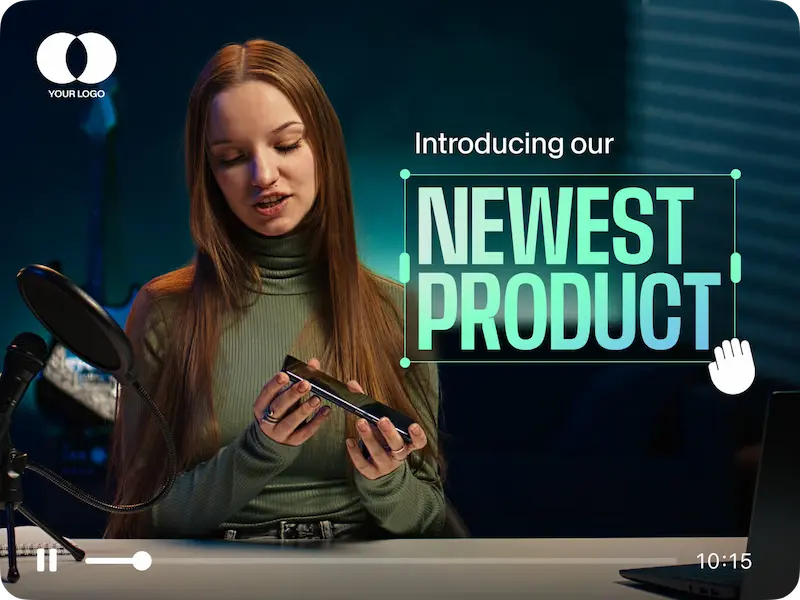
A Product Demo Video Maker is software or an online platform that allows users to create demonstration videos for products or services. These tools help you visually explain how your product works, highlight its key features, and show potential customers how it can solve their problems.
Unlike traditional video production, demo video makers simplify the process by providing templates, drag-and-drop functionality, animations, screen recordings, and voiceover support, making it accessible even for users without professional video editing skills.
Key Features of Product Demo Video Makers
Most Product Demo Video Makers offer a variety of features to make video creation smooth and effective:
- Templates and Themes
- Pre-designed templates make it easy to create professional demos quickly.
- Themes allow consistency in style, colors, and branding.
- Pre-designed templates make it easy to create professional demos quickly.
- Screen Recording
- Capture your product in action, software tutorials, or mobile app demonstrations.
- Capture your product in action, software tutorials, or mobile app demonstrations.
- Animations and Visual Effects
- Add engaging animations, transitions, and effects to highlight product features.
- Add engaging animations, transitions, and effects to highlight product features.
- Voiceover and Music Integration
- Record or upload voiceovers to explain the product clearly.
- Background music can enhance the viewer’s experience.
- Record or upload voiceovers to explain the product clearly.
- Text and Graphics
- Add captions, annotations, and call-to-action buttons to guide viewers.
- Add captions, annotations, and call-to-action buttons to guide viewers.
- Export and Sharing Options
- Export videos in various formats suitable for social media, websites, or presentations.
- Some platforms offer direct publishing to YouTube, Facebook, or Instagram.
- Export videos in various formats suitable for social media, websites, or presentations.
Benefits of Using a Product Demo Video Maker
Using a Product Demo Video Maker offers multiple advantages for businesses and marketers:
- Boosts Conversions: Videos help potential customers understand your product quickly, increasing the likelihood of purchase.
- Simplifies Complex Products: Demonstrate features and functionality that might be difficult to explain in text or images.
- Enhances Brand Credibility: High-quality demo videos reflect professionalism and build trust with your audience.
- Saves Time and Money: Avoid costly professional video shoots while creating polished, effective content.
- Improves Engagement: Videos are more engaging than text, leading to higher viewer retention and interaction.
You may also like it:
Best Face App Download APK – Transform Photos With AI Filters
2025’s Best Video Banane Wala Photo Apps (Free & Pro)
Top Video Photo Banane Wala Apps For Stunning Videos – Aarya Editz
Types of Product Demo Videos
A Product Demo Video Maker can help you create various types of demo videos:
- Explainer Videos
- Short, animated videos explaining the product’s purpose and benefits.
- Short, animated videos explaining the product’s purpose and benefits.
- Tutorial Videos
- Step-by-step instructions showing how to use the product effectively.
- Step-by-step instructions showing how to use the product effectively.
- Feature Highlight Videos
- Focus on key features that differentiate your product from competitors.
- Focus on key features that differentiate your product from competitors.
- Comparison Videos
- Compare your product with alternatives to show advantages and unique selling points.
- Compare your product with alternatives to show advantages and unique selling points.
- Testimonial or Case Study Videos
- Show customer experiences or success stories to boost credibility.
- Show customer experiences or success stories to boost credibility.
Tips for Creating an Effective Product Demo Video
To make the most out of a Product Demo Video Maker, follow these tips:
- Keep It Short and Clear: Aim for 1–2 minutes for maximum viewer engagement.
- Focus on Benefits, Not Just Features: Show how your product solves a problem.
- Use High-Quality Visuals: Clear images and smooth animations make your video look professional.
- Include a Call to Action: Guide viewers to buy, subscribe, or learn more.
- Test Your Video: Show it to a small audience first to ensure clarity and impact.
Popular Product Demo Video Maker Tools
Some popular tools for creating demo videos include:
- Camtasia: Great for screen recordings and tutorials.
- Animaker: Ideal for animated product explainer videos.
- InVideo: Offers templates and social media-friendly formats.
- Promo.com: Quick creation with stock footage and music.
- Renderforest: Provides professional templates and customizable demos.
Final Thoughts
A Product Demo Video Maker is a powerful tool for businesses and creators looking to showcase products effectively. It not only helps potential customers understand your product but also builds credibility, boosts engagement, and increases conversions.
Whether you’re launching a new product, creating tutorials, or marketing existing offerings, using a product demo video maker can transform the way you communicate with your audience and make your products stand out in a competitive market.
FAQs – Product Demo Video Maker
1. What is a Product Demo Video Maker?
It is a tool or software that helps users create professional videos to showcase and explain products or services.
2. Can I make demo videos without technical skills?
Yes, most product demo video makers have templates, drag-and-drop features, and easy editing tools for beginners.
3. Do these tools include screen recording?
Many demo video makers include screen recording to demonstrate software, apps, or web-based products.
4. Can I add voiceovers and music?
Yes, most tools allow you to record or upload voiceovers and background music to enhance your video.
5. Are product demo videos effective for marketing?
Absolutely. Demo videos increase engagement, improve conversions, and help potential customers understand your product quickly.
