
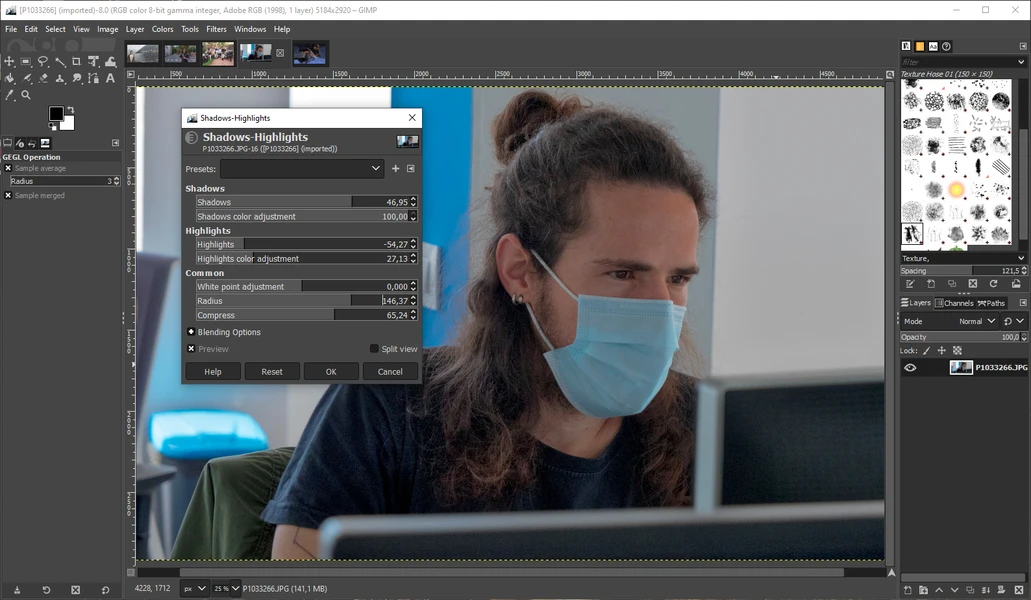
If you are looking for a free, powerful, and versatile photo editing software, The GIMP is one of the best options available. Many people think that advanced photo editing is only possible with expensive software like Photoshop, but The GIMP proves that you can create professional-quality designs without spending a penny.
In this article, we’ll cover everything about The GIMP, including its features, uses, installation, and tips for beginners.
What is The GIMP?
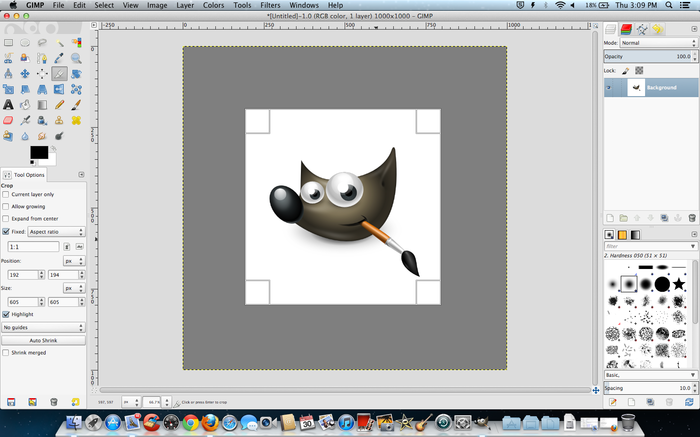
GIMP stands for GNU Image Manipulation Program. It is a free and open-source software used for:
- Photo editing
- Graphic design
- Image retouching
- Creating digital artwork
- Web graphics
It is available for Windows, Mac, and Linux, making it accessible to nearly everyone.
Features of The GIMP
The GIMP is a professional-grade tool that provides a wide range of features. Some of the most notable features include:
1. Photo Editing Tools
- Crop, resize, and rotate images
- Adjust brightness, contrast, and color
- Remove unwanted objects from photos
- Retouch portraits and fix imperfections
2. Layers and Masks
- Work with multiple layers like in Photoshop
- Use masks to make precise edits
- Create complex compositions
3. Brushes and Drawing Tools
- Customize brushes for painting and drawing
- Use pencils, airbrushes, and patterns
- Supports pressure-sensitive tablets
4. Filters and Effects
- Apply artistic filters like blur, sharpen, and cartoon effects
- Add special effects for creative designs
5. Text Tools
- Add text to images
- Customize font, size, color, and style
- Create text-based designs for social media, posters, or banners
6. Customizable Interface
- Rearrange tools and panels
- Save workspace layouts
- Supports plug-ins for extra features
7. File Compatibility
- Supports multiple file formats like JPEG, PNG, GIF, TIFF, PSD, and more
- Can open and export Photoshop files
You may also like it:
Lightroom Effects Download – Easy Guide For Stunning Edits
Vlog Video Editing Tips For Stunning YouTube Vlogs
How To Download YouTube Videos In PC | Full Guide
Vlog Editing Guide: Tips, Tools, Benefits & Drawbacks
Who Can Use The GIMP?
The GIMP is ideal for:
- Beginners: Easy to start with basic tools
- Students: Perfect for school or college projects
- Freelancers: Useful for graphic design and digital marketing
- Professional Designers: Can handle complex image editing projects
- Artists: Create digital paintings and illustrations
How to Download and Install The GIMP
- Go to the official website: www.gimp.org
- Choose your operating system (Windows, Mac, or Linux)
- Download the latest version
- Run the installer and follow the instructions
- Open the software and start editing
Tip: Always download from the official GIMP website to avoid malware or fake versions.
Basic Tips for Beginners
If you are new to The GIMP, here are some tips to get started:
- Learn the Interface: Explore the toolbox, layers panel, and menus.
- Use Layers: Always work with layers to make non-destructive edits.
- Practice with Filters: Apply filters to photos and see how they change the image.
- Try Tutorials: Many free tutorials online teach beginner and advanced techniques.
- Experiment with Brushes: Try painting, blending, and custom brush effects.
Advanced Uses of The GIMP
Once you are comfortable, The GIMP can be used for advanced projects like:
- Photo manipulation: Combine multiple images into one
- Graphic design: Create posters, banners, and social media graphics
- Digital art: Draw and paint original artwork
- Web graphics: Design buttons, icons, and website banners
- Animation: Create simple GIFs and frame-based animations
Advantages of Using The GIMP
- Free and open-source: No subscription required
- Powerful tools: Comparable to paid software
- Customizable: Add plugins and extensions
- Cross-platform: Works on Windows, Mac, and Linux
- Active community: Tutorials, forums, and guides available online
Disadvantages of The GIMP
- Steep learning curve: Beginners may find it confusing at first
- Limited CMYK support: Not ideal for professional printing
- Interface differs from Photoshop: Some users may take time to adjust
Final Thoughts
The GIMP is a remarkable free photo editing software suitable for beginners and professionals alike. Whether you want to edit photos, design graphics, or create digital art, The GIMP provides nearly every tool you need without spending a single dollar.
With practice and exploration, anyone can master this software and create stunning images for social media, personal projects, or professional work.
FAQs – The GIMP
1. Is The GIMP free to use?
Yes, The GIMP is completely free and open-source. You can download and use it without any charges.
2. Can The GIMP replace Photoshop?
For most users, yes. The GIMP offers similar tools and capabilities, though some advanced Photoshop features may not be available.
3. Is The GIMP available on Mac and Linux?
Yes, The GIMP works on Windows, Mac, and Linux.
4. Can I edit PSD (Photoshop) files in The GIMP?
Yes, The GIMP supports opening and exporting PSD files, although some effects may not be fully compatible.
5. Does The GIMP support layers?
Yes, The GIMP supports multiple layers, layer masks, and blending modes for complex editing.
