
If you are interested in graphic design, photo editing, or digital art, you’ve probably heard about Adobe Illustrator and Adobe Photoshop. Both tools are extremely popular and are widely used by designers around the world.
But many beginners often ask: Adobe Illustrator vs Photoshop — what’s the difference?
In this guide, I’ll explain everything in a simple and friendly way so you can easily understand which tool is better for your needs.
What is Adobe Illustrator?
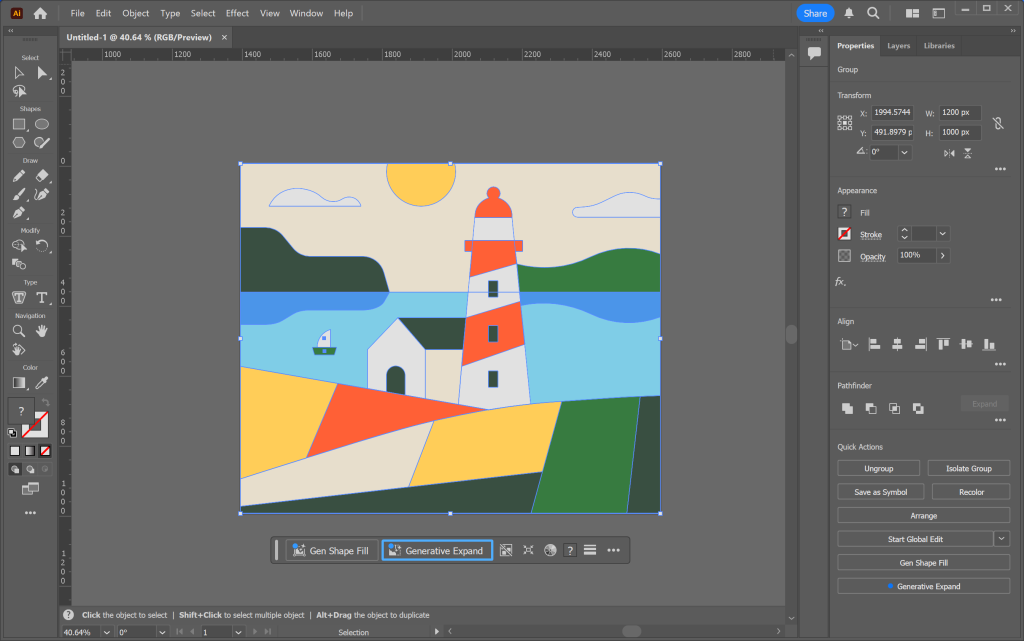
Adobe Illustrator is a professional graphic design software developed by Adobe. It is mainly used for creating vector graphics.
Vector graphics are images made from mathematical paths instead of pixels. This means they can be scaled to any size without losing quality.
Designers use Illustrator for:
- Logo design
- Icons
- Illustrations
- Typography designs
- Infographics
- Brand graphics
For example, if a company needs a logo that works on both a business card and a billboard, Illustrator is the perfect tool.
What is Adobe Photoshop?
Adobe Photoshop is another powerful software by Adobe, but it is mainly used for photo editing and raster graphics.
Raster images are made of pixels, which means they can lose quality if you resize them too much.
Photoshop is commonly used for:
- Photo editing
- Image retouching
- Digital painting
- Social media graphics
- Website graphics
- Photo manipulation
If you want to edit photos, remove backgrounds, or enhance images, Photoshop is usually the better choice.
Adobe Illustrator vs Photoshop: Key Difference
The biggest difference between Adobe Illustrator vs Photoshop is the type of graphics they use.
- Illustrator = Vector graphics
- Photoshop = Raster graphics
This difference affects how the images behave when you edit or resize them.
Adobe Illustrator vs Photoshop: Feature Comparison
Here is a simple comparison to help you understand both tools.
| Feature | Adobe Illustrator | Adobe Photoshop |
| Graphics Type | Vector | Raster |
| Best For | Logos and illustrations | Photo editing |
| Image Quality | Scalable without loss | May lose quality when enlarged |
| Tools | Pen tool, shape tools | Brush, healing, clone tools |
| File Types | AI, SVG, EPS | PSD, JPEG, PNG |
When Should You Use Adobe Illustrator?
You should choose Adobe Illustrator if you are working on designs that need to stay sharp at any size.
Use Illustrator for:
- Logo design
- Icon design
- Brand identity graphics
- Vector illustrations
- Typography artwork
- Infographics
For example, if you create a company logo, Illustrator ensures it looks perfect on:
- Websites
- Posters
- Billboards
- Business cards
You may also like it:
Explore The Aryan Menu | Traditional & Modern Best Dishes
Best Photo Editing Karne Wala Apps For Perfect Photos – Aarya Editz
Aryan Software – Best Solutions For Restaurants – Aarya Editz
When Should You Use Adobe Photoshop?
Choose Adobe Photoshop when your work involves photos or pixel-based images.
Photoshop is best for:
- Photo retouching
- Background removal
- Image manipulation
- Social media posts
- Website banners
- Digital painting
For example, photographers often use Photoshop to:
- Fix lighting
- Remove blemishes
- Adjust colors
- Enhance images
Can You Use Illustrator and Photoshop Together?
Yes, many professional designers use both Illustrator and Photoshop together.
For example:
- Create a logo in Illustrator
- Import it into Photoshop
- Use it in posters, banners, or social media designs
Both tools are part of Adobe Creative Cloud, which allows designers to easily switch between them.
Advantages of Adobe Illustrator
Here are some benefits of using Adobe Illustrator:
- Perfect for vector graphics
- Unlimited scaling without losing quality
- Excellent for logo design
- Great typography tools
- Ideal for professional branding
Advantages of Adobe Photoshop
Here are the main benefits of Adobe Photoshop:
- Powerful photo editing tools
- Advanced retouching features
- Supports many image formats
- Ideal for digital painting
- Excellent layer editing system
Limitations of Illustrator and Photoshop
Illustrator Limitations
- Not ideal for photo editing
- Learning curve for beginners
Photoshop Limitations
- Images lose quality when scaled too large
- Large files can slow down computers
Adobe Illustrator vs Photoshop: Which is Better?
The truth is, neither tool is better overall. It depends on what you want to create.
Choose Adobe Illustrator if you want to design:
- Logos
- Icons
- Illustrations
- Brand graphics
Choose Adobe Photoshop if you want to work with:
- Photos
- Image editing
- Photo manipulation
- Social media graphics
Many professionals use both tools together for the best results.
FAQs About Adobe Illustrator vs Photoshop
Is Adobe Illustrator better than Photoshop?
Not necessarily. Illustrator is better for vector graphics, while Photoshop is better for photo editing.
Can beginners use Illustrator or Photoshop?
Yes, beginners can learn both tools. However, Photoshop is often easier to start with for simple editing.
Which is better for logo design?
Adobe Illustrator is better for logo design because vector graphics do not lose quality when resized.
Do professionals use both tools?
Yes. Many designers use Illustrator for design work and Photoshop for image editing.
Is Adobe Illustrator free?
No. Both Adobe Illustrator and Adobe Photoshop require a subscription through Adobe Creative Cloud.
Final Thoughts
Understanding Adobe Illustrator vs Photoshop is important if you want to work in graphic design, digital art, or photography.
- Illustrator is best for vector graphics and logos
- Photoshop is best for photo editing and image manipulation
If possible, learning both tools will give you the flexibility to create almost any type of design.
Once you understand when to use each tool, your design workflow will become much easier and more professional.
