
Knowing how to edit PDF file on mobile can save you time and make it easier to manage documents wherever you are. Whether you need to update a contract, fill out a form, add notes to study material, or sign an important document, you can do it directly from your smartphone without using a computer.
Today, both Android and iPhone users have access to many reliable PDF editing apps that make editing documents simple and convenient. These apps allow you to add text, highlight important information, insert signatures, annotate files, fill out forms, and even convert PDFs into other file formats. Many of these features are available for free, while premium apps offer more advanced editing tools.
Learning how to edit PDF file on mobile is useful for students, office workers, freelancers, business owners, and anyone who regularly works with digital documents. Instead of waiting until you have access to a laptop or desktop computer, you can quickly make changes and share your updated files from anywhere.
In this guide, you’ll discover the best apps for editing PDF files on Android and iPhone, step-by-step instructions for making common edits, tips to avoid common problems, and answers to frequently asked questions. By the end of this article, you’ll know how to edit PDF files on your mobile phone quickly, safely, and efficiently.
What Does It Mean to Edit a PDF File on Mobile?
Editing a PDF file on a mobile phone means making changes to a PDF document using your smartphone or tablet instead of a computer. With the help of PDF editing apps, you can update documents, add information, make corrections, and share the edited file directly from your mobile device.
Today, many Android and iPhone apps provide powerful PDF editing features that are easy to use, even for beginners. This makes it possible to complete important tasks while traveling, working remotely, or studying without needing a laptop.
What Can You Edit in a PDF?
When learning how to edit PDF file on mobile, you can usually perform tasks such as:
- Add new text
- Highlight important sentences
- Underline or mark text
- Insert comments and notes
- Draw or write using markup tools
- Add your digital signature
- Fill out PDF forms
- Insert images (supported by some apps)
- Rearrange, add, or delete pages
- Save and share the edited document
Why Is Mobile PDF Editing Useful?
Mobile PDF editing allows you to work on documents anytime and anywhere. Whether you receive a document by email, messaging apps, or cloud storage, you can edit it immediately without waiting to access a computer.
This is especially useful for:
- Students editing assignments
- Employees reviewing office documents
- Business owners updating contracts
- Freelancers signing client agreements
- Anyone working with digital paperwork
Can Every PDF Be Edited?
Not all PDF files are fully editable. Some PDFs are:
- Text-based PDFs that allow editing.
- Scanned PDFs that may require Optical Character Recognition (OCR) before the text can be edited.
- Password-protected PDFs that require permission before changes can be made.
The editing features available also depend on the PDF app you are using.
Is Editing a PDF on Mobile Safe?
Yes, editing PDFs on your mobile device is generally safe if you use trusted applications from official app stores. Popular PDF editors also include security features that help protect your documents and personal information.
By understanding how to edit PDF file on mobile, you can manage documents more efficiently, save time, and complete important tasks from virtually anywhere.
Why Edit PDF Files on Mobile
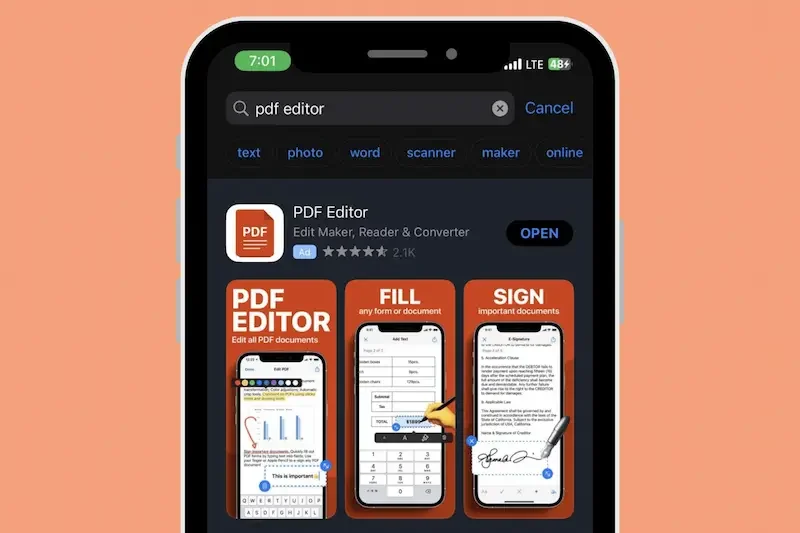
Editing PDF files on a mobile phone has become more popular because it allows you to work with important documents anytime and anywhere. Whether you receive a PDF through email, cloud storage, or a messaging app, you can quickly make changes without needing a desktop or laptop computer.
Learning how to edit PDF file on mobile can improve productivity and help you complete everyday tasks more efficiently.
Edit Documents Anytime
One of the biggest advantages of mobile PDF editing is convenience. You can edit files while traveling, at work, in school, or at home using only your smartphone.
Save Time
Instead of waiting until you have access to a computer, you can immediately:
- Correct mistakes
- Add notes
- Fill out forms
- Sign documents
- Share updated files
This saves valuable time, especially when dealing with urgent paperwork.
Easy to Share
After editing a PDF, you can quickly send it through:
- Messaging apps
- Cloud storage services
- File-sharing platforms
This makes collaboration faster and more efficient.
Perfect for Students and Professionals
Mobile PDF editing is useful for many different users, including:
- Students editing assignments and study notes
- Office employees reviewing reports
- Teachers checking educational materials
- Freelancers updating contracts
- Business owners managing documents on the go
Reduce Paperwork
Instead of printing documents to make changes by hand, you can edit them digitally on your mobile phone. This helps save paper and keeps your files organized.
Access Files Anywhere
Many PDF editing apps work with cloud storage services, allowing you to access your documents from multiple devices. This makes it easier to continue working whenever you need.
Improve Productivity
Knowing how to edit PDF file on mobile helps you complete document-related tasks more quickly. Whether you need to make a small correction or update an important file, mobile editing tools provide a simple and efficient solution for managing PDFs wherever you are.
Things You Need Before Editing a PDF File on Mobile
Before you learn how to edit PDF file on mobile, it is helpful to make sure you have everything you need. Having the right tools and preparing your document in advance will make the editing process faster and smoother.
A Smartphone or Tablet
First, you need an Android phone, iPhone, or tablet that supports PDF editing apps. Most modern devices can easily handle PDF files without any issues.
You may also like it:
Best Boy Photo Editor For Men: A Unique Guide – Aarya Editz
Edit Photos With Best Headshot And GFX Tools – Aarya Editz
Best Death Photo Frames Online Editing – Complete Guide – Aarya Editz
A Reliable PDF Editing App
To edit a PDF, you need a trusted PDF editor. Some popular options include:
- Adobe Acrobat Reader
- Xodo PDF Reader & Editor
- Google Drive
- Microsoft Office
- PDF Expert (for iPhone)
Choose an app that offers the editing features you need, such as adding text, highlighting, signing documents, or filling out forms.
Your PDF File
Make sure the PDF file you want to edit is stored on your phone or can be accessed through:
- Device storage
- Google Drive
- iCloud Drive
- OneDrive
- Dropbox
- Email attachments
Having the file ready will save time when you begin editing.
Internet Connection (If Needed)
Many PDF editing apps work offline, but some advanced features—such as cloud syncing, file conversion, or AI-powered tools—may require an internet connection.
Enough Storage Space
Editing and saving PDF files may create a new copy of the document. Ensure your device has enough free storage to save the edited version without any problems.
Backup Important Documents
Before making changes, create a backup of the original PDF. This allows you to restore the original file if you make a mistake or need to compare versions later.
Check If the PDF Is Protected
Some PDF files are password-protected or have editing restrictions. If you cannot make changes, you may need the password or permission from the document owner before editing.
Keep Your App Updated
Using the latest version of your PDF editing app helps ensure better performance, improved security, and access to the newest editing features.
Preparing these simple requirements before editing will make the process easier and help you edit PDF files on your mobile device without unnecessary interruptions.
Best Apps to Edit PDF Files on Android
If you want to learn how to edit PDF file on mobile, choosing the right app is one of the most important steps. Android users have access to many reliable PDF editors that make it easy to add text, highlight content, sign documents, fill out forms, and manage PDF files directly from their phones.
Here are some of the best PDF editing apps for Android.
Adobe Acrobat Reader
Adobe Acrobat Reader is one of the most trusted PDF editing apps. It offers a clean interface and useful tools for both basic and advanced PDF editing.
Key Features
- Add text and comments
- Highlight important text
- Fill and sign PDF forms
- Share documents easily
- Cloud storage support
This app is ideal for students, professionals, and business users.
Xodo PDF Reader & Editor
Xodo is a popular free PDF editor that provides many useful editing features without requiring complicated setup.
Key Features
- Edit PDF documents
- Annotate and highlight text
- Add notes and drawings
- Fill PDF forms
- Sync with cloud storage How To Edit Pdf File On Mobile
It is a great choice for everyday PDF editing.
Google Drive
Google Drive includes a built-in PDF viewer and supports simple document management. While it is not a complete PDF editor, it works well for basic tasks and file sharing. How To Edit Pdf File On Mobile
Key Features
- Store PDF files
- Open and view PDFs
- Share documents How To Edit Pdf File On Mobile
- Access files from anywhere
Microsoft Office
Microsoft Office allows users to work with PDF files and convert them into editable documents for certain tasks. How To Edit Pdf File On Mobile
Key Features
- Convert PDF files How To Edit Pdf File On Mobile
- Edit supported documents
- Save files securely
- Easy sharing options
WPS Office
WPS Office is another useful application that combines document editing with PDF management.
Key Features
- View PDF files
- Annotate documents
- Convert files
- Organize documents
Which Android PDF Editor Is Best?
The best app depends on your needs.
- Adobe Acrobat Reader: Best for professional editing and signing.
- Xodo PDF Reader & Editor: Best free all-around PDF editor.
- Google Drive: Best for viewing and sharing files. How To Edit Pdf File On Mobile
- Microsoft Office: Best for document conversion.
- WPS Office: Best for users who need multiple office tools in one app.
Choosing the right application makes how to edit PDF file on mobile much easier and helps you complete document editing tasks quickly and efficiently. How To Edit Pdf File On Mobile
Best Apps to Edit PDF Files on iPhone
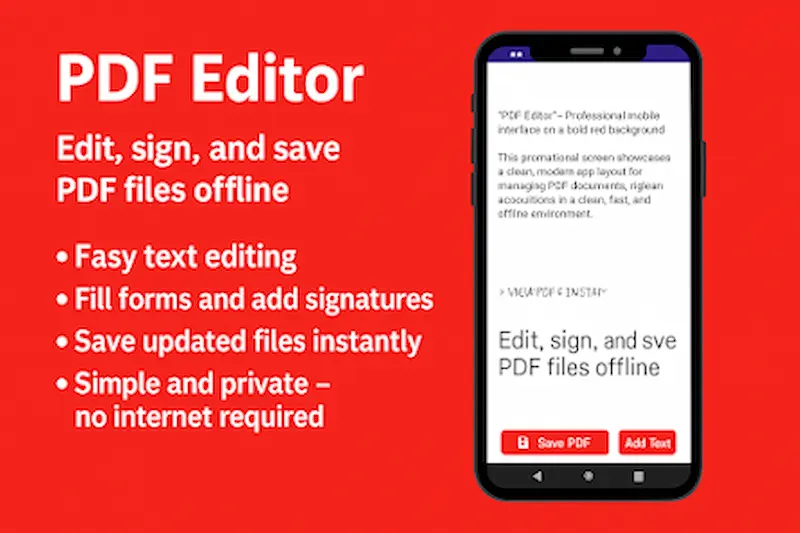
If you use an iPhone or iPad, there are many excellent apps that make how to edit PDF file on mobile simple and convenient. These apps let you add text, highlight important sections, sign documents, fill out forms, and share edited PDF files directly from your Apple device. How To Edit Pdf File On Mobile
Here are some of the best PDF editing apps for iPhone.
Adobe Acrobat Reader
Adobe Acrobat Reader is one of the most popular PDF editing apps for iPhone. It provides professional editing tools and an easy-to-use interface.
Key Features
- Add text and comments
- Highlight and underline text
- Fill and sign PDF forms
- Share documents How To Edit Pdf File On Mobile
- Cloud storage integration
It is suitable for both personal and professional use.
PDF Expert
PDF Expert is a powerful PDF editor designed specifically for Apple devices. It offers advanced editing tools while remaining easy for beginners to use.
Key Features
- Edit PDF text
- Annotate documents
- Merge PDF files
- Sign documents How To Edit Pdf File On Mobile
- Organize pages
It is an excellent choice for users who work with PDFs regularly.
Apple Files App
The built-in Files app on iPhone supports basic PDF markup without installing extra software.
Key Features
- View PDF documents
- Highlight text
- Add signatures How To Edit Pdf File On Mobile
- Draw using markup tools
- Save edited files
This option is useful for quick edits.
Microsoft Office
Microsoft Office allows iPhone users to view, convert, and manage PDF files while working with Word, Excel, and PowerPoint documents. How To Edit Pdf File On Mobile
Key Features
- Convert PDF files
- Edit supported documents
- Cloud storage support How To Edit Pdf File On Mobile
- Easy document sharing
Foxit PDF Editor
Foxit is another reliable PDF editing app that provides several useful tools for mobile users.
Key Features
- Add annotations How To Edit Pdf File On Mobile
- Highlight text
- Fill forms
- Sign documents
- Protect PDF files
Which iPhone PDF Editor Is Best?
The best app depends on your editing needs.
- Adobe Acrobat Reader: Best for professional PDF editing.
- PDF Expert: Best for advanced editing on Apple devices.
- Apple Files: Best for quick and simple edits. How To Edit Pdf File On Mobile
- Microsoft Office: Best for document conversion.
- Foxit PDF Editor: Best for document management and security.
Selecting the right app will make how to edit PDF file on mobile easier and help you edit, organize, and share PDF documents efficiently from your iPhone. How To Edit Pdf File On Mobile
How can I edit a PDF file on mobile for free?
You can edit a PDF file for free using apps such as Adobe Acrobat Reader, Xodo PDF Reader & Editor, Google Drive, or the Apple Files app. Many of these apps provide basic editing features without any cost.
Can I edit a PDF without an internet connection?
Yes. Most PDF editing apps allow you to edit documents offline. However, features such as cloud syncing, file conversion, and online storage may require an internet connection.
How do I add text to a PDF on my phone?
Open the PDF in a supported editing app, select the Add Text or Edit tool, tap the location where you want to insert text, type your content, and save the document.
Conclusion
Learning how to edit PDF file on mobile makes it much easier to manage documents without relying on a computer. Whether you need to add text, highlight important information, fill out forms, sign contracts, or organize PDF pages, your smartphone can handle these tasks quickly with the right PDF editing app.
Both Android and iPhone users have access to many reliable PDF editors, ranging from free applications for basic editing to premium tools with advanced features. By choosing an app that matches your needs, you can edit, save, and share PDF documents anytime and from anywhere.
Before editing important files, remember to create a backup copy of the original document and use trusted PDF editing applications downloaded from official app stores. Keeping your apps updated will also give you access to the latest features, better performance, and improved security.
With the right tools and a few simple steps, editing PDF files on your mobile phone becomes fast, convenient, and efficient. Whether you are a student, professional, freelancer, or business owner, mastering how to edit PDF file on mobile can help you work smarter and stay productive wherever you go.
