

If you have registered your business under the Udyam Registration scheme and noticed incorrect information on your certificate, there is no need to worry. The Government of India allows registered business owners to update or correct certain details through the official Udyam Registration portal.
If you are searching for how to edit Udyam certificate, this guide will help you understand the complete process. Whether you want to correct your business name, address, mobile number, email address, bank details, or other registration information, you can follow the steps explained below.
The process is online, so you generally do not need to visit a government office to make routine updates.
What Is an Udyam Certificate?
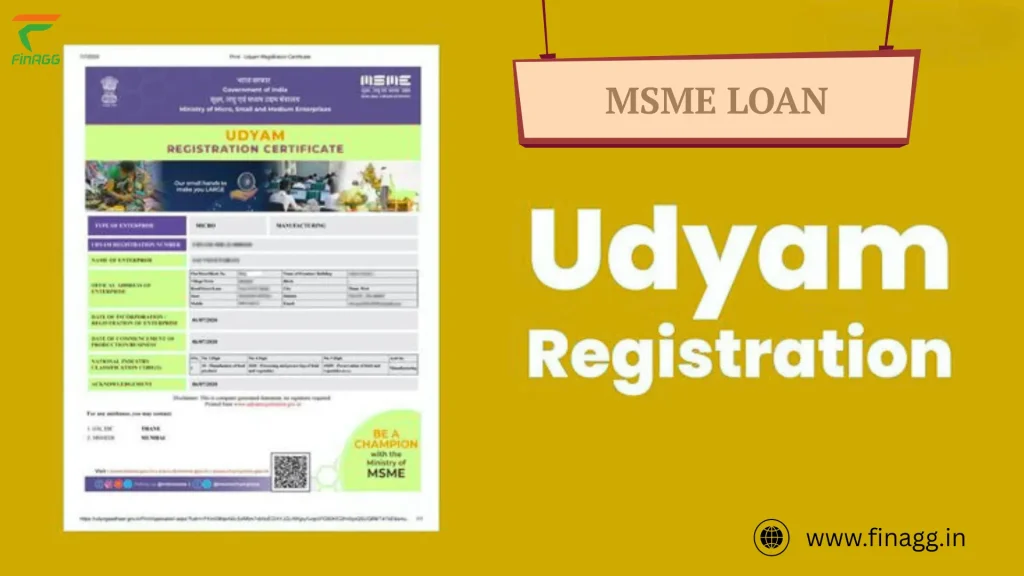
An Udyam Certificate is an official registration document issued by the Ministry of Micro, Small and Medium Enterprises (MSME), Government of India. It provides recognition to eligible micro, small, and medium enterprises.
After completing Udyam Registration, a business receives a unique Udyam Registration Number (URN) and an electronic certificate.
This certificate helps businesses establish their MSME registration status and access applicable government schemes, benefits, and support programs.
Some important details mentioned on an Udyam Certificate include:
- Name of the enterprise
- Udyam Registration Number
- Type of organization
- Business address
- Date of registration
- Date of commencement
- Bank details
- NIC activity details
- MSME classification
If any information changes or needs correction, you may need to update your Udyam registration.
Can You Edit an Udyam Certificate Online?
Yes, registered business owners can update eligible information through the official Udyam Registration portal.
However, you cannot directly edit the downloaded PDF certificate like an ordinary document. Instead, you must update the information in your official registration record.
Once the changes are submitted and processed, you can download the updated certificate from the portal.
The available changes depend on the type of information and the portal’s current rules.
Documents and Details Required to Edit Udyam Certificate
Before starting the process, keep your registration information ready. Having the required details can make the update process easier.
Here are some important things you may need:
- Udyam Registration Number: Your existing registration number.
- Registered Mobile Number: The mobile number linked to your registration for OTP verification.
- Registered Email Address: Your registered email address, if required for verification.
- Aadhaar Details: Aadhaar information of the proprietor or authorized person, where applicable.
- PAN Details: Business or proprietor PAN information, depending on the organization type.
- Correct Business Information: Updated address, contact details, bank information, or business activity details.
The exact requirements depend on the information you want to change.
You may also like it:
How To Edit Image Text In Word – Aarya Editz
How To Edit Video In Iphone – Aarya Editz
How To Edit Resume In Laptop – Aarya Editz
How To Edit Photos In Mobile – Aarya Editz
How to Edit Udyam Certificate Online Step by Step
Follow these steps to update your existing Udyam Registration Certificate.
Step 1: Visit the Official Udyam Registration Website
First, open the official website of the Udyam Registration Portal:
Udyam Registration Official Website
On the homepage, look for the Update/Cancel Udyam Registration option.
Click this option to open the login page.
Step 2: Enter Your Udyam Registration Number
After opening the login page, you will see a form asking for your registration information.
Enter the following details:
- Your 19-character Udyam Registration Number.
- Your registered mobile number.
- Your preferred OTP option.
Make sure you enter the same mobile number that you provided during the original registration.
Step 3: Generate and Verify OTP
The portal provides OTP verification through your registered mobile number or email address.
Follow these instructions:
- Select OTP on Mobile or OTP on Email.
- Enter the displayed verification code.
- Click on Validate & Generate OTP.
- Check your selected mobile number or email for the OTP.
- Enter the received OTP.
- Click on Validate OTP & Login.
After successful verification, you will get access to your Udyam registration details.
You can check the official login page here: Udyami Login Portal.
Udyam Registration
Step 4: Open the Edit Details Option
After logging in, your existing Udyam Registration information will appear on the screen.
Look for the Edit Details option in the Udyam Registration Details section.
Click on it to open your registration form.
You can now review the available fields and identify the information that needs correction.
Step 5: Update the Required Information
Now, make the necessary changes to your business information.
Depending on the available options, you may be able to update details such as:
- Enterprise name
- Business address
- Registered office details
- Mobile number
- Email address
- Bank account information
- Business activities
- NIC codes
- Employee information
Enter the correct information carefully. Make sure your updated details match your official business records.
Step 6: Submit Your Updated Information
Once you have completed the changes, review the entire form.
Check for spelling mistakes, incorrect numbers, and missing information.
After confirming everything, click on the Update Details button.
Complete any additional verification requested by the portal. Wait for the confirmation message before closing the page.
Step 7: Download Your Updated Udyam Certificate
After successfully updating your registration, you can download the latest certificate.
Follow these steps:
- Open the Print/Verify section of the official portal.
- Select the Print Udyam Certificate option.
- Enter the required registration details.
- Complete the verification process.
- View your updated certificate.
- Click the Print option to save or download the PDF.
Your updated certificate will contain the revised information available in your registration record.
Which Details Can You Change in an Udyam Certificate?
Many business owners want to know which details they can correct after completing their Udyam Registration.
The portal provides an update facility for applicable business information. However, some details are linked to government databases and identity verification records.
Here is a general overview:
| Information | Update guidance |
| Business address | Update through the portal where available |
| Mobile number | Update through the available account options |
| Email address | Update through the available account options |
| Bank details | Update where the relevant fields are available |
| Business activities | Update applicable activities and NIC codes |
| Employee details | Update applicable information |
| Investment details | May be linked to government records |
| Annual turnover | May be linked to ITR and GST records |
| PAN and Aadhaar | Subject to identity verification rules |
Important: Not every field can be changed freely. PAN, Aadhaar, and legal identity-related information may require additional verification or official assistance. Investment and turnover information may also be populated using government records rather than ordinary manual editing.
How to Change the Business Address in Udyam Certificate?
If your business has moved to a new location, you should update the address in your Udyam registration.
An incorrect business address can create problems when applying for business loans, government schemes, or other MSME-related services.
Follow these steps:
- Visit the official Udyam Registration website.
- Select Update/Cancel Udyam Registration.
- Log in using your Udyam Registration Number.
- Complete OTP verification.
- Open the Edit Details option.
- Find the business address section.
- Enter your new business address.
- Review the information and submit the changes.
Make sure the new address is accurate and consistent with your relevant business records.
How to Change Mobile Number in Udyam Certificate?
If you have changed your mobile number, you may need to update your contact information in your Udyam registration.
First, log in using the mobile number and email information from your original application.
After successful login, open the edit section and check whether the mobile number field is available.
Enter your new number and complete any verification requested by the portal.
What if you no longer have access to your old mobile number?
You may still be able to log in if you have access to the registered email address and can select the email OTP option. If you cannot access either registered contact method, contact the official MSME support or grievance channel for assistance.
Is There Any Fee to Edit Udyam Certificate?
No. The official Udyam Registration service is free of government charges.
You do not need to pay a government fee simply to update your registration details or download your certificate.
Be careful when using private websites that advertise paid Udyam correction services. Some businesses offer assistance for a service charge, but this is different from an official government fee.
Always use the official government portal for your registration updates. The Ministry also warns businesses against unofficial registration websites.
MSME Registration+1
Common Problems When Editing Udyam Certificate
Sometimes, users face problems while updating their registration details. Most issues are related to incorrect information, OTP verification, or technical problems.
Here are some common problems and their possible solutions.
1. OTP Not Received
If you do not receive an OTP, check your mobile network and email inbox.
You can also:
- Verify that you selected the correct OTP option.
- Check your spam or junk email folder.
- Wait briefly before requesting another OTP.
- Make sure you are using the registered contact details.
2. Incorrect Udyam Registration Number
If the portal displays an invalid registration number message, check your certificate again.
Enter the complete registration number, including the letters, numbers, and hyphens.
Avoid adding unnecessary spaces.
3. Unable to Login
If you cannot access your account, confirm that your mobile number matches the number used during registration.
Try the registered email OTP option if available.
If both options fail, seek help through the official MSME grievance system.
4. Update Option Not Working
Sometimes, the portal may experience technical issues or temporary downtime.
Try these solutions:
- Refresh the webpage.
- Use an updated browser.
- Clear your browser cache.
- Try again after some time.
- Avoid submitting the same update repeatedly.
5. Updated Details Not Showing on Certificate
If your updated information does not appear on the downloaded certificate, check whether the update was successfully submitted.
Log in again and review your registration details. If the information remains incorrect, contact the official support channel.
Important Things to Remember Before Editing Udyam Certificate
Before submitting your correction request, keep these points in mind:
- Always use the official Udyam Registration website.
- Do not create a new registration just to correct an existing certificate.
- Keep your Udyam Registration Number safe.
- Use the registered mobile number or email for OTP verification.
- Enter accurate business information.
- Check all details before submitting the update.
- Download and save the updated certificate for future use.
Your registration number generally remains the same when you update ordinary business information.
FAQs About Editing Udyam Certificate
1. How can I edit my Udyam certificate online?
Visit the official Udyam Registration website and select Update/Cancel Udyam Registration. Enter your registration number, complete OTP verification, edit the available details, and submit your changes.
2. Can I change my business name in Udyam registration?
You can check the available enterprise name correction options through the update facility. Any change must comply with the applicable PAN and business identity requirements.
3. Can I edit my Udyam certificate using my mobile phone?
Yes. You can access the official Udyam portal through a mobile browser. You need your registration number and access to your registered mobile number or email for OTP verification.
4. How can I download my updated Udyam certificate?
Visit the official Udyam portal, open the Print/Verify section, select Print Udyam Certificate, complete the required verification, and download the updated PDF.
5. Is Udyam certificate editing free?
Yes. The government does not charge a fee for updating Udyam registration details through its official portal.
Final Thoughts
Editing an Udyam Certificate is a straightforward online process when you have your registration number and access to your registered contact details.
By visiting the official portal, completing OTP verification, and updating the required information, you can keep your MSME registration accurate and up to date.
Always review your details before submitting changes and download the latest certificate for your business records.
If you need to correct your business address, contact details, bank information, or business activities, use the official Udyam Registration portal rather than relying on unofficial websites.
