
Have you ever used WhatsApp, Microsoft Word, YouTube, or Instagram?
If yes, then congratulations — you already use application software every single day.
In simple words, application software is the type of software that helps you perform specific tasks on a computer or mobile. It is designed for users, not for the system.
In this complete guide, I’ll explain what application software is, its types, examples, features, and why it is important.
What is Application Software?
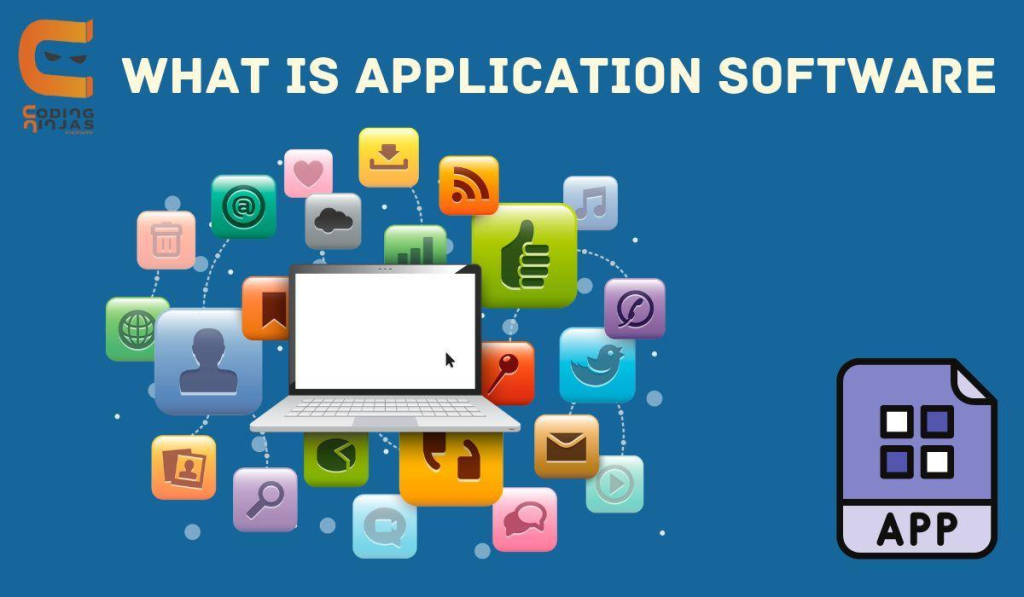
Application software is a computer program that is created to help users do a particular task.
For example:
- Writing documents
- Editing photos
- Browsing the internet
- Watching videos
- Listening to music
- Making presentations
- Playing games
So basically, if a software is helping you do a “job”, it is application software.
Application Software in Simple Words
Let’s make it super easy:
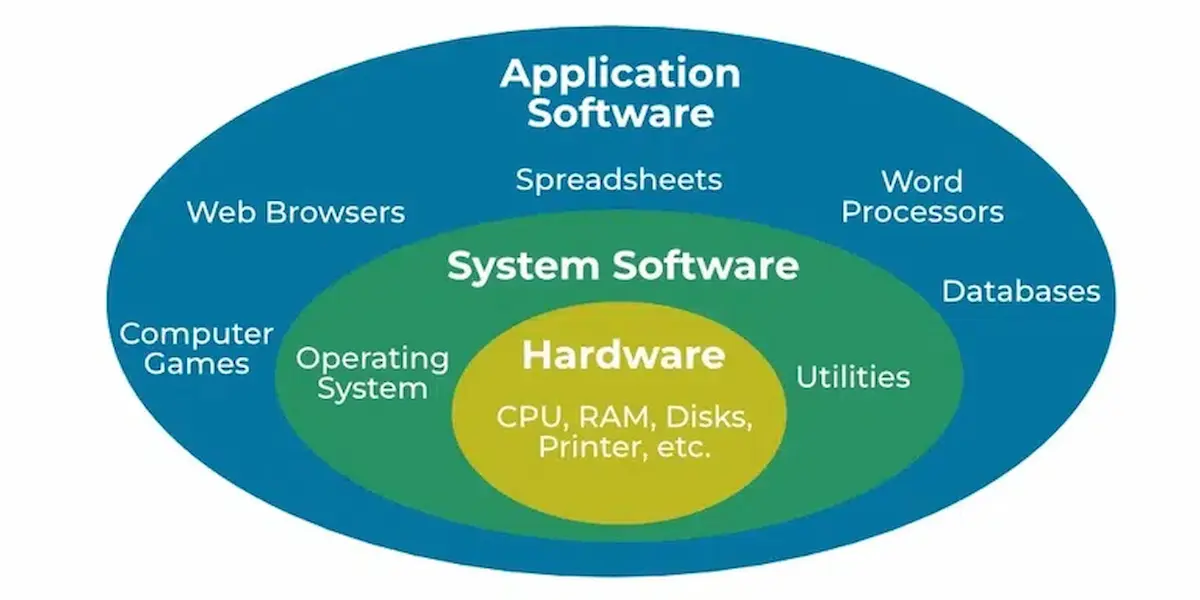
✅ System software runs the computer (like Windows, Android, iOS).
✅ Application software is what you use inside the computer (like Word, Chrome, WhatsApp).
So, application software depends on system software to work properly.
Why Application Software is Important
Application software is important because it makes computers and smartphones useful.
Without application software:
- You can’t write documents
- You can’t watch videos
- You can’t use social media
- You can’t do online classes
- You can’t play games
- You can’t do business work
That means your computer will just be a machine with no purpose.
Main Features of Application Software
Here are some common features of application software:
1. User-Friendly
Most application software is designed in a way that normal people can easily use it.
2. Task-Specific
Each application software has a specific purpose.
For example: Excel is for calculations, Photoshop is for editing.
3. Runs on Operating System
Application software needs an OS (Operating System) like Windows or Android to run.
4. Can Be Installed or Used Online
Some apps need installation, while others work online.
Types of Application Software
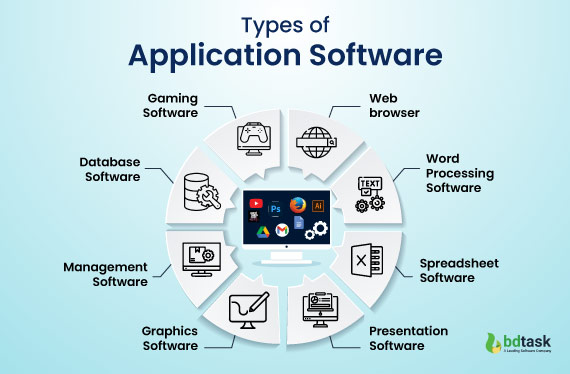
There are many types of application software, but don’t worry — I’ll explain them in a very simple way.
1. Word Processing Software
This type of application software is used for writing and editing documents.
Examples:
- Microsoft Word
- Google Docs
- WPS Writer
Uses:
- Writing letters
- Creating assignments
- Making resumes
2. Spreadsheet Software
This software is used for calculations, data management, and tables.
Examples:
- Microsoft Excel
- Google Sheets
- LibreOffice Calc
Uses:
- Making budgets
- Keeping business records
- Data analysis
3. Presentation Software
This application software is used for creating slides.
Examples:
- Microsoft PowerPoint
- Google Slides
- Keynote
Uses:
- Presentations in schools and offices
- Project work
- Business meetings
4. Web Browsers
Web browsers are application software that helps you access the internet.
Examples:
- Google Chrome
- Mozilla Firefox
- Microsoft Edge
- Safari
Uses:
- Searching information
- Watching YouTube
- Using websites
5. Multimedia Software
Multimedia software is used for playing and editing audio/video.
Examples:
- VLC Media Player
- Windows Media Player
- Adobe Premiere Pro
- CapCut
Uses:
- Watching movies
- Editing videos
- Listening to music
6. Graphic Designing Software
This application software is used for creating and editing images.
Examples:
- Adobe Photoshop
- Canva
- CorelDRAW
- Adobe Illustrator
Uses:
- Designing posters
- Editing photos
- Creating logos
7. Communication Software
This software helps people communicate online.
Examples:
- WhatsApp
- Zoom
- Skype
- Microsoft Teams
- Google Meet
Uses:
- Video calls
- Online meetings
- Chatting
8. Database Software
Database software is used to store and manage large amounts of data.
Examples:
- Microsoft Access
- MySQL
- Oracle Database
Uses:
- Managing business data
- Storing customer information
- Organizing records
9. Educational Software
Educational application software is designed for learning and teaching.
Examples:
- Duolingo
- Khan Academy
- Coursera
- Udemy
Uses:
- Online courses
- Learning languages
- Studying subjects
10. Gaming Software
Games are also application software because they are made for entertainment.
Examples:
- PUBG
- Free Fire
- Minecraft
- Call of Duty
You may also like it:
Modern Texture Paint Designs For Office Spaces – Aarya Editz
Best Oil Pastel Colour Drawings – A Unique Guide – Aarya Editz
Simple Art Drawings – A Fun And Easy Guide – Aarya Editz
Examples of Application Software
Here are some very common examples of application software:
- Microsoft Word
- Excel
- PowerPoint
- Google Chrome
- WhatsApp
- Facebook
- YouTube
- Zoom
- Photoshop
- VLC Media Player
Application Software vs System Software
Many students get confused between these two. Let’s clear it quickly:
| Feature | System Software | Application Software |
| Purpose | Runs the computer | Helps user do tasks |
| Example | Windows, Android | Word, Chrome, WhatsApp |
| Dependency | Works independently | Needs system software |
| User Interaction | Less direct | Direct |
So yes — system software is the base, and application software is what we use daily.
Advantages of Application Software
Here are the main benefits of application software:
✅ Makes Work Easy
It helps us complete tasks faster and more accurately.
✅ Saves Time
You can write, calculate, and edit within minutes.
✅ Improves Productivity
Offices, businesses, and students depend on it.
✅ Provides Entertainment
Games, music apps, and video apps are all application software.
✅ Supports Communication
Apps like WhatsApp and Zoom connect people worldwide.
Disadvantages of Application Software
Every good thing has some downsides too:
❌ Needs Installation / Updates
Many apps require regular updates.
❌ Can Be Expensive
Some software like Photoshop is paid.
❌ Requires Storage and RAM
Heavy apps can slow down older computers.
❌ Virus Risk
Downloading from unknown sources can bring viruses.
Where is Application Software Used?
Application software is used everywhere, such as:
- Schools and colleges
- Offices and companies
- Hospitals
- Banks
- Shops and businesses
- Homes
- Mobile phones
Basically, if there is a computer, application software will be there too.
FAQs About Application Software
1. What is application software?
Application software is a program designed to help users perform specific tasks like writing, browsing, editing, and communication.
2. Is Google Chrome application software?
Yes, Google Chrome is application software because it is used for browsing the internet.
3. Is Windows application software?
No. Windows is system software (operating system).
4. Can application software work without system software?
No. Application software needs system software to run.
5. What are the most common examples of application software?
Microsoft Word, Excel, PowerPoint, Chrome, WhatsApp, and Photoshop are common examples.
Final Words
So now you understand that application software is the type of software that helps you do real tasks on a computer or mobile. From writing assignments to watching videos, everything you use daily is application software.
