

Let’s be honest—these days, a good photo isn’t just about the camera. It’s about how you edit it.
Whether you want to brighten your selfies, remove unwanted objects, create Instagram-worthy posts, or edit product photos for your business, choosing the best photo editing app can make a huge difference.
In this guide, I’ll explain the top photo editing apps in a simple way, with features, pros, and who each app is best for. I’ll also share tips that most competitor articles don’t include—so you can pick the right app without wasting time.
What Makes the Best Photo Editing App?
Before you download anything, you should know what actually makes an app “the best.”
A truly best photo editing app should offer:
- Easy-to-use interface
- High-quality filters and effects
- Basic tools (crop, brightness, contrast, sharpness)
- Advanced editing (curves, HSL, masking, retouching)
- AI features (background remover, object remover)
- Export in HD quality
- No heavy watermark (or at least optional)
Best Photo Editing App (Top 10 Picks)
Here are the best options for 2026, based on features, ease, and results.
1) Snapseed (Best Free Photo Editing App)
Snapseed is one of the most powerful free apps and works beautifully on both Android and iPhone.
Key Features
- Professional-level tools (curves, selective edits)
- Healing tool (remove small objects)
- RAW photo editing
- High-quality filters
Best For
- Beginners + advanced users
- People who want free professional editing
Why It’s Great
Snapseed gives you premium-level editing without asking for money.
2) Adobe Lightroom Mobile (Best for Professional Editing)
If you want DSLR-level editing on your phone, Lightroom is a top choice.
Key Features
- Presets (one-click professional looks)
- Color grading and curves
- RAW support
- Great for photography editing
Best For
- Photographers
- People who want clean and natural edits
Competitor Tip (Most People Don’t Know)
Use Lightroom presets to edit your photos in the same style every time. This makes your Instagram feed look professional.
You may also like it:
11 Best Lightroom Premium Presets Free Download – Aarya Editz
Aedit – Your Guide To Safe Cosmetic Enhancements – Aarya Editz
Free DNG Presets For Lightroom Mobile – Easy Photo Editing – Aarya Editz
3) PicsArt (Best for Creative Editing)
PicsArt is more than a normal editor. It’s like a mini design studio.
Key Features
- Background remover
- Collages and templates
- Stickers, text, and effects
- AI tools
Best For
- Instagram creators
- YouTube thumbnail editing
- Creative content
4) Canva (Best for Social Media Posts)
Canva is not just for photo editing, but it’s one of the best tools for creating posts.
Key Features
- Thousands of templates
- Easy text and design tools
- Quick resizing for Instagram, Facebook, TikTok
- Background remover (Pro)
Best For
- Business owners
- Social media marketers
- Bloggers
5) VSCO (Best for Aesthetic Filters)
VSCO is famous for clean, aesthetic filters that look natural.
Key Features
- Film-style filters
- Simple editing tools
- Great tones and color presets
Best For
- People who want stylish and minimal edits
6) Adobe Photoshop Express (Best for Quick Fixes)
Photoshop Express is a simple app for fast editing.
Key Features
- One-tap enhancements
- Remove blemishes
- Basic editing tools
- Simple filters
Best For
- Quick editing
- Beginners
7) Remini (Best for AI Photo Enhancement)
Remini is one of the most popular AI editing apps right now.
Key Features
- Fix blurry images
- Enhance old photos
- Improve face quality
Best For
- Restoring old photos
- Fixing low-quality pictures
⚠️ Tip: Don’t overuse it because sometimes it makes faces look too artificial.
8) PixelLab (Best for Text on Photos)
PixelLab is very popular for adding stylish text on photos.
Key Features
- 3D text
- Custom fonts
- Shadows and effects
Best For
- Posters
- Quotes
- YouTube thumbnails (simple style)
9) PhotoRoom (Best for Product Photo Editing)
If you sell products online, PhotoRoom is a game changer.
Key Features
- Remove background in one click
- Add clean white background
- Create product designs
Best For
- Online sellers
- Shopify and Daraz sellers
- Small businesses
10) InShot (Best for Photo + Video Editing Together)
InShot is mainly for video editing, but it also has strong photo tools.
Key Features
- Filters and effects
- Text, stickers, borders
- Great for reels and stories
Best For
- Content creators who edit both photos and videos
Best Photo Editing App by Category (Quick Table)
| Category | Best Photo Editing App |
| Best Free App | Snapseed |
| Best for Pro Editing | Lightroom |
| Best for Social Media | Canva |
| Best for Filters | VSCO |
| Best for AI Enhancement | Remini |
| Best for Product Photos | PhotoRoom |
| Best for Creative Effects | PicsArt |
Best Photo Editing App for Android
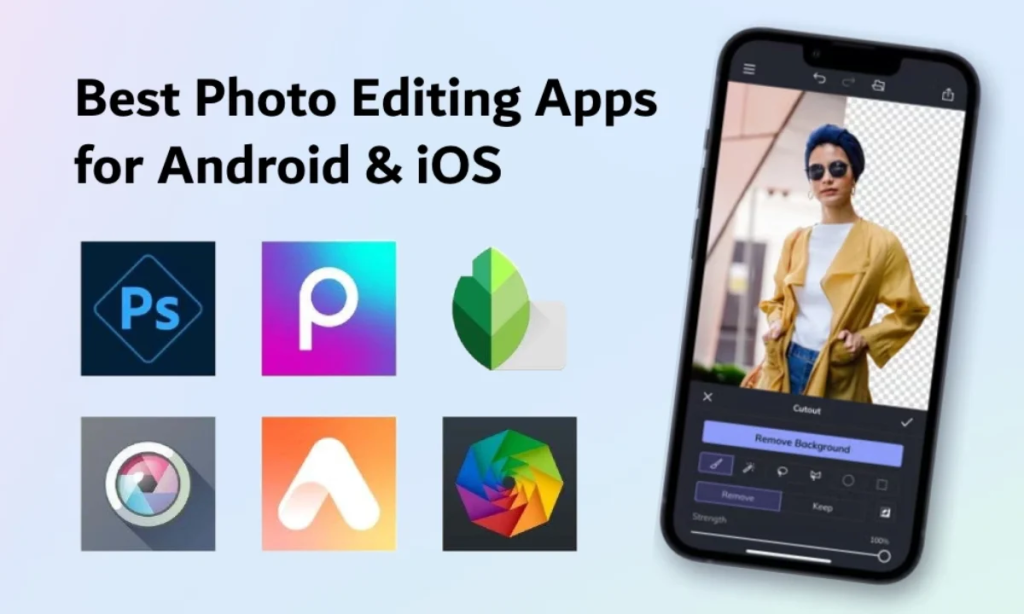
Here are the top choices for Android users:
- Snapseed
- Lightroom
- PicsArt
- PhotoRoom
- Remini
Android users often get extra features because of more flexible system settings.
Best Photo Editing App for iPhone
Here are the best choices for iPhone:
- Lightroom
- VSCO
- Snapseed
- Canva
- Photoshop Express
iPhone apps often feel smoother and more polished.
Free vs Paid Photo Editing Apps: Which One Is Better?
This is something most competitor articles don’t explain properly.
Free Apps Are Best If:
- You only need basic editing
- You don’t want watermark
- You don’t need premium templates
Paid Apps Are Best If:
- You want advanced AI tools
- You need professional export quality
- You edit daily for business or content
Tips to Edit Photos Like a Pro (Simple Tricks)
If you want your photos to look clean and professional, follow these editing tips:
1) Don’t Overuse Filters
Too much filter makes your photo look fake.
2) Fix Light First
Always adjust:
- brightness
- contrast
- highlights
- shadows
3) Use the “Sharpen” Tool Carefully
Too much sharpness adds noise.
4) Use a Consistent Style
If you edit photos for Instagram, use the same color tone.
5) Use Background Remover for Product Photos
This makes your product look premium instantly.
Best Photo Editing App for Different People
Here’s a quick guide to help you choose easily:
If You Are a Beginner
✅ Snapseed or Photoshop Express
If You Are a Social Media Creator
✅ Canva, PicsArt, InShot
If You Are a Photographer
✅ Lightroom, VSCO
If You Sell Products Online
✅ PhotoRoom, Canva
If You Want AI Enhancement
✅ Remini
FAQs – Best Photo Editing App
What is the best photo editing app for free?
Snapseed is the best free photo editing app because it offers powerful tools without payment.
Which app is best for Instagram photo editing?
VSCO and Lightroom are best for Instagram because they give clean and aesthetic edits.
What is the best photo editing app for product photos?
PhotoRoom is one of the best apps for product photo editing because it removes backgrounds easily.
Which app is best for removing objects?
Snapseed (healing tool) and PicsArt (AI remove) work well for object removal.
Final Thoughts
Choosing the best photo editing app depends on what you need.
If you want a simple answer:
- Snapseed is the best free option
- Lightroom is the best professional option
- Canva is the best for social media designs
- PhotoRoom is the best for product editing
