

Watching videos on YouTube is something we all enjoy — from tutorials and music to vlogs and movies, everything is just a click away. But what if you want to watch videos offline, without an internet connection? YouTube doesn’t officially allow direct downloads from its platform unless you’re a YouTube Premium subscriber.
However, there are still safe and legal ways to download videos for personal use. In this detailed guide, we’ll show you how to download YouTube videos on PC, using both official and third-party methods.
1. The Official Way: Use YouTube Premium

The most reliable and legal way to download YouTube videos is through YouTube Premium. It’s an official subscription service by Google that allows you to watch ad-free videos, play them in the background, and download them for offline viewing.
Steps to Download Videos via YouTube Premium:
- Go to the YouTube Premium website and subscribe to a plan.
- Open the YouTube app on your desktop or mobile.
- Find the video you want to download.
- Click the Download button below the video.
- Choose your preferred video quality (Low, Medium, or HD).
Once downloaded, you can watch the video offline anytime — even without an internet connection.
Pros:
- 100% legal and safe
- Ad-free viewing experience
- Available for both PC and mobile users
Cons:
- Requires a paid subscription
- Videos remain playable only within the YouTube app or website
2. Download YouTube Videos Using 4K Video Downloader
If you prefer a free desktop solution, the 4K Video Downloader is one of the best and most trusted tools available. It allows you to download videos, playlists, and even entire channels in various formats and resolutions.
Steps to Download YouTube Videos Using 4K Video Downloader:
- Visit 4kdownload.com and install the 4K Video Downloader software on your PC.
- Open YouTube in your browser and copy the video URL you want to download.
- Launch the 4K Video Downloader and click Paste Link.
- Choose the format (MP4, MKV, MP3) and resolution (480p, 720p, 1080p, or 4K).
- Click Download and wait for it to finish.
Your video will be saved to your computer and ready for offline playback.
Pros:
- Free to use
- Supports HD and 4K resolutions
- Downloads videos, playlists, and subtitles
Cons:
- Limited features in the free version
- Requires software installation
3. Use Online YouTube Video Downloaders (With Caution)
If you don’t want to install software, there are online video downloader websites that can help. Tools like Y2Mate, SaveFrom.net, or SnapSave allow you to download YouTube videos directly from your browser.
Steps to Use Online Downloaders:
- Go to YouTube and copy the URL of the video.
- Visit an online video downloader (like y2mate.is or snapsave.io).
- Paste the link in the search box.
- Choose your preferred format (MP4, MP3, etc.).
- Click Download and save the file.
Important Note:
While these websites may work, many are filled with ads, pop-ups, or potential malware. Always make sure you use a reliable antivirus and avoid sharing personal information.
Pros:
- No software installation needed
- Fast and simple
Cons:
- Risk of viruses or malware
- May not always work
- Often filled with intrusive ads
You may also like it:
Best Photo Edit Karne Wala Photo Apps – Edit Like A Pro
DSLR Photo Editing Background Tips For Beginners – Aarya Editz
CB Editz – Turn Your Photos Into Stylish Masterpieces – Aarya Editz
Best Photo Edit Karne Ke Liye Wallpaper In 2025 – Aarya Editz
4. Record YouTube Videos Using Screen Recording Tools
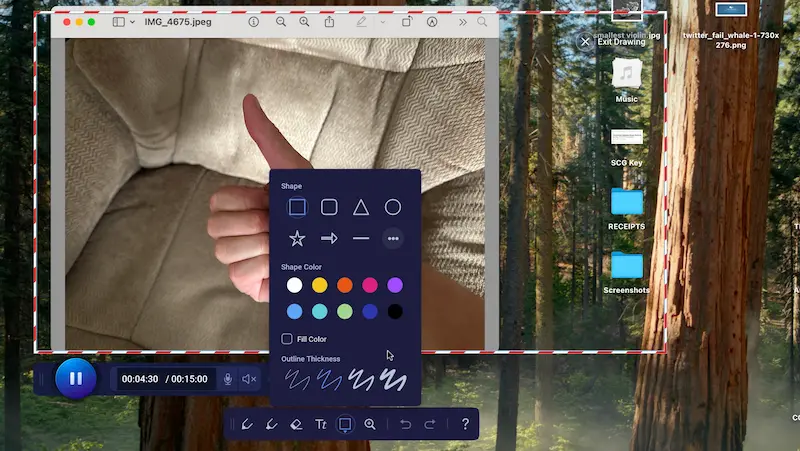
If downloading isn’t an option, you can record videos using screen recorder software. This is a safe alternative for short clips or tutorials.
Best Screen Recorder Tools:
- OBS Studio – Free and open-source, perfect for HD recording
- Bandicam – Lightweight and easy to use
- Windows Game Bar – Built into Windows 10/11 (press Win + G)
Steps to Record YouTube Videos:
- Open your screen recorder.
- Play the YouTube video you want to capture.
- Click Record.
- Once done, save the video file to your PC.
Pros:
- Completely safe and legal
- High-quality recording possible
- No need for video downloaders
Cons:
- Time-consuming for long videos
- May capture background noise
5. Legal and Copyright Considerations
Before downloading any YouTube video, it’s important to understand YouTube’s terms of service. Downloading videos without permission can violate copyright laws.
You’re legally allowed to download:
- Your own uploaded content
- Videos under a Creative Commons license
- Videos explicitly marked as free to use
For any copyrighted content, always get permission from the creator or use YouTube Premium for offline access.
Summary: Best Ways to Download YouTube Videos on PC
| Method | Legality | Offline Access | Cost | Best For |
| YouTube Premium | ✅ 100% Legal | Yes | Paid | Everyday use |
| 4K Video Downloader | ⚠️ For personal use | Yes | Free | HD & 4K downloads |
| Online Downloaders | ⚠️ Risky | Yes | Free | Quick downloads |
| Screen Recorder | ✅ Safe | Yes | Free | Short clips or tutorials |
Tips for Safe Downloading
- Always scan downloaded files with antivirus software.
- Avoid shady sites or links with pop-ups.
- Never download copyrighted material for commercial use.
- Prefer official tools or trusted software like 4K Video Downloader.
Conclusion
Downloading YouTube videos on PC can be done safely and easily if you use the right tools. The official YouTube Premium service is the best and safest way to watch videos offline. However, if you want to save videos for personal reference, 4K Video Downloader or screen recording software are great alternatives.
Just remember — always respect copyright laws and download responsibly.
FAQs – Downloading YouTube Videos on PC
1. Can I download YouTube videos directly from the site?
No, YouTube doesn’t allow direct downloads unless you use YouTube Premium.
2. What is the safest way to download YouTube videos?
Using YouTube Premium or the 4K Video Downloader tool is the safest way.
3. Can I download videos in HD or 4K quality?
Yes, tools like 4K Video Downloader support resolutions up to 8K.
4. Is it legal to download YouTube videos for personal use?
Yes, for personal or educational purposes, it’s generally acceptable, but redistribution is not allowed.
5. Can I download only the audio from YouTube videos?
Yes, most tools allow you to convert videos into MP3 audio format.
