
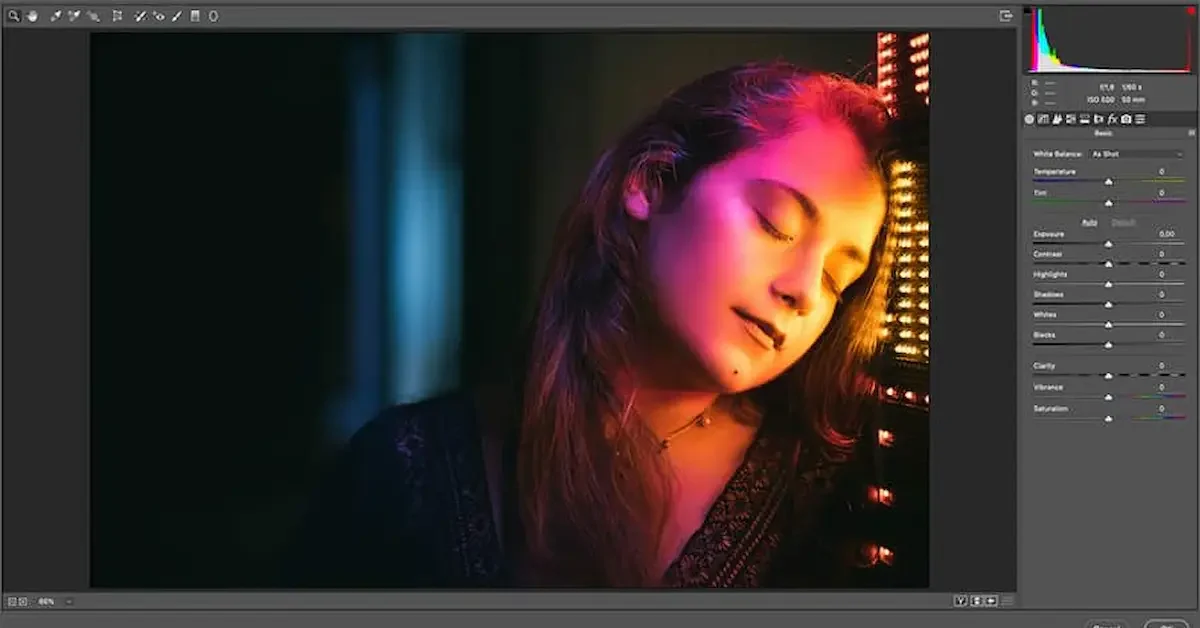
Photoshop is one of the most popular image editing software programs used by photographers, graphic designers, digital artists, and content creators worldwide. While Photoshop already includes many powerful tools, plugins can make it even more useful by adding new features, effects, and automation options that improve productivity and creativity.
Photoshop plugins free are additional tools that can be installed without any cost to enhance your editing experience. These plugins help users perform tasks more efficiently, apply professional effects, access design resources, and simplify complex editing processes. Whether you are a beginner learning Photoshop or an experienced designer looking to speed up your workflow, free plugins can provide valuable benefits.
Many free Photoshop plugins offer features such as photo retouching, color correction, special effects, grid creation, icon libraries, and stock photo integration. By using the right plugins, designers can save time, improve the quality of their work, and achieve professional results without spending extra money.
In this guide, you will learn what Photoshop plugins are, their benefits, the best free Photoshop plugins available, how to install them, and tips for choosing the right plugins for your creative projects.
What Are Photoshop Plugins?
Photoshop plugins are additional software tools that can be installed into Adobe Photoshop to add new features, improve functionality, and simplify editing tasks. These plugins work alongside Photoshop and provide extra capabilities that are not included in the standard version of the software.
In simple terms, Photoshop plugins act like extensions that help users perform specific tasks more quickly and efficiently. They can automate repetitive work, add creative effects, improve image quality, and enhance the overall editing experience.
How Photoshop Plugins Work
Once installed, plugins become available within Photoshop and can be accessed through menus, panels, or tool options.
- Add new editing features
- Improve workflow efficiency
- Automate complex tasks
- Enhance design capabilities
Why Designers Use Photoshop Plugins
Many designers and photographers use plugins to save time and achieve professional results.
- Speed up editing processes
- Access advanced effects
- Improve image retouching
- Simplify design tasks
Types of Photoshop Plugins
There are different types of plugins available for various purposes.
- Photo editing plugins
- Color correction tools
- Graphic design plugins
- Special effects plugins
- UI/UX design tools
- Stock image integration plugins
Benefits of Photoshop Plugins
Plugins help users work more effectively and creatively.
- Faster editing workflow
- Better image quality
- Increased productivity
- Professional design results
- Additional creative options
Simple Understanding
Photoshop plugins are extra tools that expand Photoshop’s capabilities. They help users edit photos, create designs, and complete projects faster by adding useful features and automation tools that improve overall productivity.
Why Use Free Photoshop Plugins?
Free Photoshop plugins are a great way to enhance Photoshop without spending extra money. They provide useful features that can improve editing speed, simplify complex tasks, and help users create professional-quality designs more efficiently.
Save Time on Editing
Many plugins automate repetitive tasks that would normally take a lot of time.
- One-click effects
- Automatic adjustments
- Faster image processing
- Simplified workflows
Improve Workflow Efficiency
Plugins help designers and photographers work more smoothly by reducing manual effort.
- Quick access to tools
- Better project organization
- Easier layer management
- Streamlined editing process
Access Advanced Features
Some free plugins offer features that are not available in Photoshop by default.
- Creative filters
- Special effects
- Advanced retouching tools
- Design enhancements
Increase Creativity
Plugins provide additional resources and effects that inspire creative work.
- Unique visual styles
- Artistic effects
- Design templates
- Custom editing options
Enhance Professional Results
Using the right plugins can help users achieve higher-quality outcomes.
- Better color correction
- Improved photo retouching
- Sharper images
- More polished designs
Reduce Costs
Free plugins allow users to access powerful tools without purchasing expensive software.
- No additional investment required
- Useful for beginners
- Budget-friendly solution
- Professional features at no cost
Simple Understanding
Free Photoshop plugins help users save time, improve productivity, access advanced features, and create better designs without spending money. They are valuable tools for both beginners and experienced Photoshop users who want to enhance their editing experience.
Benefits of Free Photoshop Plugins
Free Photoshop plugins offer many advantages for photographers, graphic designers, digital artists, and content creators. They help improve productivity, simplify editing tasks, and make Photoshop more powerful without increasing costs.
Faster Photo Editing
Many plugins automate time-consuming tasks, allowing users to complete projects more quickly.
- One-click adjustments
- Automated effects
- Faster image enhancements
- Reduced editing time
Improved Design Quality
Plugins provide advanced tools and effects that can enhance the overall quality of your work.
- Professional-looking results
- Better color correction
- High-quality visual effects
- Enhanced image details
Increased Productivity
By simplifying complex processes, plugins help users focus more on creativity and less on repetitive tasks.
- Efficient workflow
- Better project management
- Faster task completion
- Improved organization
Access to Advanced Features
Some free plugins add powerful capabilities that are not included in Photoshop’s standard tools.
- Creative filters
- Advanced retouching options
- Custom design tools
- Special visual effects
Easy Customization
Many plugins allow users to personalize their editing experience according to their needs.
- Adjustable settings
- Flexible workflows
- Custom effects
- User-friendly controls
Learning and Skill Development
Plugins can help beginners learn new editing techniques and improve their Photoshop skills.
- Explore new features
- Practice advanced editing
- Improve design knowledge
- Build creative confidence
Cost-Effective Solution
One of the biggest benefits is that users can access useful tools without spending extra money.
- Free to download
- Budget-friendly
- Ideal for beginners
- No additional software costs
Simple Understanding
Free Photoshop plugins make editing faster, improve design quality, boost productivity, and provide advanced features at no cost. They are an excellent way to enhance Photoshop and create professional-quality projects more efficiently.
Best Free Photoshop Plugins
There are many free Photoshop plugins available that can improve your workflow, enhance image quality, and make designing easier. Below are some of the most popular and useful free Photoshop plugins for designers and photographers.
Nik Collection
Nik Collection is one of the most popular free plugin suites for Photoshop.
- Professional photo editing tools
- Advanced color correction
- Black and white effects
- Creative filters and presets
GuideGuide
GuideGuide helps designers create grids and guides quickly.
- Easy layout creation
- Accurate design alignment
- Time-saving workflow Photoshop Plugins Free
- Useful for web and graphic design
Ink
Ink is a useful plugin for UI and UX designers.
- Generates design specifications
- Simplifies developer handoff Photoshop Plugins Free
- Improves project communication
- Saves design documentation time
Composer
Composer helps manage Photoshop layers more efficiently.
- Faster layer organization
- Improved workflow management
- Easy layer adjustments Photoshop Plugins Free
- Useful for complex projects
Pexels Plugin
The Pexels plugin provides direct access to free stock photos.
- Search images inside Photoshop
- Download high-quality photos
- Save time finding resources Photoshop Plugins Free
- Ideal for content creators
Font Awesome Plugin
This plugin gives designers quick access to thousands of icons.
- Large icon library
- Easy icon insertion
- Helpful for web design Photoshop Plugins Free
- Supports creative projects
Free Texture and Effect Plugins
Many free plugins focus on adding creative effects and textures.
- Vintage effects
- Artistic filters
- Lighting enhancements
- Unique design styles Photoshop Plugins Free
Benefits of Using These Plugins
These plugins can significantly improve your Photoshop experience.
- Faster editing workflow
- Better design quality
- Professional-level features
- Increased productivity Photoshop Plugins Free
- More creative possibilities
Simple Understanding
The best free Photoshop plugins help users edit photos, manage designs, access stock images, create layouts, and add professional effects. They are valuable tools for improving creativity and making P-[;
How to Install Free Photoshop Plugins
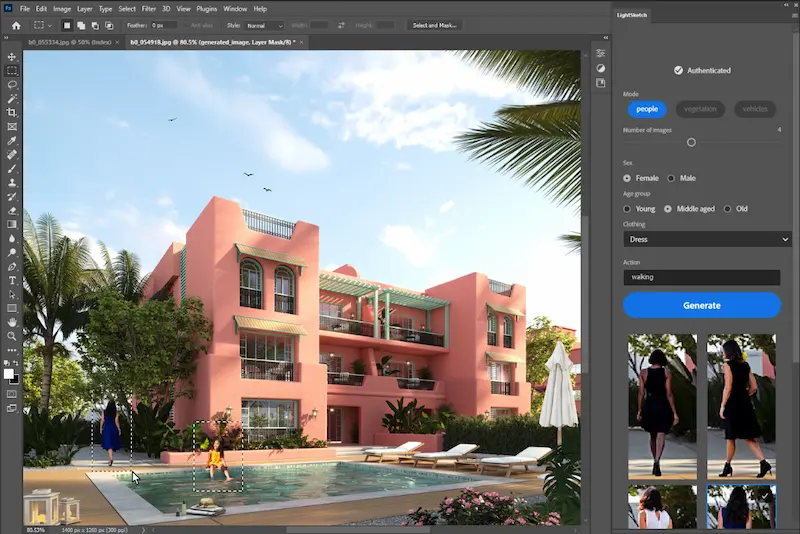
Installing free Photoshop plugins is usually a simple process. Once installed, plugins can add new tools, effects, and features directly into Photoshop, helping you work more efficiently. Photoshop Plugins Free
Step 1: Download the Plugin
First, download the plugin from a trusted source.
- Visit the official plugin website
- Download the correct version Photoshop Plugins Free
- Check compatibility with your Photoshop version
- Save the file to your computer
Step 2: Extract the Files
Some plugins are provided in ZIP or compressed files.
- Locate the downloaded file
- Extract the contents
- Open the extracted folder Photoshop Plugins Free
- Review installation instructions if provided
Step 3: Locate the Photoshop Plugins Folder
Photoshop stores plugins in a dedicated folder.
- Find your Photoshop installation directory
- Open the Plugins folder Photoshop Plugins Free
- Ensure you have administrator permissions if needed
Step 4: Copy the Plugin Files
Move the plugin files into the Photoshop Plugins folder.
- Copy all required files
- Paste them into the Plugins directory Photoshop Plugins Free
- Follow any instructions included with the plugin
Step 5: Restart Photoshop
After installation, restart Photoshop to load the new plugin.
- Close Photoshop completely
- Reopen the application Photoshop Plugins Free
- Allow Photoshop to load the plugin
Step 6: Verify Installation
Check whether the plugin appears inside Photoshop.
- Look in the Plugins menu
- Check Filters or Extensions menus
- Open the plugin panel if available Photoshop Plugins Free
- Test its features
Common Installation Problems
Sometimes plugins may not work correctly after installation.
- Incorrect Photoshop version Photoshop Plugins Free
- Unsupported operating system
- Missing plugin files
- Outdated Photoshop software
Tips for Successful Installation
- Download plugins from trusted sources
- Keep Photoshop updated Photoshop Plugins Free
- Read installation instructions carefully Photoshop Plugins Free
- Backup important projects before installing new plugins
Simple Understanding
Installing free Photoshop plugins usually involves downloading the plugin, placing the files in the Photoshop Plugins folder, restarting Photoshop, and confirming that the plugin appears in the software. Following the correct installation steps helps ensure the plugin works properly and improves your editing workflow.
What are Photoshop plugins?
Photoshop plugins are additional tools that add new features and functions to Adobe Photoshop. They help improve editing, design, and workflow efficiency.
Are free Photoshop plugins safe to use?
Yes, most free Photoshop plugins are safe when downloaded from trusted and official sources. Always avoid downloading plugins from unknown websites.
How do I install Photoshop plugins?
You can install Photoshop plugins by downloading the plugin, copying the files into the Photoshop Plugins folder, and restarting Photoshop.
Conclusion
Free Photoshop plugins are valuable tools that can significantly improve your editing and design experience. They add extra features, automate repetitive tasks, and help users create professional-quality work more efficiently. Whether you are a photographer, graphic designer, digital artist, or beginner, the right plugins can make Photoshop more powerful and easier to use.
From photo retouching and color correction to layout creation and creative effects, free plugins offer a wide range of benefits without any additional cost. They help save time, increase productivity, and provide access to advanced tools that enhance creativity and workflow.
When choosing Photoshop plugins, it is important to download them from trusted sources, ensure compatibility with your Photoshop version, and install only the tools that meet your specific needs. Keeping plugins updated can also improve performance and security. Photoshop Plugins Free
In simple terms, free Photoshop plugins are an excellent way to unlock new possibilities in Photoshop, improve your skills, and create high-quality designs without spending money. By selecting the right plugins, you can work faster, achieve better results, and take your creative projects to the next level.
