
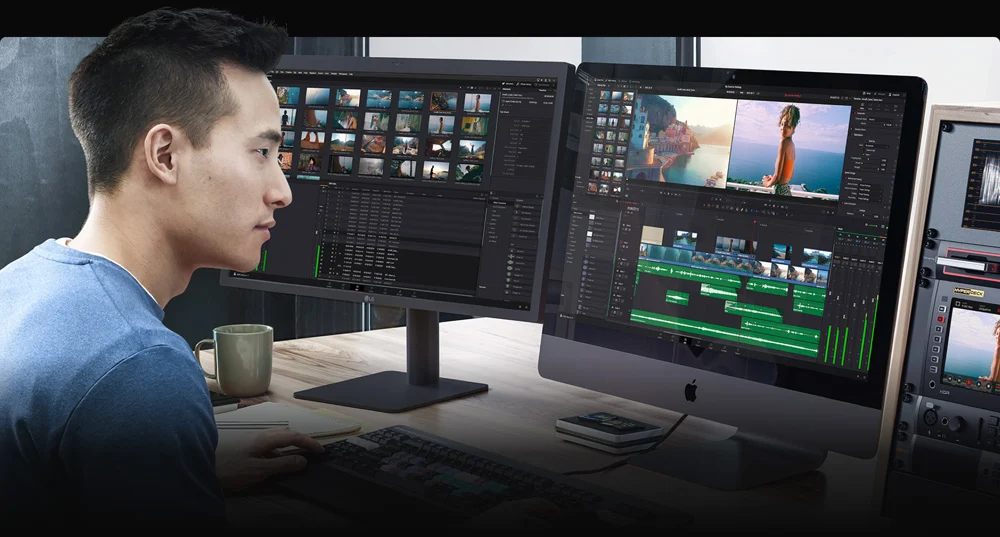
If you have ever watched a YouTube video and wondered how creators make their videos look so professional, the answer usually comes down to video editing software. Editing helps YouTubers cut unnecessary parts, add music, include transitions, and make videos more engaging for viewers.
Today, both beginner and professional YouTubers use different video editing tools depending on their needs, budget, and experience level. Some creators prefer simple apps for quick edits, while others use advanced software to create cinematic content.
In this guide, you will learn what do YouTubers use to edit videos, the best editing software, and how to choose the right tool for your content.
Why Video Editing Is Important for YouTubers
Before we explore the tools, it’s important to understand why editing matters on YouTube.
Good video editing helps creators:
- Remove mistakes and unnecessary clips
- Add background music and sound effects
- Improve video quality with color correction
- Add text, subtitles, and graphics
- Keep viewers engaged throughout the video
Without editing, most YouTube videos would look unpolished and less professional.
What Do YouTubers Use to Edit Videos?
YouTubers typically use video editing software, mobile apps, and professional editing programs. The best tool depends on whether the creator is a beginner, intermediate, or professional YouTuber.
Below are the most popular editing tools used by YouTubers today.
1. Adobe Premiere Pro
Adobe Premiere Pro is one of the most popular video editing programs used by professional YouTubers.
Key Features
- Advanced video editing tools
- Professional color grading
- High-quality transitions and effects
- Multi-camera editing support
- Integration with other Adobe apps
Why YouTubers Use It
Many professional creators use this software because it offers complete control over editing and production quality.
Best For
- Professional YouTubers
- Filmmakers
- Advanced video creators
You may also like it:
Lightroom App Download APK – Full Guide With Benefits
Best Photo Banavani App Guide With Features & Benefits
Top Wallpaper Set Karne Wala Apps Guide 2025
2. Final Cut Pro
Final Cut Pro is another powerful video editing tool widely used by YouTubers, especially those who use Apple devices.
Key Features
- Fast performance on Mac computers
- Advanced editing timeline
- High-quality visual effects
- Professional color grading tools
Why Creators Prefer It
Final Cut Pro provides smooth editing performance and professional-level results.
Best For
- Mac users
- Professional video creators
- Content creators who want high-speed editing
3. DaVinci Resolve
DaVinci Resolve is famous for its professional color correction and editing capabilities. Surprisingly, it also has a free version that many YouTubers use.
Key Features
- Advanced color grading tools
- Professional editing interface
- Visual effects and motion graphics
- Free version available
Why YouTubers Love It
It offers professional features without requiring a paid subscription, making it ideal for serious creators.
4. Filmora
Filmora is one of the most beginner-friendly video editing tools used by YouTubers.
Key Features
- Easy drag-and-drop editing
- Built-in transitions and effects
- Music and sound effects library
- Simple interface
Why Beginners Choose Filmora
It allows new creators to edit videos quickly without technical knowledge.
5. iMovie
iMovie is a simple video editor that comes free with Apple devices.
Key Features
- Easy video trimming
- Basic transitions and titles
- Built-in templates
- Beginner-friendly interface
Best For
- New YouTubers
- Simple video editing
- Apple users
Although it is basic, many creators start their YouTube journey using iMovie.
6. CapCut (Popular Among Mobile YouTubers)
CapCut has become extremely popular, especially for YouTube Shorts and social media videos.
Key Features
- Free editing tools
- Built-in templates
- Automatic captions
- Filters and effects
Why Creators Use It
It allows users to edit professional-looking videos directly from their phones.
7. Adobe After Effects (For Advanced Effects)
Many YouTubers use Adobe After Effects alongside their editing software to create animations, graphics, and special effects.
Common Uses
- Motion graphics
- YouTube intros
- Advanced visual effects
- Animated titles
This tool is mostly used by professional YouTubers and editors.
Mobile Apps YouTubers Use for Editing
Many creators now edit videos directly on smartphones. Popular mobile editing apps include:
- CapCut
- KineMaster
- InShot
- VN Video Editor
These apps are perfect for quick edits, travel videos, and YouTube Shorts.
Other Tools YouTubers Use Alongside Video Editors
Video editing software is not the only tool YouTubers rely on. Many creators also use:
Thumbnail Design Tools
- Canva
- Photoshop
Audio Editing Tools
- Audacity
- Adobe Audition
Screen Recording Tools
- OBS Studio
- ScreenFlow
These tools help creators improve video quality and make content more engaging.
How to Choose the Best Video Editing Software
Choosing the right editing software depends on several factors.
Consider These Points
1. Skill Level
Beginners should start with simple tools like Filmora or CapCut.
2. Budget
Some tools are free, while others require a subscription.
3. Device Compatibility
Certain programs work only on Mac or Windows.
4. Video Style
Gaming videos, vlogs, and cinematic content may require different editing features.
Tips for Editing YouTube Videos Like a Pro
If you want your videos to look professional, follow these editing tips:
- Cut out unnecessary pauses and mistakes
- Use background music to improve engagement
- Add subtitles for better accessibility
- Use smooth transitions instead of too many effects
- Keep your editing style consistent
Good editing helps keep viewers watching longer, which improves YouTube performance.
The Future of YouTube Video Editing
Video editing is constantly evolving. Many YouTubers are now using:
- AI editing tools
- Automatic caption generators
- Cloud-based editing software
- Advanced visual effects
These technologies make it easier than ever for creators to produce high-quality videos.
Final Thoughts
So, what do YouTubers use to edit videos?
The answer depends on the creator’s experience and content style. Beginners often use simple tools like Filmora or CapCut, while professionals rely on advanced programs such as Adobe Premiere Pro or Final Cut Pro.
The most important thing is choosing a tool that matches your skills and workflow. With the right editing software and creativity, anyone can start producing engaging YouTube videos.
