
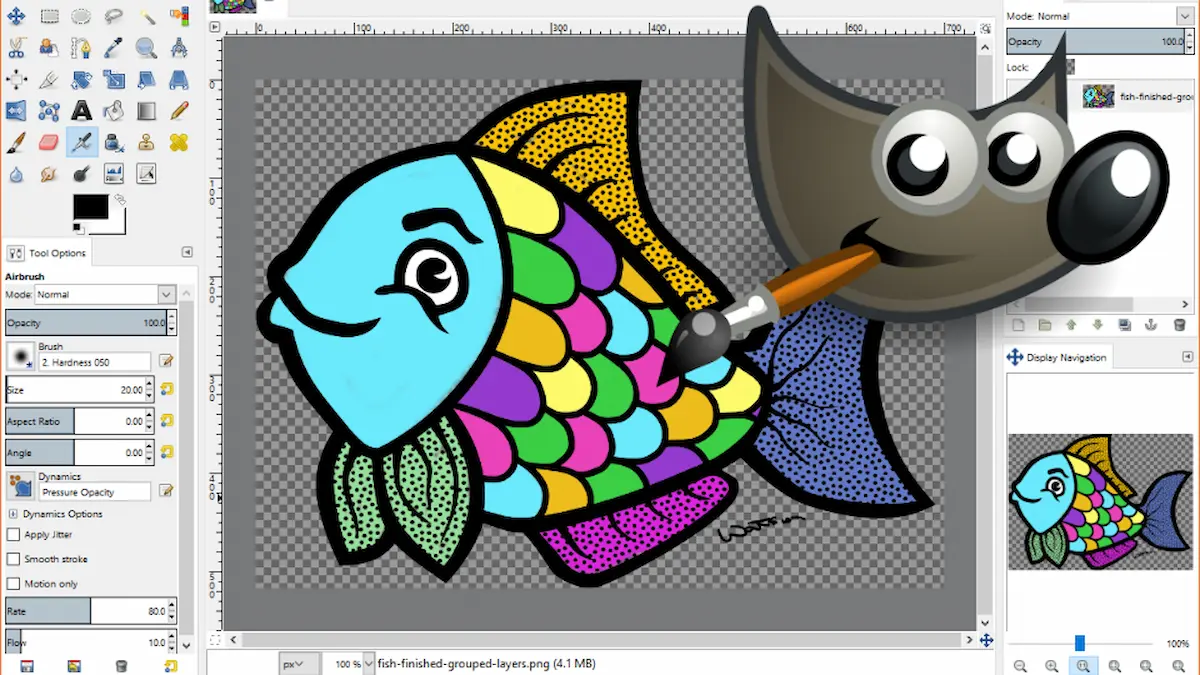
What is GIMP Graphic Design?
GIMP graphic design refers to creating visual content like logos, social media posts, banners, and photo edits using GIMP. It is a powerful, free, and open-source alternative to premium tools like Adobe Photoshop.
GIMP is widely used by beginners, freelancers, and even professionals who want a cost-effective design solution.
Why Choose GIMP for Graphic Design?
GIMP offers many features that make it ideal for graphic design work:
Key Benefits:
- Completely free and open-source
- Available on Windows, Mac, and Linux
- Supports advanced photo editing
- Customizable interface
- Large community support
Unlike expensive software, GIMP allows you to design without any subscription costs.
What Can You Create with GIMP?
With GIMP graphic design, you can create:
- Social media posts (Instagram, Facebook banners)
- YouTube thumbnails
- Website graphics and blog images
- Logos and branding materials
- Posters and flyers
- Photo retouching and manipulation
This makes GIMP a versatile tool for both personal and professional use.
GIMP vs Photoshop: Which One is Better?
Here’s a simple comparison:
| Feature | GIMP | Photoshop |
| Price | Free | Paid |
| Ease of Use | Moderate | Beginner-friendly |
| Features | Advanced | Very advanced |
| Support | Community-based | Official support |
Conclusion:
If you are starting out or on a budget, GIMP is a great choice. For advanced professional workflows, Photoshop may offer more tools.
Basic Tools in GIMP for Graphic Design
To start with GIMP graphic design, you should understand these tools:
1. Move Tool
Used to move layers, images, or objects.
2. Crop Tool
Helps you resize and frame your design.
3. Text Tool
Add stylish text for banners and posts.
4. Brush Tool
Perfect for drawing and creative edits.
5. Layers Panel
Allows you to manage different elements of your design.
You may also like it:
AK Editz Logo – A Key To Strong Brand Identity – Aarya Editz
Video Banavani App – Create Videos With Ease – Aarya Editz
Discover Snapseed QR Presets – Best Photo Editing – Aarya Editz
Camera 4K APK Features, Pros & Installation Guide – Aarya Editz
How to Start GIMP Graphic Design (Step-by-Step)
Follow these simple steps:
Step 1: Download and Install GIMP
Go to the official website and install GIMP.
Step 2: Create a New Project
- Click on “File” → “New”
- Choose your canvas size (e.g., 1200×628 for thumbnails)
Step 3: Add Images or Elements
Import images using “File → Open as Layers”.
Step 4: Use Tools to Design
- Add text
- Adjust colors
- Apply effects
Step 5: Export Your Design
Save your file in PNG or JPG format.
Tips to Improve Your GIMP Designs
Here are some expert tips:
- Use high-quality images
- Keep your design simple and clean
- Use consistent colors and fonts
- Learn keyboard shortcuts
- Use layers properly
These small improvements can make your designs look more professional.
Common Mistakes to Avoid
Many beginners make these mistakes:
- Overloading designs with too many elements
- Ignoring alignment and spacing
- Using low-resolution images
- Not saving files properly
Avoiding these will instantly improve your design quality.
Is GIMP Good for Freelancers?
Yes, GIMP is a great option for freelancers:
- No investment required
- Supports professional-level editing
- Suitable for client work
- Works well for SEO images and blog graphics
Many freelancers use GIMP to create designs for platforms like Fiverr and Upwork.
FAQs About GIMP Graphic Design
What is GIMP mainly used for?
GIMP is used for photo editing, graphic design, and image manipulation.
Is GIMP better than Photoshop?
GIMP is free and powerful, but Photoshop offers more advanced features.
Can beginners use GIMP easily?
Yes, but it may take some time to learn the interface.
Is GIMP good for logo design?
Yes, GIMP can be used for basic to intermediate logo design.
Does GIMP support PSD files?
Yes, GIMP can open Photoshop PSD files, but some features may not fully transfer.
Final Thoughts
GIMP graphic design is a powerful and budget-friendly way to create stunning visuals. Whether you are a beginner or a freelancer, GIMP provides all the essential tools needed to design high-quality graphics without spending money.
If you invest time in learning it, GIMP can become a valuable skill for your creative and professional growth.
