
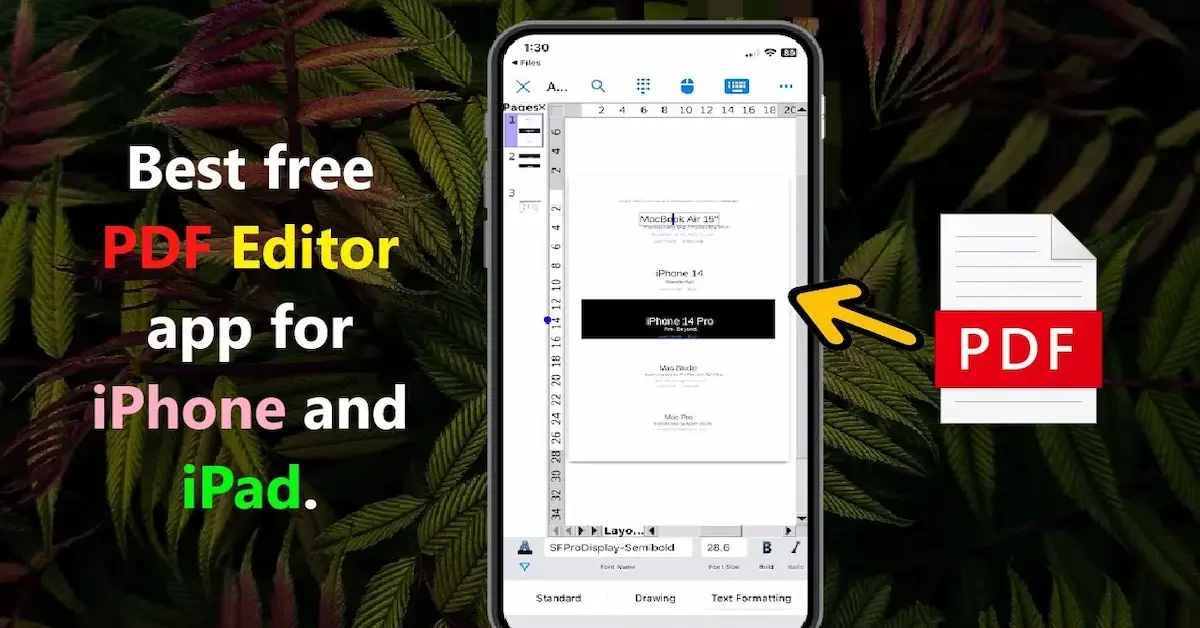
The iPad has become much more than just a device for browsing the internet or watching videos. Today, students, professionals, business owners, and remote workers use iPads to manage documents, complete assignments, review contracts, and collaborate on projects. As PDF files continue to be one of the most widely used document formats, having the best PDF editor for iPad is essential for staying productive and organized.
A good PDF editor allows you to do much more than simply view documents. You can edit text, add comments, highlight important information, fill out forms, sign documents electronically, and even convert files into different formats. With the right app, your iPad can become a powerful tool for handling all your PDF-related tasks without needing a laptop or desktop computer.
The App Store offers many PDF editing apps, each with its own features, pricing, and advantages. While some are designed for professional document management, others focus on note-taking, annotations, or simple PDF editing. Choosing the right one can be challenging, especially if you’re not sure which features you actually need.
In this guide, we’ll explore the best PDF editor for iPad, compare the top options available, and discuss their key features, pros, and limitations. Whether you’re a student looking to annotate lecture notes, a business professional managing contracts, or a casual user who occasionally edits PDFs, this article will help you find the perfect PDF editor for your needs.
What Is a PDF Editor?
A PDF editor is a software application that allows users to modify, manage, and interact with PDF (Portable Document Format) files. Unlike a standard PDF reader, which only lets you view documents, a PDF editor provides tools to make changes to the content, add annotations, fill out forms, sign documents, and perform many other tasks.
PDF files are commonly used because they preserve the original formatting of a document across different devices and operating systems. Whether you open a PDF on an iPad, computer, or smartphone, the document will look the same. A PDF editor helps users work with these files more efficiently without needing to convert them into other formats.
Difference Between a PDF Reader and a PDF Editor
Many people confuse PDF readers with PDF editors. While both can open and display PDF files, their capabilities are very different.
A PDF reader allows you to:
- View PDF documents
- Print files
- Search for text
- Zoom in and out of pages
A PDF editor allows you to:
- Edit text and images
- Add comments and annotations
- Highlight important information
- Fill out forms
- Sign documents electronically
- Rearrange, delete, or add pages
- Convert files to and from PDF format
If you regularly work with PDF documents, a PDF editor offers far more flexibility and productivity features than a basic PDF reader.
Common Features of a PDF Editor
Modern PDF editors include a wide range of tools designed to simplify document management. Some of the most useful features include:
Text Editing
Users can edit existing text within a PDF document, correct mistakes, update information, or add new content without recreating the file.
Annotation and Markup Tools
PDF editors often include tools for:
- Highlighting text
- Underlining important sections
- Adding comments and notes
- Drawing shapes and markings
These features are especially useful for reviewing documents, studying, and team collaboration.
Form Filling
Many PDF forms can be completed directly within a PDF editor. Users can enter information, select options, and submit forms electronically.
Electronic Signatures
Most modern PDF editors support digital signatures, allowing users to sign contracts, agreements, and other documents without printing them.
Page Management
Users can:
- Rearrange pages
- Delete unnecessary pages
- Insert new pages
- Merge multiple PDF files
- Split large documents into smaller files
These tools make document organization much easier.
File Conversion
Many PDF editors can convert documents between different formats, such as:
- Word to PDF
- PDF to Word
- Excel to PDF
- Image to PDF
This helps users work with files in the format that best suits their needs.
Why PDF Editors Are Important on iPad
The iPad has become a popular device for productivity and document management. A quality PDF editor allows users to edit files, sign documents, and collaborate on projects directly from their iPad without needing a computer.
Combined with Apple Pencil support, many PDF editors provide a smooth and natural editing experience that is ideal for students, professionals, and remote workers.
you may also like to read these posts;
Stylish Happy Diwali Wishes With Name And Photo Edit – Aarya Editz
Happy Holi Photo Editing Online – Complete Guide – Aarya Editz
AK Editz Logo – A Key To Strong Brand Identity – Aarya Editz
Who Can Benefit from a PDF Editor?
PDF editors are useful for a wide range of users, including:
- Students reviewing study materials
- Teachers grading assignments
- Business professionals handling contracts
- Freelancers managing client documents
- Remote workers collaborating with teams
- Anyone who regularly works with PDF files
No matter your profession or purpose, a PDF editor can help save time and improve productivity.
Final Thoughts
A PDF editor is much more than a tool for viewing documents. It allows users to edit, annotate, organize, sign, and share PDF files efficiently. For iPad users, choosing the right PDF editor can transform the device into a powerful document management solution, making everyday tasks faster and more convenient.
Why Use a PDF Editor on iPad?
Using a PDF editor on an iPad has become increasingly popular as more people shift toward mobile work and digital document management. The iPad offers a perfect balance of portability, performance, and usability, making it an ideal device for handling PDF files. A good PDF editor enhances this experience by allowing users to manage documents anytime, anywhere.
Work From Anywhere
One of the biggest advantages of using a PDF editor on an iPad is mobility. You are not limited to a desk or office setup. Whether you are traveling, attending meetings, or studying in a library, you can easily open, edit, and manage PDF files on the go.
This flexibility is especially useful for professionals who need to review contracts or students who need to access study materials anytime.
Easy and Fast Document Management
A PDF editor on iPad makes document handling simple and efficient. Instead of printing or transferring files to a computer, you can complete all tasks directly on your device. Best Pdf Editor For Ipad
You can:
- Open PDF files instantly
- Edit documents without converting formats
- Organize and store files easily Best Pdf Editor For Ipad
- Share documents with a single tap
This saves both time and effort, improving overall productivity.
Better Productivity for Daily Tasks
With the right PDF editor, your iPad becomes a powerful productivity tool. You can manage multiple documents, make quick edits, and collaborate with others without switching between devices.
Features like annotation, highlighting, and commenting also help streamline workflows, especially in academic and business environments.
Apple Pencil Support for Precision
Many PDF editors for iPad support Apple Pencil, which makes editing more accurate and natural. You can:
- Write handwritten notes
- Draw diagrams or shapes
- Highlight text precisely Best Pdf Editor For Ipad
- Sign documents with ease
This is especially helpful for students, designers, and professionals who prefer handwritten input.
Paperless and Eco-Friendly Workflow
Using a PDF editor on iPad reduces the need for printing documents. This supports a more eco-friendly and paperless workflow. Instead of printing, signing, and scanning documents, everything can be done digitally. Best Pdf Editor For Ipad
This not only saves paper but also reduces printing costs and storage space.
Easy File Sharing and Collaboration
PDF editors on iPad make it simple to share documents with others. You can send files via email, cloud storage, or messaging apps in just a few seconds. Best Pdf Editor For Ipad
Many apps also support real-time collaboration, allowing teams to review and comment on the same document, improving communication and efficiency. Best Pdf Editor For Ipad
Access to Cloud Storage
Most modern PDF editors integrate with cloud storage services such as:
- iCloud Drive
- Google Drive
- Dropbox Best Pdf Editor For Ipad
- OneDrive
This allows you to access your files from any device, ensuring your documents are always available and backed up securely. Best Pdf Editor For Ipad
Improved Learning and Study Experience
For students, using a PDF editor on iPad makes studying more interactive. You can highlight important points, add notes, and organize study materials in one place. This helps improve understanding and retention of information. Best Pdf Editor For Ipad
Final Thoughts
A PDF editor on iPad is more than just a tool—it is a complete productivity solution. It allows users to work efficiently, stay organized, and manage documents from anywhere. With features like Apple Pencil support, cloud integration, and easy sharing, it transforms the iPad into a powerful device for both personal and professional use. Best Pdf Editor For Ipad
Features to Look for in the Best PDF Editor for iPad
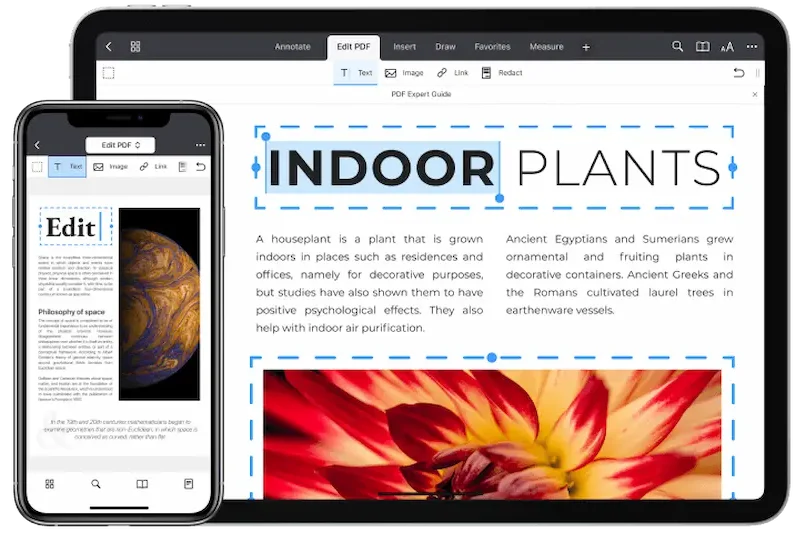
Choosing the best PDF editor for iPad depends on the features it offers. Since different users have different needs, it is important to understand what makes a PDF editor truly useful. A good app should be simple, powerful, and flexible enough to handle both basic and advanced PDF tasks. Best Pdf Editor For Ipad
User-Friendly Interface
A clean and easy-to-use interface is one of the most important features. The app should allow users to navigate smoothly without confusion. Simple menus, clear icons, and quick access to tools make editing PDFs much easier, especially for beginners. Best Pdf Editor For Ipad
Powerful PDF Editing Tools
The best PDF editor should allow users to fully edit their documents. This includes:
- Editing existing text
- Adding new text Best Pdf Editor For Ipad
- Modifying images
- Rearranging pages
- Deleting or inserting pages
These tools help users make complete changes without needing a desktop computer. Best Pdf Editor For Ipad
Annotation and Markup Features
Annotation tools are essential for reviewing and studying documents. A good PDF editor should include options to:
- Highlight important text
- Add comments and notes
- Underline or strike through content
- Draw shapes or freehand markings Best Pdf Editor For Ipad
These features are especially useful for students, teachers, and professionals working on shared documents.
Apple Pencil Compatibility
For iPad users, Apple Pencil support is a major advantage. It allows precise and natural input for:
- Handwritten notes
- Drawing diagrams
- Signing documents
- Marking important sections
A smooth Apple Pencil experience improves productivity and makes editing more intuitive Best Pdf Editor For Ipad.
Cloud Storage Integration
The ability to connect with cloud services is very important. The best PDF editors support platforms like:
- iCloud Drive
- Google Drive
- Dropbox
- OneDrive
This ensures that your files are always accessible, backed up, and easy to share across devices. Best Pdf Editor For Ipad
PDF Conversion Features
A strong PDF editor should allow file conversion between different formats. Common conversions include:
- Word to PDF
- PDF to Word
- Excel to PDF
- Images to PDF
This feature helps users work more flexibly with different types of documents. Best Pdf Editor For Ipad
Electronic Signature Support
Digital signature tools are essential for modern document workflows. A good PDF editor should allow users to:
- Sign documents electronically Best Pdf Editor For Ipad
- Fill out forms
- Approve contracts securely
This eliminates the need for printing and scanning documents. Best Pdf Editor For Ipad
Security and Password Protection
Security is very important when handling sensitive documents. The best PDF editors offer:
- Password protection Best Pdf Editor For Ipad
- Encryption features
- Secure file sharing options
These features help protect personal and professional information from unauthorized access.
Fast Performance and Stability
A good app should run smoothly without crashing or lagging. Fast loading times, smooth scrolling, and stable performance are important for a better user experience, especially when working with large PDF files. Best Pdf Editor For Ipad
Offline Access
The ability to work without an internet connection is also useful. A strong PDF editor should allow users to view and edit files offline, making it convenient for travel or areas with poor connectivity. Best Pdf Editor For Ipad
Final Thoughts
The best PDF editor for iPad should combine ease of use, powerful editing tools, and strong security features. By focusing on these key features, you can choose an app that improves productivity, simplifies document management, and meets your personal or professional needs effectively. Best Pdf Editor For Ipad
What is the best PDF editor for iPad?
The best PDF editor for iPad depends on your needs. Popular options include Adobe Acrobat Reader, PDF Expert, Foxit PDF Editor, PDFelement, GoodNotes, and Notability. Each app offers different features for editing, annotation, and document management.
Is there a free PDF editor for iPad?
Yes, several PDF editors offer free versions. Apps like Adobe Acrobat Reader, PDF Expert (limited free features), and Foxit PDF Editor provide basic PDF viewing and editing tools at no cost.
Can I edit PDF text on an iPad?
Yes, many PDF editor apps allow you to edit text directly on PDFs. However, advanced text editing features are usually available in premium or paid versions of these apps.
Conclusion
Finding the best PDF editor for iPad depends on your personal needs, whether you are a student, professional, or casual user. With so many powerful apps available, it is now easier than ever to view, edit, annotate, and manage PDF files directly from your iPad without needing a computer. Best Pdf Editor For Ipad
The right PDF editor should offer a balance of ease of use, strong editing tools, Apple Pencil support, cloud integration, and reliable performance. Apps like Adobe Acrobat Reader, PDF Expert, Foxit PDF Editor, and GoodNotes each provide unique features that suit different types of users.
By choosing the right app, you can improve your productivity, simplify document management, and create a smooth paperless workflow. Instead of struggling with traditional methods, a good PDF editor allows you to handle all your documents quickly and efficiently in one place.
In short, the best PDF editor for iPad is the one that fits your workflow and makes your daily tasks easier, faster, and more organized.
