
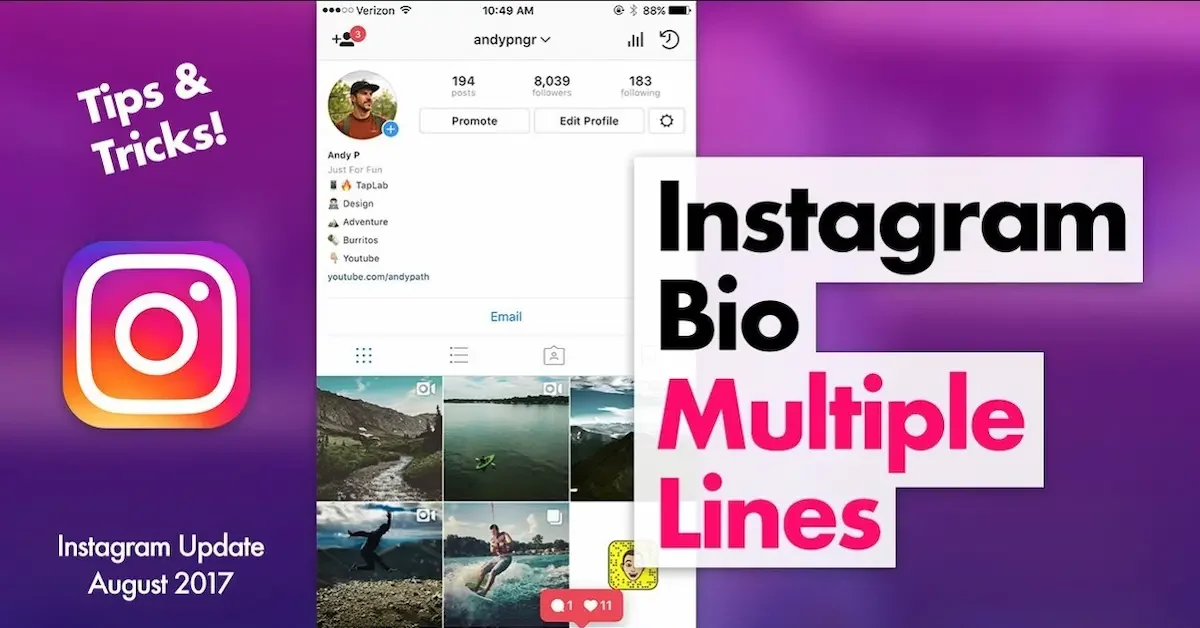
Your Instagram bio is one of the first things people notice when they visit your profile. It tells others who you are, what you do, and what they can expect from your account. Whether you’re using Instagram for personal use, business, or content creation, having a well-written bio can make a great first impression.
If you’re searching for 100+ how to edit bio in Instagram, you’re in the right place. This beginner-friendly guide will show you how to update your Instagram bio, add links, include emojis, and create a profile that stands out.
What Is an Instagram Bio?
An Instagram bio is the short description displayed at the top of your profile, just below your profile picture and username.
You can use your bio to share:
- Your name
- A short introduction
- Your profession
- Hobbies and interests
- Contact information
- Website links
- Favorite quotes
- Business details
A clear and engaging bio helps people understand your profile quickly.
Why Should You Edit Your Instagram Bio
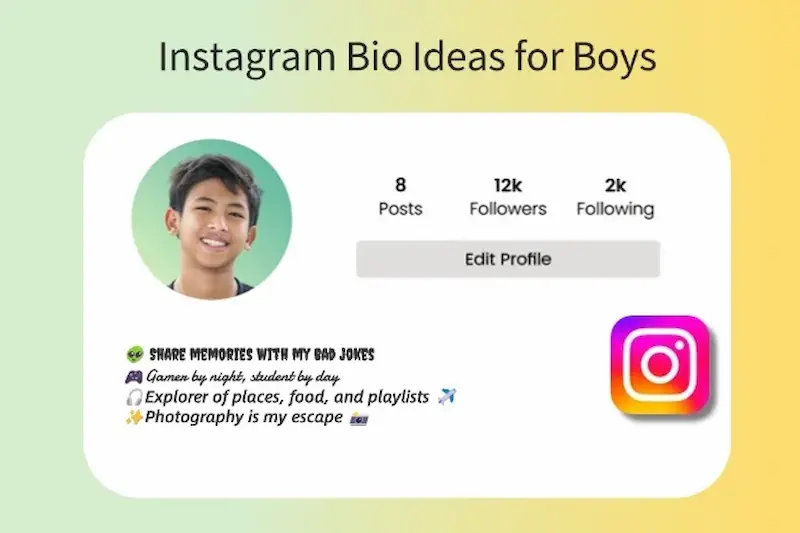
Keeping your Instagram bio updated helps your profile stay relevant and attractive.
Some reasons to edit your bio include:
- Changing your job or profession
- Updating your website link
- Promoting a new business
- Adding contact information
- Sharing your latest interests
- Refreshing your profile appearance
A fresh bio gives visitors a better idea of who you are today.
Can You Edit Your Instagram Bio?
Yes, Instagram lets you edit your bio anytime. You can make changes as often as you like without any limits.
You can update:
- Bio text
- Name
- Pronouns
- Website
- Contact details
- Category (Business accounts)
- Profile picture
The changes appear immediately after you save them.
How to Edit Bio in Instagram
If you’re wondering how to edit bio in Instagram, follow these simple steps.
Open the Instagram App
Launch Instagram on your Android or iPhone.
Sign in to your account if you’re not already logged in.
Go to Your Profile
Tap your profile picture in the bottom-right corner of the screen.
This opens your profile page.
Tap Edit Profile
You’ll see the Edit Profile button below your profile information.
Tap it to access your profile settings.
Edit Your Bio
Find the Bio section.
Delete the existing text if needed and type your new bio.
Save Your Changes
Tap Done or the checkmark icon to save your updated bio.
Your new bio will appear instantly on your profile.
How to Edit Bio in Instagram on a Computer
You can also update your bio using a web browser.
Follow these steps:
- Visit Instagram.
- Log in to your account.
- Click Profile.
- Select Edit Profile.
- Update your bio.
- Save your changes.
This method works well if you’re already using your computer.
What Can You Add to Your Instagram Bio?
Your bio can include many different types of information.
For example:
- Your profession
- Business name
- City or location
- Hobbies
- Favorite quote
- Website link
- Contact email
- Phone number (Business accounts)
- Emojis
- Hashtags
Choose details that best represent you or your brand.
Tips for Writing a Better Instagram Bio
A good bio is short, clear, and memorable.
Here are some useful tips:
- Keep your bio simple.
- Explain who you are.
- Add a call-to-action.
- Include your website link.
- Use relevant emojis.
- Avoid spelling mistakes.
- Update your bio regularly.
These tips help make your profile more appealing.
How to Add a Website to Your Bio
If you have a website, blog, or online store, you can add its link to your profile.
Simply:
- Open Edit Profile.
- Find the Website field.
- Paste your URL.
- Save the changes.
Visitors can tap the link directly from your profile.
Use emojis sparingly so your bio remains clean and professional.
How to Change Your Name on Instagram
While editing your bio, you can also update your display name.
Go to Edit Profile, tap the Name field, enter your new name, and save it.
Keep in mind that changing your name too often may trigger temporary restrictions.
How to Edit Contact Information
Business and Creator accounts can display contact information directly on their profiles.
You can update:
- Email address
- Phone number How To Edit Bio In Instagram
- Business address
This makes it easier for customers and followers to reach you.
Common Problems While Editing Instagram Bio
Sometimes users experience issues when updating their bio.
Here are some common problems: How To Edit Bio In Instagram
Changes Won’t Save
Check your internet connection and try again.
Bio Is Too Long
Instagram has a character limit for bios. Shorten your text if necessary.
App Is Outdated
Update Instagram to the latest version. How To Edit Bio In Instagram
Temporary Account Restrictions
If you’ve made many profile changes in a short time, Instagram may temporarily limit editing.
You may also like it:
2025’s Best Video Banane Wala Photo Apps (Free & Pro)
Top Video Photo Banane Wala Apps For Stunning Videos – Aarya Editz
Top 23 LR Presets Free Download For Mobile & Desktop – Aarya Editz
Best Practices for an Attractive Instagram Bio
A great bio is more than just a description.
Try these ideas:
- Keep it easy to read.
- Use short sentences.
- Highlight your interests.
- Include a website if available.
- Add a friendly call-to-action. How To Edit Bio In Instagram
- Update it whenever your information changes.
A well-crafted bio encourages more people to follow your account.
Mistakes to Avoid
Avoid these common mistakes when editing your bio:
- Writing long paragraphs
- Using too many emojis
- Including outdated information
- Leaving spelling errors
- Forgetting to save changes
- Adding irrelevant hashtags How To Edit Bio In Instagram
A clean and accurate bio creates a stronger impression.
Why Your Instagram Bio Matters
Your bio is one of the first things visitors notice. It helps people decide whether they want to follow your account or learn more about you. How To Edit Bio In Instagram
Whether you’re an individual, influencer, or business owner, a clear and informative bio builds trust and makes your profile more engaging. How To Edit Bio In Instagram
How Often Should You Update Your Instagram Bio?
Your Instagram bio should reflect your current interests, goals, or business information. If something important changes, such as your job, website, or contact details, it’s a good idea to update your bio.
You don’t need to edit it every week, but reviewing it every few months helps keep your profile fresh and relevant. How To Edit Bio In Instagram
Benefits of Editing Your Instagram Bio
A well-written bio does more than introduce you. It helps visitors understand your profile within seconds and encourages them to follow you.
Some of the main benefits include:
- Creates a strong first impression
- Makes your profile look professional
- Helps people understand what your account is about
- Promotes your business or personal brand
- Increases trust with new visitors How To Edit Bio In Instagram
- Encourages profile visits and engagement
A thoughtful bio can make your profile more appealing to both new and existing followers.
How to Write a Bio That Attracts More Followers
If you want more people to follow your account, your bio should clearly explain who you are and what value you provide.
A good bio usually includes:
- A short introduction
- Your profession or hobby
- What followers can expect
- A call-to-action How To Edit Bio In Instagram
- A website or important link
Keep your writing simple and easy to understand.
Can You Edit Your Instagram Bio Without Losing Followers?
Yes, editing your bio does not affect your followers. You can update your bio as many times as you like without losing your existing audience. How To Edit Bio In Instagram
Changing your bio only updates the information shown on your profile. Your posts, followers, and messages remain unchanged.
Best Ideas for a Personal Instagram Bio
If you use Instagram for personal purposes, your bio should reflect your personality.
You can include:
- Your hobbies
- Favorite quote
- Occupation
- Travel interests
- Fitness goals
- Photography passion
- Daily lifestyle
- Family or pet lover
Choose details that genuinely represent who you are.
Best Ideas for a Business Instagram Bio
Businesses should use the bio to explain their products or services clearly.
A business bio may include:
- Company name
- What the business offers
- Contact information
- Website link How To Edit Bio In Instagram
- Business hours
- Customer support details
- Call-to-action like “Shop Now” or “Contact Us”
A clear business bio makes it easier for customers to understand and trust your brand.
How to Make Your Instagram Bio Look Professional
A professional bio is clean, organized, and easy to read. Avoid unnecessary symbols or long paragraphs that make the profile look cluttered.
To improve your bio:
- Use simple language.
- Keep sentences short.
- Highlight your expertise.
- Add a website if available.
- Include only relevant information.
- Review it regularly for accuracy. How To Edit Bio In Instagram
These small improvements can make a big difference.
Common Mistakes to Avoid While Editing Your Bio
Many users accidentally make their bio difficult to read.
Avoid these common mistakes:
- Writing very long descriptions
- Using too many emojis
- Adding broken website links
- Including outdated information
- Using too many hashtags How To Edit Bio In Instagram
- Forgetting to proofread
Keeping your bio simple helps visitors quickly understand your profile.
Things to Check Before Saving Your Bio
Before tapping the save button, take a moment to review your bio carefully.
Make sure:
- There are no spelling mistakes.
- Your contact information is correct.
- Your website link works properly.
- The formatting looks clean. How To Edit Bio In Instagram
- The bio clearly describes you or your business.
A quick review can help you avoid mistakes and present a polished profile.
Final Tips for Editing Your Instagram Bio

Your Instagram bio is one of the most important parts of your profile because it introduces you to every visitor. Keep it updated, easy to read, and focused on what matters most. Whether you’re using Instagram for personal connections, content creation, or business, a well-crafted bio can leave a positive first impression and encourage more people to engage with your profile.
How do I edit my Instagram bio?
Open Instagram, go to your profile, tap Edit Profile, update your bio, and save your changes.
Can I edit my Instagram bio anytime?
Yes. You can change your bio whenever you like.
Why can’t I save my Instagram bio?
This may happen due to a poor internet connection, app issues, or exceeding Instagram’s character limit.
Conclusion
Learning 100+ how to edit bio in Instagram is simple and only takes a few minutes. Your Instagram bio is an important part of your profile, helping visitors understand who you are and what you offer. By keeping your bio updated, adding useful information, and using a clear writing style, you can create a profile that looks professional, attracts more followers, and leaves a lasting impression.
