
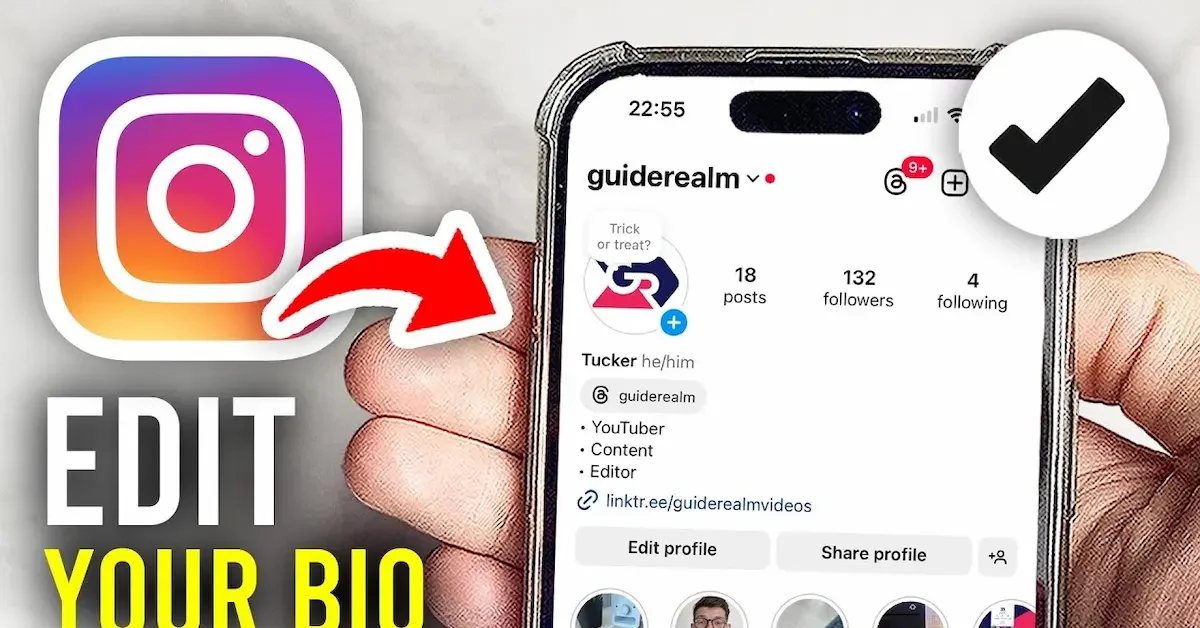
Your Instagram bio is one of the first things people notice when they visit your profile. It gives visitors a quick idea about who you are, what you do, your interests, or what your account is about. You may want to update it when your interests change, you start a new project, or you simply want to give your profile a fresh look.
If you are wondering how to edit Instagram bio, the process is quite simple. You can update your bio directly from the Instagram app on your Android or iPhone, and you can also make changes through Instagram on a computer.
In this guide, we will explain how to edit Instagram bio step by step. We will also cover how to change your name, username, add a link, use emojis, improve your bio, and fix common problems when your changes do not save.
Whether you are a beginner or have been using Instagram for years, these simple tips can help you create a clear, attractive, and useful Instagram bio.
What Is an Instagram Bio?
An Instagram bio is a short description displayed on your Instagram profile. It helps visitors quickly understand who you are, what you do, what you are interested in, or what they can expect from your account. Your bio appears near the top of your profile, so it is an important part of your Instagram presence. How To Edit Instagram Bio
You can use your bio for personal information, hobbies, professional details, business information, or a simple message that represents your personality. You can also use it to guide visitors toward a website, online store, portfolio, or other useful page through an available profile link. How To Edit Instagram Bio
Why Is Your Instagram Bio Important?
Your Instagram bio can create the first impression when someone visits your profile. A clear and interesting bio can help visitors understand your account without having to scroll through many posts.
For personal accounts, your bio can show your personality, interests, location, or hobbies. For creators and businesses, it can explain what they offer and encourage people to follow, contact, or visit a linked page.
What Can You Add to an Instagram Bio?
There are several types of information you can include in your bio. You might mention your profession, interests, favorite activities, business services, or a short personal statement. How To Edit Instagram Bio
You can also make your bio more appealing by using simple formatting, relevant emojis, and a clear call to action. However, it is usually better to keep the information easy to read instead of adding too many symbols or unnecessary words. How To Edit Instagram Bio
When Should You Edit Your Instagram Bio?
You can edit your Instagram bio whenever you want to update your profile. You may want to change it when you start a new job, develop a new interest, launch a business, change your content, or simply want a different style. How To Edit Instagram Bio
Regularly reviewing your bio can also help make sure that old information, outdated links, or descriptions that no longer represent you are removed. How To Edit Instagram Bio
How a Good Bio Can Improve Your Profile
A well-written bio makes it easier for visitors to understand your profile. Instead of leaving people guessing about your content, you can use a few clear words to tell them exactly what your account is about. How To Edit Instagram Bio
If you are learning how to edit Instagram bio, you can use the editing option to make small changes whenever your profile needs an update. Even changing a few words can make your profile feel more current and professional. How To Edit Instagram Bio
Personal vs. Professional Instagram Bios
A personal Instagram bio can be casual and creative. You can mention your hobbies, interests, personality, or a short quote that represents you.
A professional or business bio may need to be more direct. It can explain what you do, what products or services you provide, and how visitors can contact you or learn more.
Choosing the right style depends on the purpose of your account. The most important thing is that your bio clearly represents you or your brand. How To Edit Instagram Bio
Keep Your Instagram Bio Easy to Understand
You do not need complicated words to create a good Instagram bio. Simple and direct wording is often easier for visitors to understand. Think about what information is most useful and remove anything that does not add value.
Once you know what you want to say, you can follow the simple steps for how to edit Instagram bio and update your profile whenever needed.How To Edit Instagram Bio
Why Should You Edit Your Instagram Bio
Your Instagram bio is not something you have to keep the same forever. As your life, interests, work, or online content changes, you may also want to change the information shown on your profile. Learning how to edit Instagram bio allows you to keep your profile updated without much effort. How To Edit Instagram Bio
Update Old Information
You may have information in your bio that is no longer accurate. For example, you may have changed your job, stopped following a particular hobby, or changed the type of content you post. Editing your bio helps you remove outdated information and add something more relevant.
Show Your Personality
Your Instagram bio is a simple way to give visitors an idea of your personality. You can use a short description, interesting phrase, or a few relevant emojis to make your profile feel more personal.
Share Your Interests
If you enjoy photography, traveling, gaming, fitness, fashion, food, or another activity, you can mention it in your bio. This can help people with similar interests understand what your profile is about.
Promote Your Business or Work
Instagram is also useful for businesses, freelancers, creators, and professionals. You can use your bio to explain what you offer and give visitors a reason to explore your content or contact you.
For example, a small business might mention its products or services, while a content creator can describe the type of content they share.
Add or Update a Link
If you have a website, portfolio, online store, blog, or another important page, you may want to update the link connected to your Instagram profile. Keeping your link current makes it easier for visitors to find the information you want to share.
Make Your Profile Look Professional
A clear and well-organized bio can make your Instagram profile look more professional. This can be especially useful if you use Instagram for work, business, networking, or content creation.
You do not need to use complicated words or excessive formatting. A short and clear description is often enough to make a good impression.
Keep Your Profile Relevant
Your Instagram profile should match the content you currently share. If your posts have changed but your bio still describes your old content, visitors may become confused.
Updating your bio helps create consistency between your profile description and your current posts.
Connect With the Right Audience
A useful bio can tell visitors what they can expect from your account. When you clearly mention your interests, content, or services, it may be easier for people who are interested in those topics to understand your profile.
Give Your Profile a Fresh Look
Sometimes you simply want a change. Updating your Instagram bio can be an easy way to give your profile a fresh look without changing your username, profile picture, or posts.
Whether you want to make a small correction or completely rewrite your description, knowing how to edit Instagram bio makes the process quick and simple.
How to Edit Instagram Bio on Mobile
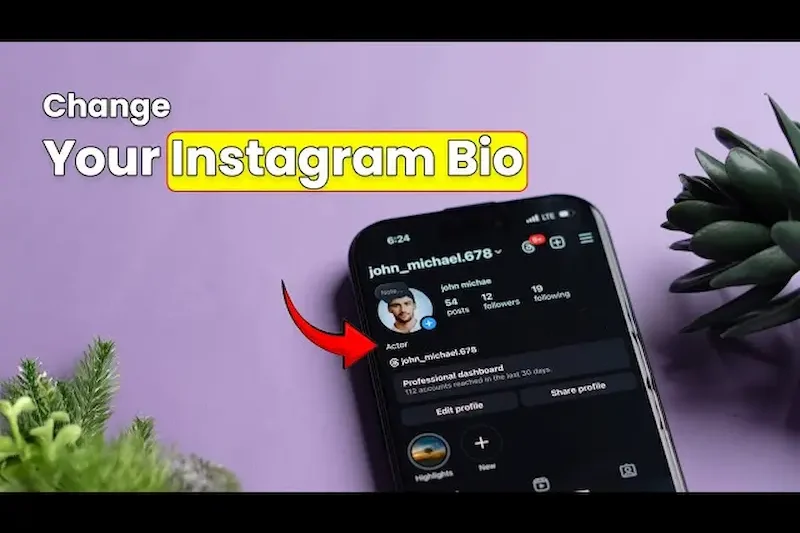
Editing your Instagram bio on a mobile phone is simple and usually takes only a few moments. You can change your description, add new information, remove old details, or update your profile to match your current interests.
Open the Instagram App
First, open the Instagram app on your Android or iPhone. Make sure you are logged into the account whose bio you want to change.
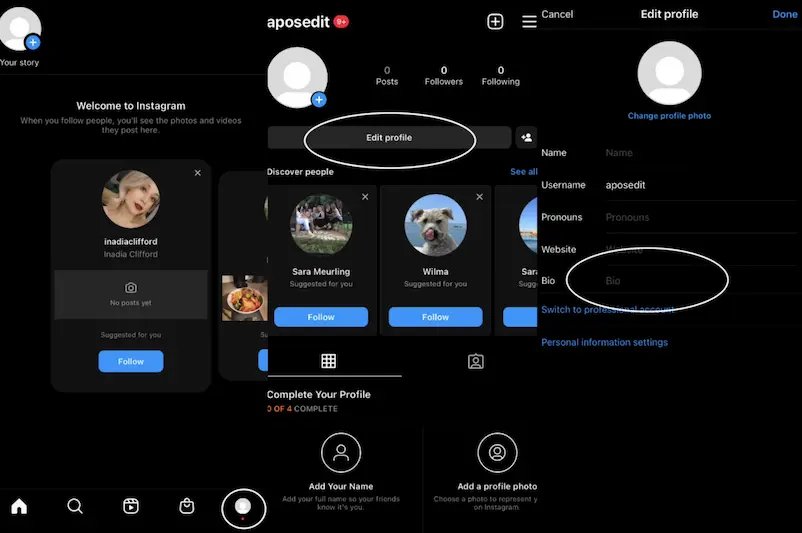
Open Your Profile
After opening Instagram, tap your profile picture or profile icon to go to your profile page. You will see your profile picture, name, bio, posts, and other profile information.
Tap Edit Profile
On your profile page, look for the Edit Profile option and tap it. This will open the settings where you can change different parts of your profile.
Select the Bio Section
Find the Bio field in the Edit Profile section. Tap inside the bio area and remove the old text or edit it as needed.
You can write a new description that tells people about your personality, interests, work, business, or the type of content you share.
Add or Change Your Bio
Type your new bio in the text field. Try to keep it short, clear, and easy to understand. You can also use simple emojis or other formatting if they fit your profile.
Before saving, read the bio once to check for spelling mistakes and make sure the information is correct.
Save Your Changes
When you are happy with your new bio, tap the option to save or confirm your changes. Instagram should update your profile with the new information.
If the changes do not appear immediately, close and reopen the app or refresh your profile.
Check Your Updated Profile
After saving, return to your profile and check the bio. Make sure the new text appears correctly and that any links or other information you added work as expected. How To Edit Instagram Bio
Following these steps is one of the easiest ways to learn how to edit Instagram bio from your phone. You can repeat the process whenever you need to update your profile. How To Edit Instagram Bio
How do I edit my Instagram bio?
To edit your Instagram bio, open Instagram and go to your profile. Tap Edit Profile, select the bio section, make your changes, and save them. Your updated bio should then appear on your profile.
Can I edit my Instagram bio from my phone?
Yes, you can edit your Instagram bio from an Android or iPhone. Open the Instagram app, visit your profile, tap Edit Profile, and update the bio section.
Can I edit my Instagram bio on a computer?
Yes, you can make profile changes through Instagram on a computer. Log in to your account, open your profile, choose the profile editing option, and update your bio.
Conclusion
Editing your Instagram bio is a simple way to keep your profile fresh, clear, and up to date. Whether you want to change your personal information, add your interests, promote your work, update a link, or simply try a new style, you can make these changes through the profile editing options.
If you understand how to edit Instagram bio, you can update your profile in just a few simple steps from your phone or computer. Try to keep your bio short, easy to read, and relevant to your account.
A good Instagram bio can help visitors quickly understand who you are and what your profile is about. Review your bio from time to time and make changes whenever your information, goals, or interests change.
