
These days, you do not need a computer or expensive editing software to create a great video. With the right mobile editing app, you can easily cut clips, add music, insert text, apply effects, and improve your video directly from your phone. This makes video editing simple and convenient, even for beginners.
If you are wondering how to edit a video on phone, the process is easier than it may seem. Most video editing apps provide simple tools that allow you to import your clips, remove unwanted parts, adjust the video, add audio, and save the finished video in your preferred quality.
Whether you want to create a video for Instagram, TikTok, YouTube, Facebook, or WhatsApp, learning basic mobile editing skills can help you make your videos look cleaner and more engaging. In this guide, we will explain the process step by step in an easy and user-friendly way.
How to Edit a Video on Phone
Editing a video on your phone is easier than ever because most mobile video editing apps provide simple tools for beginners. You can start with a video from your gallery and make basic changes without needing professional editing experience.
Select a Video Editing App
First, choose a video editing app that has the features you need. A good mobile editor should allow you to trim and cut clips, add music, insert text, apply filters, adjust speed, and export the finished video.
Import Your Video
After opening the editing app, select the video you want to edit from your phone’s gallery. The video will usually appear on a timeline where you can make different changes.
Trim Unwanted Parts
Use the trim or cut tool to remove unnecessary sections from the beginning, middle, or end of your video. Keeping only the useful parts can make your video shorter and more interesting.
Add Music and Text
You can add background music to give your video a better feel. You can also add text or captions to explain something, highlight important information, or make the video more engaging.
Apply Simple Effects
Most editing apps offer filters, transitions, and other effects. Use them carefully so your video looks clean and natural rather than overly edited.
Save or Export the Video
When you are happy with your edits, preview the complete video and choose the appropriate quality and format. Then export or save it to your phone so you can share it on social media or with friends.
Learning how to edit a video on phone mainly requires practice. Start with basic tools and gradually explore more advanced features as you become comfortable with mobile editing.
How to Edit a Video on Phone
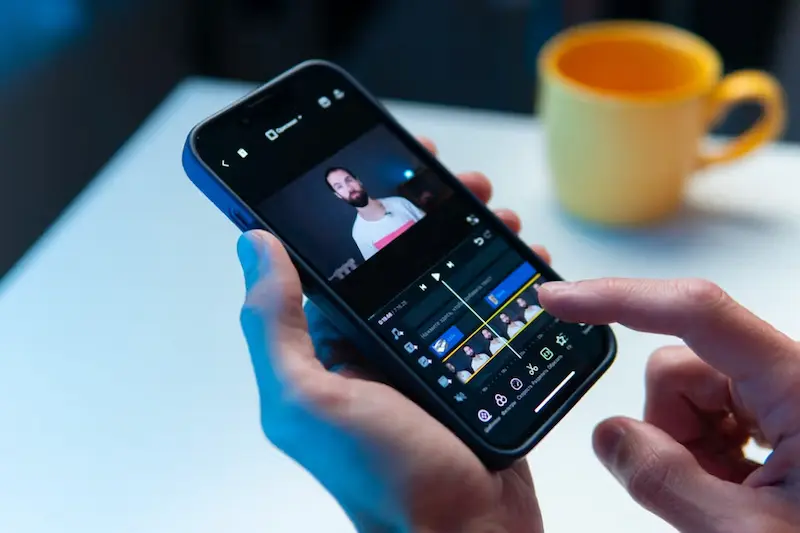
Editing a video on your phone is easier than ever. You do not need professional editing skills or a computer to create a clean and attractive video. With a good mobile video editor, you can trim clips, remove unwanted parts, add music, insert text, adjust the video speed, and apply simple effects.
If you are learning how to edit a video on phone, start with the basic tools instead of trying every feature at once. A simple editing process can often make your video look much better.
Select a Video Editing App
The first step is to choose a video editing app that works well on your phone. Look for an app that provides basic features such as trimming, cutting, cropping, adding music, text, transitions, filters, and video export. How To Edit A Video On Phone
For beginners, an app with a simple timeline and easy-to-understand controls is usually a better choice. Once you become comfortable with basic editing, you can explore more advanced features.
Import Your Video
After opening your chosen editing app, create a new project and select the video you want to edit from your phone’s gallery. Some apps also allow you to select multiple clips at the same time.
Once the video is imported, it will normally appear on an editing timeline. This timeline allows you to move through the video and make changes to different parts of the clip.
Trim Unwanted Parts
Trimming is one of the most useful editing tools for beginners. You can remove unnecessary sections from the beginning or end of a video and keep only the parts you want.
For example, if you recorded a video and spent a few seconds preparing before starting, you can trim that section. This makes the final video shorter and keeps viewers focused on the main content.
Cut or Split the Video
The cut or split tool allows you to remove a specific section from the middle of a video. You can split the clip into smaller parts and delete anything you do not want to include. How To Edit A Video On Phone
This is especially useful when your recording contains mistakes, long pauses, repeated scenes, or unwanted moments. How To Edit A Video On Phone
Add Music and Audio
Background music can make a video more interesting, but it should not overpower the original sound. Most mobile editing apps allow you to add music from available audio options or supported files on your phone. How To Edit A Video On Phone
You can also adjust the volume of the original video and background music. If your video contains someone speaking, keeping the voice clear should usually be a priority. How To Edit A Video On Phone
Add Text and Captions
Adding text is another simple way to improve a video. You can use text for titles, explanations, names, important points, or captions.
Keep the text easy to read and avoid placing too much information on the screen at once. Simple fonts and short sentences can make your video look cleaner. How To Edit A Video On Phone
Apply Filters and Effects
Many mobile editing apps include filters and visual effects that can change the appearance of your video. You can use them to improve the overall style or create a particular mood.
However, avoid using too many effects. A few well-chosen adjustments can make a video look professional, while excessive effects may make it distracting.
Adjust Video Speed
You can make a video faster or slower using the speed control available in many editing apps. Increasing the speed can help shorten long sections, while slowing down a clip can highlight an important moment.
Use speed changes only where they add value to the video. Smooth and purposeful editing usually looks better than constantly changing the speed. How To Edit A Video On Phone
Preview Before Saving
Before exporting your video, watch the entire edited version from beginning to end. Check for unwanted clips, spelling mistakes in text, audio problems, sudden transitions, or sections that feel too long.
Previewing your video gives you a chance to make final corrections before saving and sharing it.
Save or Export the Video
Once you are satisfied with your edits, select the export or save option in the editing app. Choose an appropriate video quality based on where you plan to share it.
After exporting, the finished video will usually be saved to your phone’s gallery. You can then upload it to social media, send it to friends, or keep it for later use. How To Edit A Video On Phone
Learning how to edit a video on phone becomes much easier with practice. Start with trimming, cutting, music, text, and simple transitions, then gradually learn more advanced editing techniques.
Choose a Video Editing App
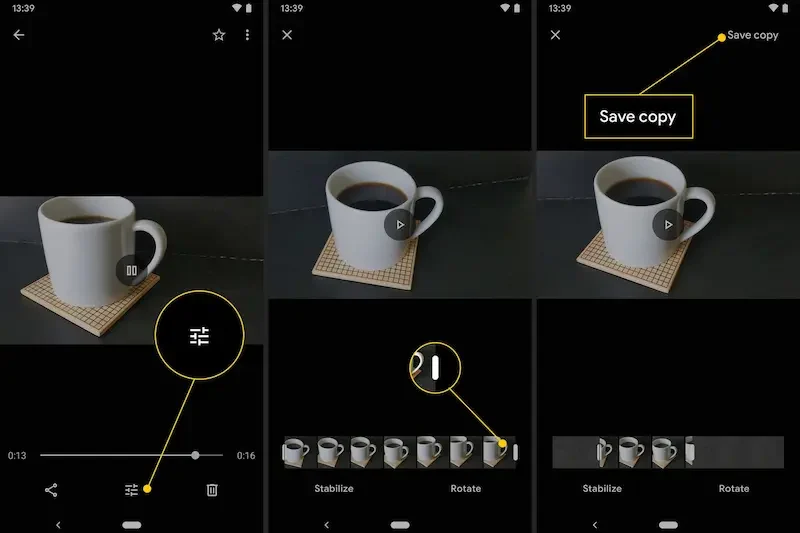
When learning how to edit a video on phone, choosing the right editing app is an important first step. A good app should be easy to use and provide the basic tools you need to improve your videos.
Look for Basic Editing Tools
Choose an app that allows you to trim, cut, crop, and split videos. Features such as text, music, filters, transitions, and speed adjustment are also useful for creating better videos. How To Edit A Video On Phone
Choose an App for Your Needs
You do not always need an advanced editor. If you only want to make simple changes, a basic app may be enough. If you plan to create videos for YouTube, Instagram, or other social platforms, you may want an editor with more creative and export options.
Check the App Before Editing
After installing an editing app, spend a few minutes exploring its timeline and tools. Knowing where the main features are will make the editing process easier and faster.
The best app is the one that feels comfortable for you to use. Start with simple features and gradually learn more as your editing skills improve. How To Edit A Video On Phone
Can I edit a video on my phone?
Yes, you can easily edit videos on your phone using a mobile video editing app. You can trim clips, add music, insert text, apply effects, and make other basic changes.
How do I edit a video on phone for beginners?
Start by importing your video into an editing app. Then trim unwanted parts, cut clips, add music or text, apply simple effects, preview the video, and export it.
Can I edit videos without a computer?
Yes. Modern smartphones and mobile editing apps provide many tools that allow you to create and edit videos without using a computer.
Conclusion
Learning how to edit a video on phone is simple when you start with the basic editing tools. You can import your clips, trim unwanted parts, add music and text, adjust the speed, use simple effects, and export the finished video directly from your phone.
You do not need to be a professional editor to create good videos. With regular practice and the right editing app, you can gradually improve your skills and create attractive videos for social media, YouTube, or personal use. How To Edit A Video On Phone
