
Introduction
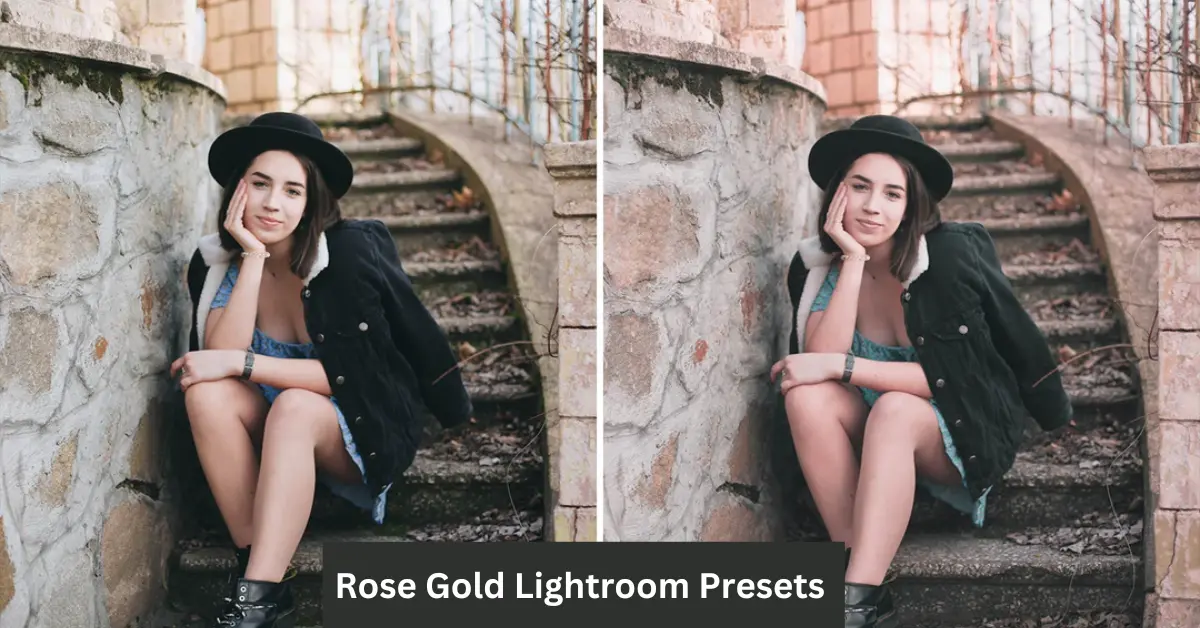
In the world of photo editing, finding the perfect balance between beauty, warmth, and sophistication can be a challenge. That’s where Rose Gold Lightroom Presets come into play. Whether you’re an influencer, photographer, or casual social media user, these presets offer a quick and effective way to transform your photos with a subtle yet luxurious glow.
Rose gold—a blend of warm pink, soft copper, and gold tones—has become a modern symbol of elegance and charm. From jewelry to home decor, it’s a color trend that continues to dominate. Now, this stunning hue can be effortlessly incorporated into your photos with the help of Lightroom presets. These presets allow you to apply a polished, cohesive aesthetic to your images in just a few clicks, saving time while delivering a professional touch.
In this article, we’ll explore what Rose Gold Lightroom Presets are, how they can elevate your photos, and how you can use them to create a flawless and consistent visual style for your images. Whether you’re looking to add warmth to a portrait or bring a chic vibe to a flat lay, Rose Gold presets might just be the perfect tool for your next photo edit.
What Are Rose Gold Lightroom Presets?
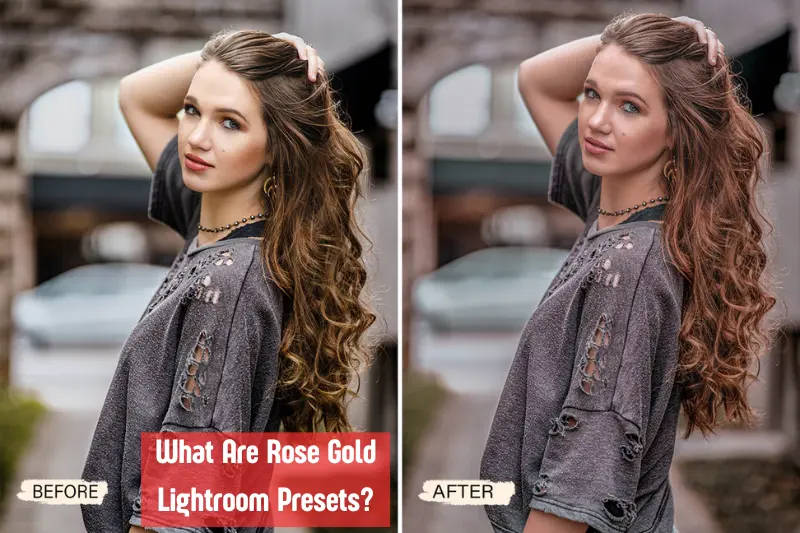
Rose Gold Lightroom Presets are pre-configured editing settings that allow you to apply a beautiful and consistent rose gold effect to your photos in Adobe Lightroom. These presets are designed to give your images a soft, warm glow, blending pink, gold, and copper tones to create a luxurious, eye-catching aesthetic.
When you apply a Rose Gold preset, it adjusts the overall color grading of your image, enhancing the warmth and adding a touch of pinkish gold hues. This subtle yet striking effect is perfect for a variety of photos, from portraits to product shots and even landscape images. The result is an elegant and timeless look that enhances the natural beauty of your photos without being overwhelming.
The beauty of using a Lightroom preset is that it automates the editing process. Instead of manually tweaking individual settings like contrast, saturation, or color balance, a Rose Gold preset takes care of it all in one click. Whether you’re a beginner looking to create professional-looking images quickly or a seasoned photographer who needs a time-saving solution, these presets can streamline your workflow.
Why Choose Rose Gold Lightroom Presets?
There are many reasons why Rose Gold Lightroom Presets have become a go-to choice for photographers and content creators alike. From their ability to enhance the aesthetic appeal of your photos to their ease of use, these presets offer a wide range of benefits. Here are some compelling reasons why you should consider using them for your photo edits:
Timeless Elegance
- Rose gold is a color that never goes out of style. The soft pink, copper, and gold tones evoke a sense of luxury and sophistication that works in almost any context. Whether you’re editing portraits, travel shots, or lifestyle images, the subtle yet elegant effect of rose gold brings a polished finish to your photos, making them look more refined and visually appealing.
Versatility Across Different Photo Types
One of the key strengths of Rose Gold presets is their versatility. They can enhance a variety of photo types, including:
Portraits: The warm hues flatter skin tones, giving your subjects a natural, glowing look.
Product Photography: Rose gold presets add a premium, high-end vibe to product images, making them perfect for e-commerce or brand photography.
Flatlays: The soft tones in rose gold presets create a harmonious look that elevates styled shots, adding depth and visual interest without overpowering the details.
Landscape Shots: The subtle warmth of rose gold tones can make sunset or golden hour photos look even more stunning.
Flattering and Skin-Tone Friendly
- Rose gold is particularly flattering on skin tones, especially when it comes to portrait photography. The pinkish-gold hues enhance the natural warmth of the skin, making your subjects look radiant. Whether you’re capturing a close-up or a full-body shot, rose gold presets can help you create a more polished, professional-looking portrait.
Cohesive Aesthetic for Social Media
- If you’re looking to create a consistent visual identity across your social media platforms, Rose Gold presets are a perfect choice. By applying the same preset to all your photos, you can maintain a unified look that resonates with your followers. Whether you’re aiming for a soft and dreamy feed or a vibrant, chic one, rose gold tones help to tie your photos together, making your feed look polished and aesthetically pleasing.
Save Time with Efficient Editing
- Editing photos can be time-consuming, especially if you’re striving for a specific look. Rose Gold Lightroom presets offer an easy solution. By simply applying a preset, you can achieve the desired effect in a fraction of the time it would take to manually adjust each individual setting. This time-saving aspect is especially beneficial for content creators who need to edit large volumes of photos quickly without compromising on quality.
Easy to Use
- Whether you’re new to Lightroom or an experienced photographer, Rose Gold presets are incredibly easy to use. With just one click, you can transform your image, and even if you want to make minor adjustments, the process is straightforward. Lightroom presets simplify the editing process, allowing you to focus more on your creative vision.
Enhance Your Brand Identity
- For businesses, influencers, and bloggers, maintaining a consistent brand identity is crucial. Using Rose Gold Lightroom presets can help create a signature style for your photos that aligns with your brand’s aesthetic. Whether you’re promoting a product, showcasing lifestyle content, or sharing your travel adventures, the elegant and warm tones of rose gold will add a touch of sophistication to your brand’s visuals.
How to Use Rose Gold Lightroom Presets
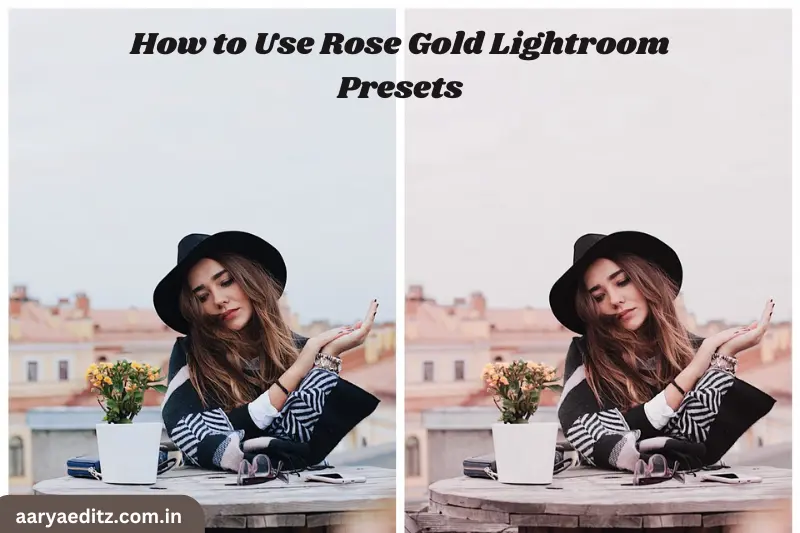
Using Rose Gold Lightroom Presets is incredibly simple and can make your editing process faster and more efficient. Whether you’re new to Lightroom or a seasoned user, applying a preset is a straightforward process that can instantly elevate your images. Here’s a step-by-step guide on how to use these presets:
Install the Preset
Before you can start using your Rose Gold preset, you need to install it in Lightroom. Here’s how:
- Download the Preset: Once you’ve purchased or downloaded your Rose Gold preset, make sure you save the preset file (usually in .xmp or .lrtemplate format) on your computer.
- Open Lightroom: Launch Adobe Lightroom on your computer.
Import the Preset:
- Go to the Develop module by clicking on “Develop” at the top of Lightroom.
- On the left panel, you’ll see a section labeled Presets.
- Right-click on the Presets panel and select Import.
- Locate the downloaded Rose Gold preset file on your computer and click Import. Your preset will now appear in the Presets panel.
Apply the Preset
Once your preset is installed, it’s time to apply it to your image:
- Open the photo you want to edit in the Develop module.
- In the Presets panel on the left, scroll through your list of presets until you find the Rose Gold preset you imported.
- Simply click on the preset, and Lightroom will automatically apply the effect to your photo.
Fine-Tune the Edit
While Rose Gold presets are designed to give your photo an instant transformation, you can always make additional adjustments to suit your style. Here are a few areas you might want to tweak:
- Exposure: If your photo looks too bright or too dark, use the Exposure slider to adjust the overall brightness.
- Contrast: Increase or decrease the contrast to make your photo look sharper or softer.
- White Balance: If you want to shift the warm tones even further, adjust the Temperature and Tint sliders under the White Balance settings.
- Tone Curve: You can fine-tune the light and dark areas of your photo by using the Tone Curve to make your image pop even more.
- These adjustments help personalize the effect, ensuring the final result matches your vision.
Save Your Edits
Once you’re satisfied with the look, save your work:
- Click File > Export to save the edited photo to your desired location.
- You can export it in different formats (JPEG, TIFF, etc.) and resolutions depending on your needs (e.g., high resolution for printing or a smaller size for social media).
Batch Editing (Optional)
If you have multiple photos that you want to edit with the same Rose Gold preset, Lightroom allows you to apply the preset to multiple images at once:
- Select all the photos you want to edit in the Library module.
- In the Develop module, apply the preset to one of the selected photos.
- Then, click Sync at the bottom of the editing panel and choose which settings (e.g., Exposure, White Balance, etc.) you want to sync across all selected images.
- Click Synchronize, and the preset will be applied to all selected photos, ensuring a consistent look.
You May Also Like It:
How To Edit Photos With Snapseed App – Complete Detail – Aarya Editz
16K Photo Enhance In Just 1 Click – Complete Detail – Aarya Editz
Picsart Charistmas Special In Just Photo Editing – Aarya Editz
Where to Find Rose Gold Lightroom Presets
Finding high-quality Rose Gold Lightroom Presets is easier than ever, thanks to numerous online platforms offering both free and paid options. Whether you’re looking for a custom preset designed by a professional photographer or a free option to experiment with, there are plenty of resources available. Here are some of the best places to find Rose Gold Lightroom presets:
Preset Marketplaces
Preset marketplaces offer a wide range of professionally-designed presets, including Rose Gold options. Some popular platforms include:
- Creative Market: This online marketplace has a variety of high-quality Lightroom presets, including many with rose gold effects. You can browse through different preset packs created by independent creators and choose the one that suits your style.
- Etsy: Known for handmade and digital products, Etsy is another excellent platform for purchasing Lightroom presets. You’ll find many sellers offering unique Rose Gold presets, often with customizable options.
- FilterGrade: FilterGrade is a marketplace dedicated to photography tools, including Lightroom presets. They offer premium Rose Gold presets that have been crafted for a polished, professional look.
Photography Blogs & Websites
Many photographers and editors share their custom Lightroom presets through their personal websites or blogs. Often, these presets come with a tutorial or tips on how to get the best results.
- Photography Tutorials: Websites focused on photography education, like Sleeklens or Lightroom Presets, may offer Rose Gold-themed presets as part of their collections or packages.
- Photographers’ Personal Sites: Some well-known photographers offer their custom Rose Gold presets for sale. These presets are often tailored to match the photographer’s signature style, which could provide a unique edge to your images.
Social Media Influencers
- Many influencers, especially those in the fashion, beauty, or lifestyle niches, release their personal Lightroom presets. These presets often reflect the aesthetics of their Instagram or blog feeds and can be a great way to get a consistent look for your own photos.
- Instagram: Influencers often promote their Lightroom presets via Instagram, where you can either purchase them or get a discount code.
- YouTube: Some YouTubers offer free or paid Lightroom preset packs as part of their content. Searching for tutorials related to Rose Gold presets may lead you to some great options.
Free Preset Websites
- If you’re just starting out or on a budget, free Lightroom presets can be a great option. Many photographers and creators offer free Rose Gold presets as a way to introduce their work to a wider audience. Just keep in mind that free presets may require some tweaking to achieve the perfect look.
- Preset Love: A website offering free Lightroom presets, including some Rose Gold options. These are often community-created presets that can give you a good starting point for your edits.
- Lightroom Presets: Another resource for free and paid presets, with some rose gold-themed options available for download.
Lightroom’s Built-In Presets (Limited Rose Gold Options)
- While Lightroom doesn’t natively offer Rose Gold presets, there are some built-in presets that might have a similar warm or pastel feel. You can tweak these settings further to achieve a rose gold
- effect. Check out the Light and Color presets within Lightroom for possible starting points.
Custom Presets from Photographers
- If you want something truly unique, many photographers offer bespoke Lightroom presets, including Rose Gold presets, as part of their services. By reaching out to a photographer whose style you admire, you can commission a custom preset tailored to your specific needs.
Tips for Using Rose Gold Presets
While Rose Gold Lightroom Presets offer an instant transformation for your photos, there are a few tips and tricks you can use to make the most of them. Whether you’re a beginner or a seasoned editor, these tips will help you enhance your photos and ensure your rose gold edits look their best:
Experiment with Different Presets
- Not all Rose Gold presets are created equal. Some may lean more toward pink tones, while others emphasize gold or copper hues. Experiment with different presets to see which one complements your images best. Some presets may be more subtle, while others deliver a more dramatic effect, so find the one that fits your style.
- Try multiple presets on the same photo to compare how different presets impact the colors and tones, and choose the one that best enhances the image.
Adjust for Lighting Conditions
- Lighting plays a huge role in how a preset looks on your photos. If you took your photo in poor lighting conditions (e.g., low light or harsh shadows), the Rose Gold preset might look different than expected. In such cases, you can tweak the Exposure, Shadows, or Highlights sliders to bring out the best in the preset.
- Brighten the shadows or reduce the highlights to balance the lighting and let the rose gold tones shine through.
Use in Moderation
- While Rose Gold presets are stunning, applying them too intensely can sometimes overwhelm your photo, especially if it has a lot of bright, vivid colors. If you feel the preset is too strong, reduce its intensity by adjusting the Opacity of the preset or fine-tuning individual settings.
- Lower the saturation or adjust the temperature to soften the effect of the rose gold, especially in photos with vibrant colors.
Combine with Other Lightroom Tools
- Presets are a great starting point, but they’re not a one-size-fits-all solution. Enhance the preset by combining it with other Lightroom tools, such as:
- Graduated Filters: To adjust exposure or add depth to specific parts of your photo (for example, darkening the sky while keeping the foreground light and airy).
- Brush Tool: Use the brush tool to add or remove rose gold tones selectively, for example, emphasizing warm tones on the subject’s skin while leaving the background more neutral.
- HSL/Color Panel: If the preset applies too much pink or gold, use the HSL/Color panel to fine-tune the hue, saturation, and luminance of specific colors in your photo.
Use for Consistent Branding
- Rose Gold presets are great for maintaining a consistent and cohesive look across your photo collection. If you’re a content creator or a brand, applying the same Rose Gold preset to all your photos can help establish a unique visual identity that stands out.
- Apply the same preset to all your photos to create a consistent feed on social media or to maintain a unified aesthetic for your website or portfolio.
Don’t Forget About Skin Tones
- Rose Gold presets can be particularly flattering for portraits, but it’s important to keep an eye on skin tones. If the preset makes skin look overly warm or unnatural, adjust the Temperature and Tint sliders to balance the tones. You can also selectively adjust the exposure of skin using the Brush tool to ensure it looks natural and radiant.
- Use the masking tool to apply the preset more subtly to skin tones, ensuring they stay flattering while the rest of the photo gets the full rose gold effect.
Fine-Tune Exposure and Contrast
- Rose Gold presets often work best when the image has balanced exposure and contrast. If your photo looks too flat or too harsh, adjust these settings:
- Increase contrast to make your rose gold tones pop.
- Reduce contrast if you want a softer, more subtle rose gold effect.
Pay Attention to Backgrounds
- If your photo has a busy or distracting background, the rose gold effect can sometimes make those elements stand out more than desired. Consider softening or blurring the background to keep the focus on your subject. You can also reduce the saturation of the background colors using the HSL panel.
You May Also Like It:
Ultimate Adobe Photoshop Hacks for Professional Creatives – Aarya editz
Blur Effect Video Editing Tutorial – Complete Guide
Lightroom Orange Effect Premium Dng Preset – Complete – Guide – Aarya Editz
Common FAQs about Rose Gold Lightroom Presets
What are Rose Gold Lightroom Presets?
Rose Gold Lightroom Presets are pre-configured editing settings that apply a warm, pinkish-gold tone to your photos. They are designed to give your images a sophisticated and elegant look, often adding a luxurious touch by enhancing skin tones and adding a soft glow to your images.
Can I use Rose Gold presets on all types of photos?
Yes! Rose Gold presets are incredibly versatile and can be used on a wide variety of images, including portraits, product shots, flat lays, and even landscapes. However, the effect will vary depending on the lighting and composition of the photo. You may need to make slight adjustments for optimal results.
Are Rose Gold presets free?
There are both free and paid Rose Gold Lightroom presets available. Free presets are great for beginners or those just experimenting, but paid presets typically offer more refined and professional results. You can find both options on platforms like Etsy, Creative Market, and photography blogs.
How do I install Rose Gold presets in Lightroom?
Installing Rose Gold presets in Lightroom is easy. After downloading the preset, simply import it into Lightroom by going to the Develop module, right-clicking on the Presets panel, and selecting Import. Locate the downloaded preset file on your computer, and it will be ready to use.
Can I adjust the intensity of the Rose Gold effect?
Yes! While the preset gives your photo an instant transformation, you can always fine-tune the effect. Adjust settings such as Exposure, Contrast, and Saturation to make the Rose Gold tones more subtle or more pronounced. Lightroom also allows you to reduce the preset’s intensity by lowering the Opacity or making specific adjustments in the HSL/Color panel.
Will using Rose Gold presets make my skin tone look unnatural?
Rose Gold presets are designed to be flattering to a wide range of skin tones, adding warmth and a natural glow. However, if you feel that the preset makes skin tones look too warm or unnatural, you can adjust the Temperature and Tint sliders or selectively edit the skin using the Brush tool to maintain natural-looking tones.
Can I use Rose Gold presets for Instagram photos?
Absolutely! In fact, Rose Gold presets are very popular among Instagram influencers and content creators because they help create a cohesive and aesthetically pleasing feed. By using the same preset across all your photos, you can ensure your feed maintains a consistent, polished look that resonates with your audience.
Are Rose Gold presets compatible with both Lightroom Classic and Lightroom CC?
Yes, most Rose Gold presets are compatible with both Lightroom Classic and Lightroom CC. However, make sure you download presets that are specifically compatible with the version of Lightroom you’re using, as there are slight differences in preset formats between the two versions.
Can I create my own Rose Gold preset?
Yes! If you have a specific vision in mind for your photos, you can create your own custom Rose Gold preset by manually adjusting the color grading, exposure, contrast, and other settings. Once you’re happy with the look, you can save your adjustments as a new preset for future use.
Do I need to make adjustments after applying a preset?
While applying a Rose Gold preset will give your photo a beautiful starting point, you might want to make additional adjustments based on the lighting, composition, or subject of your image. It’s common to tweak Exposure, Contrast, or Saturation to fine-tune the result and ensure your photo looks its best.
Conclusion
Rose Gold Lightroom Presets are an excellent tool for photographers and content creators looking to add a touch of elegance and sophistication to their images. With their warm, pinkish-gold tones, these presets can elevate the look of portraits, product shots, landscapes, and more, creating a cohesive and polished aesthetic. Whether you’re a beginner or a seasoned professional, Rose Gold presets can save you time and help you achieve stunning, high-quality edits in just a few clicks.
By experimenting with different presets, making minor adjustments, and learning to fine-tune your photos, you can enhance the beauty of your images and establish a unique visual identity. Whether you’re using them for social media, personal projects, or branding, Rose Gold presets offer versatility and style that will make your photos stand out.
So, if you’re ready to transform your photography and take your editing skills to the next level, give Rose Gold Lightroom Presets a try. With the right approach, you’ll be able to create beautiful, eye-catching images that captivate your audience and reflect your creative vision.
Bonus Points for Using Rose Gold Lightroom Presets
Great for Weddings and Events
- Rose Gold presets are perfect for capturing the elegance of weddings, engagements, and other special events. The soft, romantic tones they create enhance the overall mood, giving your photos a timeless and dreamy feel that clients will love. Apply the preset to portraits, candid shots, and even décor details for a cohesive wedding album.
Customizable for Different Tastes
- Rose Gold presets offer a great starting point, but they are also highly customizable. Whether you prefer a more subtle, muted rose gold or a rich, vibrant effect, you can adjust the intensity to match your personal style. Don’t hesitate to experiment with contrast, temperature, and vibrancy to make the preset uniquely yours.
Perfect for Creating Mood and Atmosphere
- Rose Gold presets are particularly useful for setting a specific mood or atmosphere in your photos. Whether you want a warm, nostalgic vibe or a sleek, sophisticated look, these presets can create the desired emotional impact. They work especially well for fashion, beauty, and lifestyle photography, where the mood plays a crucial role in visual storytelling.
Enhance Food Photography
- Food photography thrives on visual appeal, and Rose Gold presets can give your food photos an upscale, appetizing look. The warm tones bring out the textures and colors of the food, making it look fresh and mouthwatering. For a high-end food blog or social media feed, these presets are a game-changer.
Ideal for Travel Photography
- Travel photographers can use Rose Gold presets to enhance sunsets, landscapes, and other scenic shots. The soft, glowing effect of the preset can highlight the beauty of natural light during golden hour, making your travel photos even more captivating and inspiring.
Compatibility with Mobile Lightroom
- In addition to Lightroom on your desktop, Rose Gold presets can also be used in Lightroom Mobile. This allows you to edit photos on the go, whether you’re traveling, attending events, or simply capturing spontaneous moments. The convenience of mobile editing ensures you never have to compromise on your photo quality, no matter where you are.
Add a Professional Touch to Instagram Stories and Reels
- Instagram stories and reels are powerful tools for engaging with followers, and using Rose Gold presets on these platforms can make your content look more polished and consistent. Whether you’re sharing behind-the-scenes moments, promoting a product, or showcasing a tutorial, these presets can elevate the visual quality of your videos and images, helping you stand out in a crowded social media feed.
A Great Gift for Photographers
- If you know someone who’s into photography or content creation, a set of high-quality Rose Gold Lightroom presets can make an excellent gift. It’s a thoughtful present for photographers looking to refine their editing style and add a unique touch to their work.
Professional-Level Consistency
- If you’re editing multiple images for a project (such as a product shoot, client session, or portfolio), using Rose Gold presets can help maintain a consistent look across all your photos. This is especially important for photographers working in a professional capacity, as it ensures that all images align with the desired aesthetic and tone.
You May Also Like It:
Snapseed Double Expoure Photo Editing – A Comprehensive Guide
Picsart Editing Background Colour Change – Detail Guide – Aarya Editz
Snapseed Background Colour Change Photos Editing – Aarya Editz
Aqua And Yellow Free Lightroom Preset – Detail Guide – Aarya Editz.
