

Video content is everywhere today. People create videos for YouTube, Instagram Reels, TikTok, business ads, and even for personal memories. But one big question comes up for almost everyone:
Which is the best video editing app?
The truth is, there isn’t only one perfect app for everyone. The best video editing app depends on your needs. Some people want simple editing, while others want professional-level features.
In this article, you will find the best video editing apps for mobile and PC, along with their features, pros, cons, and which one is best for you.
What Makes a Video Editing App “Best”?
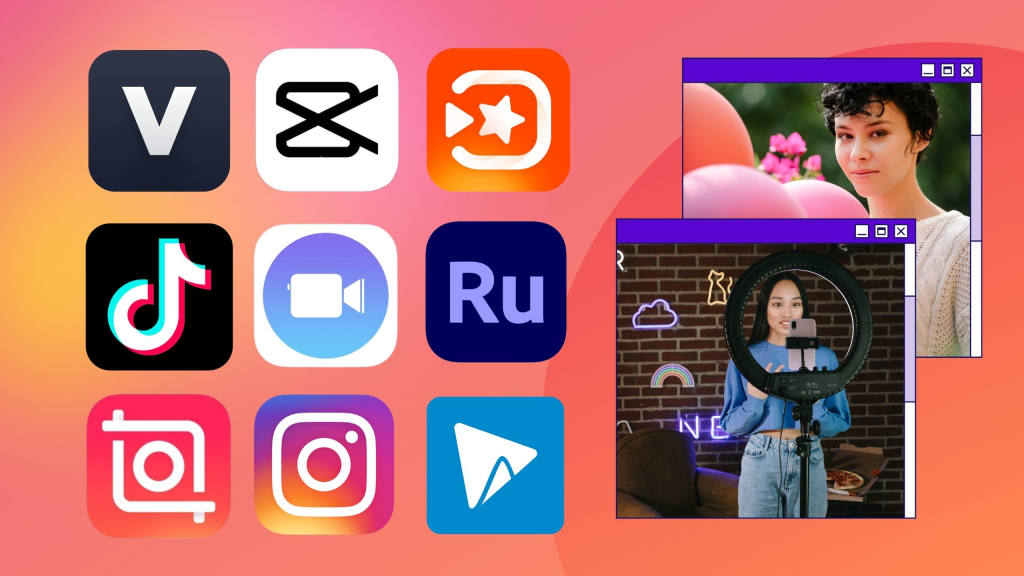
Before choosing an app, you should know what features matter most. A good video editing app should offer:
- Easy cutting and trimming
- Smooth transitions
- Text and captions
- Music and sound effects
- Filters and color correction
- Export in HD and 4K
- No watermark (or affordable plan)
- Fast rendering speed
- Easy sharing to social media
Best Video Editing Apps for Mobile (Android and iPhone)
If you create reels, shorts, or TikTok videos, mobile editing apps are the best choice.
1. CapCut (Best for Reels and TikTok)
CapCut is one of the most popular apps today. It is easy, fast, and packed with features.
Key Features
- Auto captions
- Trending templates
- Smooth transitions
- AI effects and filters
- Speed control
- Free music library
Pros
- Very easy for beginners
- Best for short videos
- Many features are free
Cons
- Some templates require internet
- Heavy effects may lag on low-end phones
Best for: TikTok, Instagram Reels, YouTube Shorts
2. VN Video Editor (Best Free Professional App)
VN is a powerful editor with a clean interface. It feels like a professional editing app but is still simple.
Key Features
- Multi-layer timeline
- Keyframe animation
- Text and subtitles
- Smooth slow motion
- No watermark
Pros
- Professional editing features
- Free and no watermark
- Good for long videos
Cons
- Needs some practice
Best for: YouTube videos, vlog editing, detailed editing
3. KineMaster (Best for Layer Editing)
KineMaster is one of the oldest and most trusted mobile editing apps.
Key Features
- Multiple layers
- Chroma key (green screen)
- Voice-over support
- Effects and transitions
- Speed control
Pros
- Strong editing tools
- Great for creators
- Good for advanced edits
Cons
- Free version adds watermark
- Subscription is a bit expensive
Best for: Advanced mobile editing, green screen work
4. InShot (Best Simple Video Editor)
InShot is perfect for beginners who want quick editing.
Key Features
- Trim, split, merge
- Background blur
- Filters and effects
- Music and sound effects
- Text and stickers
Pros
- Very easy to use
- Great for social media videos
- Smooth interface
Cons
- Free version has watermark
- Limited advanced tools
Best for: Beginners, Instagram content, quick edits
5. Adobe Premiere Rush (Best for Quick Pro Editing)
Adobe Premiere Rush is a lightweight version of Adobe Premiere Pro.
Key Features
- Simple timeline editing
- Auto audio balance
- Professional templates
- Cloud sync
Pros
- Trusted Adobe quality
- Good for business videos
- Smooth editing
Cons
- Limited free version
- Not as advanced as Premiere Pro
Best for: Business videos, quick professional edits
Best Video Editing Apps for PC (Windows and Mac)
If you want high-quality editing for YouTube, filmmaking, or professional projects, PC editors are better.
1. Adobe Premiere Pro (Best Professional Video Editing Software)
Adobe Premiere Pro is one of the top video editing tools used by professionals worldwide.
Key Features
- Multi-camera editing
- Advanced color grading
- Professional transitions
- High-quality export options
- Works with After Effects
Pros
- Industry-standard software
- Best for professional projects
- Unlimited editing options
Cons
- Requires a good PC
- Paid subscription
Best for: Professional YouTube creators, filmmaking, business editing
2. DaVinci Resolve (Best Free Pro Video Editor)
DaVinci Resolve is one of the best free editing tools available today.
Key Features
- Professional color grading
- Audio editing tools
- Advanced timeline editing
- 4K editing support
Pros
- Free version is powerful
- Best color correction tools
- Great for advanced users
Cons
- Needs a strong computer
- Interface is complex for beginners
Best for: Advanced editing, cinematic videos, color grading
3. Filmora (Best for Beginners on PC)
Filmora is a very beginner-friendly video editor.
Key Features
- Drag-and-drop editing
- Built-in templates
- Effects and transitions
- Easy text and titles
Pros
- Simple for beginners
- Fast editing
- Many effects available
Cons
- Watermark in free version
- Less professional than Premiere Pro
Best for: Beginners, students, basic YouTube videos
You may also like it:
Download IPhone Gallery APK For Android Phones – Aarya Editz
Best Photo Banane Wala Editor Apps For Android – Aarya Editz
Best Photo Banane Application Download 2025 – Aarya Editz
4. iMovie (Best Free Video Editor for Mac Users)
If you use a Mac, iMovie is a great free option.
Key Features
- Simple editing tools
- Clean interface
- Built-in templates
- High-quality export
Pros
- Free for Mac users
- Beginner-friendly
- Great quality output
Cons
- Only for Apple devices
- Limited advanced tools
Best for: Mac users, beginners, casual creators
5. Final Cut Pro (Best for Mac Professionals)
Final Cut Pro is a powerful editor designed for professional Mac users.
Key Features
- Fast rendering
- Advanced editing tools
- Professional effects
- 4K and 8K support
Pros
- Extremely smooth on Mac
- Great for professional work
- One-time purchase
Cons
- Only for Mac
- Expensive for beginners
Best for: Professional Mac editors, high-end video projects
Best Video Editing App Based on Your Needs
Here is a quick guide to help you choose easily:
Best for Beginners
- InShot (Mobile)
- Filmora (PC)
- iMovie (Mac)
Best for Instagram Reels and TikTok
- CapCut
- InShot
Best for YouTube Videos
- VN Video Editor
- Adobe Premiere Pro
- DaVinci Resolve
Best for Professional Editing
- Adobe Premiere Pro
- Final Cut Pro
- DaVinci Resolve
Best Free Video Editing App
- CapCut (Mobile)
- VN Video Editor (Mobile)
- DaVinci Resolve (PC)
Tips to Choose the Best Video Editing App
Before downloading any app, keep these points in mind:
- Check if it supports HD or 4K export
- See if it adds watermark in the free version
- Choose an app that matches your skill level
- Make sure it works smoothly on your device
- Look for features like captions, music, and templates if you create reels
Final Thoughts
The best video editing app depends on what you want to create. If you are a beginner and want simple editing, apps like InShot and CapCut are perfect. If you want professional editing, Adobe Premiere Pro and DaVinci Resolve are the best choices.
No matter which app you choose, the key is practice. The more you edit, the better your videos will look.
FAQs – Best Video Editing App
1. Which is the best video editing app for beginners?
InShot and CapCut are the best video editing apps for beginners because they are easy and fast to use.
2. What is the best free video editing app?
CapCut and VN Video Editor are among the best free video editing apps for mobile. For PC, DaVinci Resolve is the best free option.
3. Which video editing app is best for YouTube?
VN Video Editor is great for mobile YouTube editing, while Adobe Premiere Pro and DaVinci Resolve are best for PC editing.
4. Which app is best for making reels?
CapCut is one of the best apps for making Instagram Reels and TikTok videos due to templates and trending effects.
5. Is CapCut better than KineMaster?
CapCut is better for reels and templates, while KineMaster is better for multi-layer advanced editing.
