
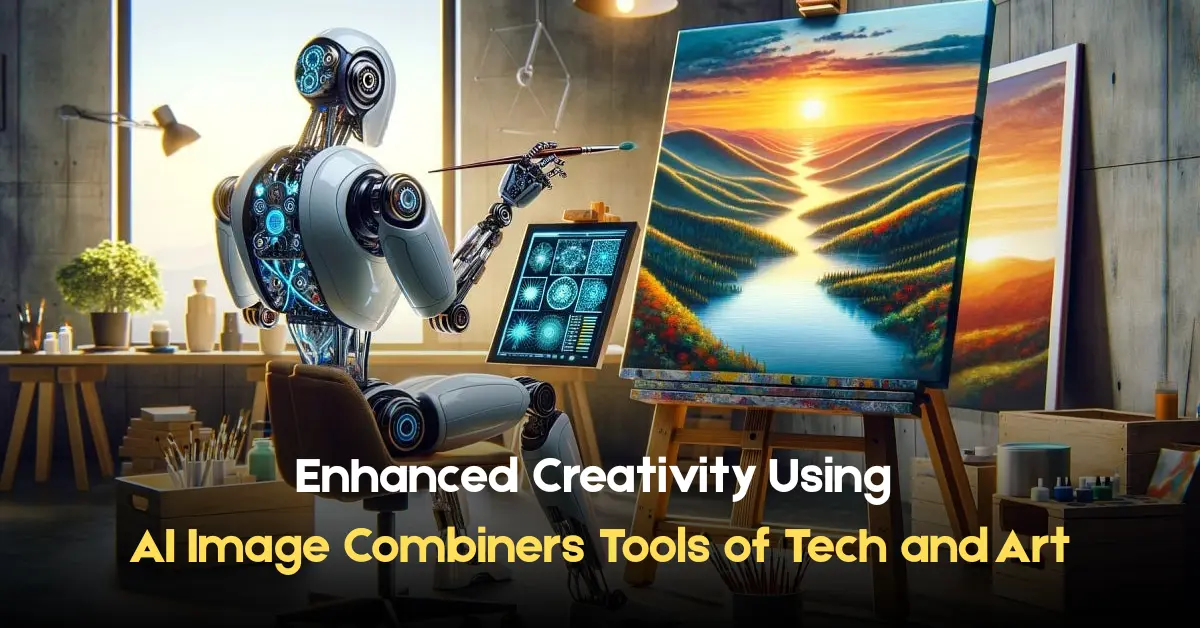
AI imagers are quickly becoming household names, and for good reason. The ability of AI image combiners to blend multiple photographs into a single work of art makes them stand out as the most powerful tools in the digital imagery space. It is a boon for professionals and enthusiasts alike as it uses AI’s power to analyze, merge, and enhance images. As a photographer, designer, or a hobbyist, you will benefit from understanding the functions and applications of AI image combiners in photography.
What Is An AI Image Combiner?
AI Image Combiner refers to an AI online tool that combines two or more images automatically into a single composition. The end result is a work of art that looks good and is natural. Merging of the input images happens naturally while retaining the aesthetics. Its process consists of several significant steps:
– Image Analysis: The AI scans the images provided and tries to figure out their constituents such as the objects in focus, the image’s background, and the lighting used.
– Feature Extraction: It takes relevant components from the images listed before such as edges, patterns, and focal images.
– Blending and Fusion: The AI integrates all of these aspects, combining colors and textures while aligning them to be more synergetic between the images.
– Refinement: The last touches to the image are done in order to improve the quality, harmony, and consistency of the final image.
With the help of this process, blends can be created by users at any skill level, maintaining unprecedented quality and professionalism for image composites.
Important Aspects Of AI Image Combiner Tools
1. Effortless Blending
AI image combiners are perfect for photo merging as they do it in a seamless and smooth manner. For instance, image combiner in PixNova AI Photo Tools uses mid merging algorithms to smartly combine two photos, altering their light and color to match one another, even in cases where the images have stark differences. This feature is especially instrumental in the making of fantasy scenes, surreal paintings, or conceptual graphics.
2. High Degree of Blending Customization
Various AI image combiners allow users to change the blending strength of each image, granting them the ability to customize the image produced. This provides users the chance to highlight particular aspects of the picture or achieve the desired effect they are looking for. For instance, users can set the weight of each photo and end up getting a blend that is dominated by the primary image whose weight was set higher
3. Simple Design
AI image combiners are created for accessibility such that they feature simple interfaces which require no specialized knowledge. With a few clicks, users can simply upload the images, set the parameters they want, and get the merged images generated. Because of the ease of use, these tools have the appeal to a wider reach, ranging from casual users to professionals.
4. High-Quality Output
With the help of sophisticated AI technologies, these tools create high-resolution images appropriate for artificial images, social media graphics, marketer visual aids, and more. Once again, the end image often competes with manually created composites, making AI Image combiner tools increasingly prevalent among creators who are more interested in time and convenience than quality.
Applications of AI Image Combiners
1. Art and Design
Combining images is a powerful feature offered by modern AI technology. Thus, artists and designers are utilizing AI image combiners to create stunning new pieces of art that encompasses a wide variety of genres and themes but would otherwise be impossible using traditional means.
2. Marketing and Advertising
This technology has revolutionized marketing, allowing for the creation of enticing product visuals. In the advertisement AI Image combiner tools. Using images of products, prop images, and themes can lead to astonishing results that would otherwise be hard to develop.
3. Entertainment and Media
These tools enable the creation of overview art, artwork, customization art, and even post-production graphics for the entertainment sector. These tools can enhance the illustration and conceptualization of ideas by merging different scenes or characters before actual production starts.
4. Personal Projects
People utilize AI image combiners for custom personal gifts, photo editing during vacations, and for social media content. The ability to combine images makes creativity possible with ease.
Advantages of Using AI Image Combiners
– Enhanced Creativity: The tools allow a new level of creative expression by enabling users to explore combinations that would be impossible to attempt manually.
– Time Efficiency: AI image combiners make the editing of images quicker by eliminating the work that would normally accompany manual edits.
– Cost-Effective: A lot of AI image combiners are free or sold at lower prices, which offer professional-grade tools without the need for costly software.
– Accessibility: These tools have simple designs which makes it easy for people with limited skills to operate software, which makes the creation of composite images available to all.
Choosing the Right AI Image Combiner
These features should be considered when looking for an AI image combiner.
– Customization Options: Choose tools that enable the adjustment of blend levels along with other parameters of the image, making it easier to achieve the desired effect.
– Output Quality: Always verify that the tool outputs images that meet the intended resolution prerequisites.
– Cost: Review the pricing plans offered to select a tool that is economically feasible.
– Privacy and Security: Opt for services that uphold user privacy policies and protect relevant data.
PixNova AI Photo Tools: Your Creative Partner
PixNova AI Photo Tools is without a doubt one of the best platforms that offer advanced services for online image generation, image editing, and even interactivity. These include face-swapping using AI, creating images, performing one-click dressing changes, interacting with AI characters, and innumerable others. User-friendly design combined with powerful AI makes it easy for users to use PixNova AI, and turn their creative ideas into reality.
Conclusion
AI image combiners mark an important milestone in digital creativity. Users can now combine images with ease and manipulate them in numerous sophisticated ways. Tools such as PixNova AI Photo Tools serve as a showcase of the potential these technologies have, making and offering powerful solutions for personal and professional projects. With the use of AI image combiners, creators now have immense dimensions of artistic expression available to them, and efficiency in their work.
