

If you’ve ever watched a movie scene set on Mars, a YouTuber filming with an animated background, or a gamer streaming with no messy room behind them, you’ve already seen the magic of chroma keying.
And the heart of all this magic?
A single shade of green—also known as the green screen color code.
Today, I’ll explain everything you need to know about this special color in the simplest, most friendly way, so you can understand it even if you’re just starting out.
What Exactly Is the Green Screen Color Code?
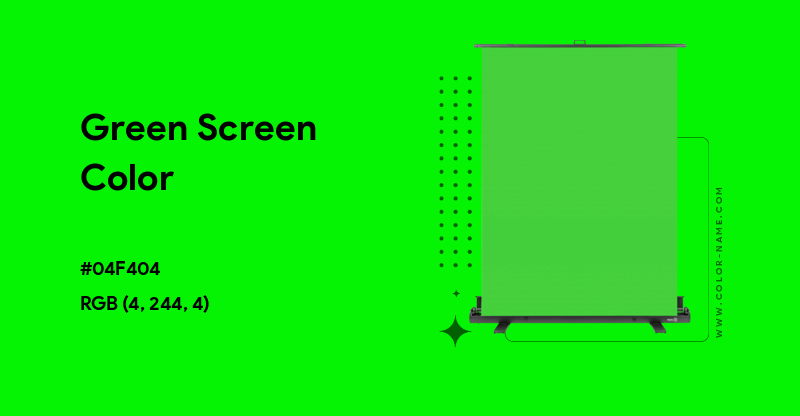
The green screen color code is the exact digital shade of neon green used for chroma keying in videos, films, and photography.
This color helps software identify what to remove in a scene.
Here are the commonly accepted color codes:
- HEX: #00FF00
- RGB: rgb(0, 255, 0)
- CMYK: (63, 0, 100, 0)
- HSV: (120°, 100%, 100%)
This bright shade of green stands out from most natural colors found in skin, hair, or everyday clothing, which makes it extremely easy to remove.
If you use a different shade, your background will not key out smoothly and may leave patches or unclean edges.
Why Do We Use Green Instead of Other Colors?
You might think:
“Why not use yellow, red, or even purple?”
Good question! There’s a reason green became the industry standard:
1. Cameras Detect Green Better
Modern digital cameras are designed to pick up green more clearly than other colors.
The brighter the color, the easier it is for software to spot and remove it.
2. Skin Tones Don’t Contain Green
Human skin has red, orange, and brown tones—but not green.
This prevents your face or clothes from being erased accidentally.
3. Less Lighting Needed
Green reflects more light, so you don’t need heavy studio lights to get a smooth background.
Great for beginners or people filming in a small room.
4. Faster Editing
Because green is captured cleanly, the software can remove it instantly with fewer adjustments.
All these reasons make the green screen color code the most reliable option for both professionals and hobbyists.
How the Green Screen Color Code Makes Editing Easy
Chroma keying is the process of removing the green background and replacing it with something else.
When you use the correct green screen color code, editing becomes effortless.
Here’s what editing software does:
- Detects the exact shade of #00FF00
- Removes every pixel matching that shade
- Leaves everything else untouched
- Lets you add any background you want
This clean separation is why weather reporters appear in front of animated maps and why movie actors can “stand” in fictional worlds.
Where You Can Use a Green Screen
Green screens are incredibly versatile. You’ve probably seen them in:
- YouTube videos
- TikTok & Instagram reels
- Film production
- Gaming livestreams (OBS, Streamlabs)
- Online classes and tutorials
- Product photography
- Virtual meetings
- E-commerce shoots
Even smartphone apps like CapCut, Kinemaster, VN, and InShot support the green screen color code.
Types of Green Screen Materials
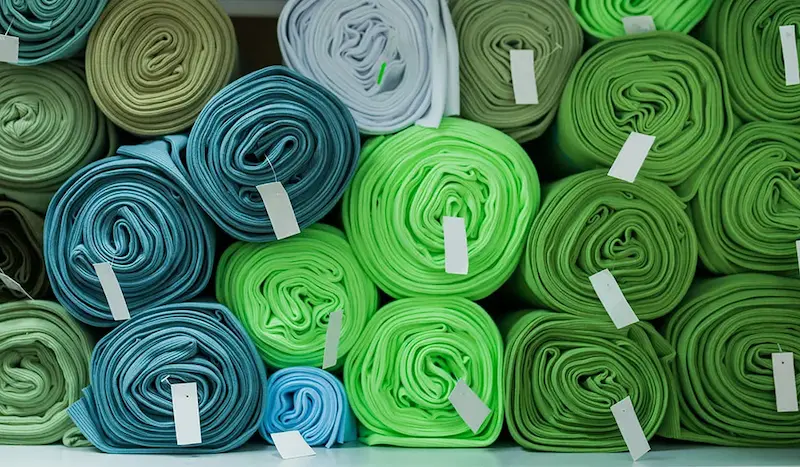
You don’t need to buy expensive studio gear. Here are the options available:
1. Fabric Green Screens
- Affordable
- Washable
- Easy to store
But may wrinkle easily.
2. Paper Backdrops
- Smooth finish
- Professional look
But can tear.
3. Painted Walls
- Permanent setup
- Ideal for studios
Just use the standard green screen paint color code.
4. Portable Pop-up Screens
- Great for home creators
- Easy to fold
A bit pricier but convenient.
No matter which material you use, the color code remains the same.
You may also like it:
23 LR Presets DNG – Stunning Lightroom Presets For Mobile
Itz Easy – One App To Simplify All Your Daily Tasks – Aarya Editz
Best Video Banane Wala Apps Photo – A Complete Guide – Aarya Editz
Photo Banane Wala Gallery – Best Apps To Edit & Save Photos
Common Mistakes People Make (And How to Avoid Them)
Even with the perfect green screen color code, mistakes can ruin the final result. Let’s fix that:
1. Uneven Lighting
Shadows cause dark patches that don’t key out properly.
Use soft, even lighting.
2. Wearing Green Clothes
If you wear green on a green screen…
Your clothes will disappear.
Unless you want a floating head effect, avoid green outfits.
3. Standing Too Close to the Screen
This causes “green spill,” where the green color reflects onto your skin or clothes.
4. Using a Wrong Shade of Green
Even a slight deviation from #00FF00 can make your software struggle.
5. Low-Quality Camera Settings
Blurry footage = messy keying.
Shoot in HD or above.
Green Screen vs Blue Screen: Which One Should You Use?
Sometimes people wonder if blue screens are better. Here’s a simple comparison:
| Feature | Green Screen | Blue Screen |
| Color Code | #00FF00 | #0000FF |
| Lighting Needed | Less | More |
| Best Use | Indoor shoots, digital videos | Outdoor scenes, low light |
| Accuracy | Higher with modern cameras | Good but requires more setup |
| Spill | Higher | Lower |
For everyday content creation, the green screen color code is the best choice.
Advanced Tips for Cleaner Keying
If you want professional-level results, here are extra tips:
Use 3-Point Lighting
- Key light on your face
- Fill light to reduce shadows
- Backlight to separate you from the screen
Shoot in High Bitrate Video
More color data = better background removal.
Keep Your Screen Smooth
No wrinkles. No folds.
Use LUTs or Color Correction
This helps remove leftover green tints.
Choose the Right Software
Some great options:
- Adobe Premiere Pro
- Final Cut Pro
- DaVinci Resolve
- CapCut
- After Effects
- OBS Studio
All fully support the standard green screen color code.
Why Understanding Green Screen Color Code Matters
Knowing the correct color code helps you:
- Choose the right backdrop
- Avoid editing problems
- Improve video quality
- Make professional-looking content
- Save time during editing
- Produce cleaner transitions and effects
You don’t need expensive equipment—just the correct shade and good lighting.
Conclusion
The green screen color code—#00FF00—might look simple, but it holds incredible power. Whether you’re a YouTuber, filmmaker, gamer, teacher, or someone who just loves experimenting with videos, using the right shade of green can take your content from amateur to professional instantly.
With proper lighting, good camera settings, and the right techniques, you can transform any small room into a creative studio.
The best part?
You now understand how it works—and you can start using it confidently.
FAQs About Green Screen Color Code
1. What is the green screen color code?
The standard green screen color code is HEX: #00FF00. It’s the exact bright green shade used in chroma keying to remove backgrounds in videos and photos.
2. Why is green used for chroma keying?
Green is used because it contrasts well with skin tones, requires less lighting, and is detected clearly by modern digital cameras.
3. Can I use a different shade of green for green screen?
You can, but it’s not recommended. Using a different shade may lead to uneven keying and leftover patches. The standard #00FF00 gives the cleanest results.
4. What is the RGB value of the green screen color?
The RGB value is RGB(0, 255, 0). This is the most accurate digital representation of green screen green.
5. What software supports green screen editing?
Popular tools include Adobe Premiere Pro, After Effects, Final Cut Pro, DaVinci Resolve, OBS Studio, CapCut, and many mobile video editing apps.
