
Introduction
In the age of social media, everyone loves to share beautiful photos, whether it’s a stunning sunset or a delicious meal. But have you ever wondered how some people achieve that perfect edit that makes their pictures pop? Enter Snapseed Qr Code! This popular photo-editing app, developed by Google, offers a wide range of tools to transform your images.
One of its coolest features is the Snapseed QR Code. This nifty tool allows you to share your unique editing styles with friends or even replicate someone else’s amazing edits with just a scan. In this post, we’ll explore what Snapseed QR Codes are, how they work, and how you can use them to enhance your photography experience. Let’s dive in!
What is Snapseed QR Code?
A Snapseed QR Code is a unique digital tool that allows users to share their photo editing settings easily. When you edit a photo in Snapseed, you can create a QR code that captures all the adjustments you’ve made—like brightness, contrast, filters, and more. This code acts as a shortcut, enabling others to replicate your edits on their own photos simply by scanning it.
Imagine you’ve just edited a stunning photo and want to share not just the image but also the secret behind your edits. By generating a Snapseed QR Code, you can give others instant access to your unique editing style. They can scan the code with their Snapseed app, and it will automatically apply the same settings to their own photos. It’s a fantastic way to share creativity, maintain a consistent style across your work, or even learn from others in the photography community.
You May Also Like It:
How To Edit Photos With Snapseed App – Complete Detail – Aarya Editz
16K Photo Enhance In Just 1 Click – Complete Detail – Aarya Editz
Picsart Charistmas Special In Just Photo Editing – Aarya Editz
Why is Snapseed QR Code Important?
Snapseed QR Codes play a crucial role in enhancing the photo editing experience for users. Here are some key reasons why they are important:
Easy Sharing of Editing Styles
- Quick Access: Users can share their unique editing techniques with friends, family, or followers in just a few clicks.
- Community Building: Encourages collaboration among photographers, fostering a supportive community where users can learn from one another.
Consistency Across Photos
- Cohesive Aesthetic: For those looking to create a consistent style in their photography, Snapseed QR Codes allow for easy application of the same edits across multiple images.
- Brand Identity: Photographers can maintain a recognizable style, which is essential for personal branding, especially on social media platforms.
Learning and Improvement
- Educational Resource: By scanning and applying QR Codes from other users, photographers can learn new editing techniques and improve their skills.
- Experimentation: Users can try different styles and approaches, broadening their creative horizons and enhancing their editing repertoire.
Time-Saving Convenience
- Quick Replication: Instead of manually adjusting each setting, users can instantly apply a friend’s or influencer’s edits, saving time and effort.
- Streamlined Process: Facilitates a more efficient workflow for photographers who need to edit multiple images quickly.
Understanding Snapseed QR Code
To fully appreciate the value of Snapseed QR Codes, it’s essential to understand how they function and how to use them effectively. Let’s break it down into simpler parts.
Creating a Snapseed QR Code
- Editing Your Photo: Start by selecting a photo in the Snapseed app. Use the various tools and filters available to enhance your image according to your vision.
- Exporting Edits: Once you’re satisfied with your edits, tap on the “Export” option. This is where you’ll find the option to create your Snapseed QR Code.
- Generating the Code: Select “Create QR Code.” The app will generate a unique code that encapsulates all the adjustments you made during the editing process.
Sharing Your QR Code
- Social Media: You can share your QR code directly on platforms like Instagram, Facebook, or Twitter, allowing your followers to scan it easily.
- Direct Sharing: Alternatively, send the code through messaging apps or even print it on business cards for a more tangible sharing option.
Scanning a Snapseed QR Code
- Using the Snapseed App: To apply someone else’s edits, open the Snapseed app and tap on the “Scan QR Code” option.
- Scanning Process: Hold your device over the QR code to scan it. The app will automatically recognize the code and apply the same edits to your selected photo.
- Instant Application: You can immediately see how those edits transform your image, allowing you to experiment with different styles effortlessly.
Replicating Edits
- Adjusting the Result: After applying the QR code edits, you can further modify the image if you wish. This flexibility allows for personalization while still benefiting from someone else’s creative style.
Benefits of Using Snapseed QR Codes
Snapseed QR Codes offer numerous advantages for both casual users and professional photographers. Here are some key benefits that make them an essential tool in the world of photo editing:
Simplified Sharing Process
- Quick Distribution: QR Codes allow you to share your editing styles effortlessly. Instead of explaining each setting or adjustment, you can simply share the code.
- Versatile Sharing Options: You can distribute your QR Codes via social media, emails, or printed materials, reaching a wide audience easily.
Enhanced Collaboration
- Community Engagement: Photographers can exchange QR Codes with friends, followers, and fellow creatives, fostering a sense of community and collaboration.
- Learning Opportunities: By using codes created by others, users can explore different editing styles and techniques, enhancing their own skills.
Consistency in Editing
- Cohesive Visual Identity: For photographers aiming to establish a distinct style, Snapseed QR Codes help maintain consistency across different images, creating a unified look.
- Branding: Consistent editing helps in building a recognizable brand on social media platforms or professional portfolios.
Time Efficiency
- Instant Application of Edits: Rather than manually adjusting every setting for each photo, users can quickly apply the same edits from a QR Code, saving time.
- Streamlined Workflow: This feature is particularly beneficial for photographers who edit large batches of images, as it simplifies and speeds up the process.
Creative Exploration
- Experiment with Different Styles: Users can scan a variety of QR Codes to try out new editing techniques, broadening their creative horizons.
- Inspiration: Discovering how others edit their photos can inspire new ideas and approaches to your own photography.
User-Friendly Experience
- No Technical Skills Required: Using Snapseed QR Codes doesn’t require advanced editing knowledge. Anyone can easily create and scan codes, making it accessible for all skill levels.
- Interactive Learning: The hands-on approach of applying edits through QR Codes promotes a fun and engaging way to learn about photo editing.
Step-by-Step Guide: Using Snapseed QR Codes
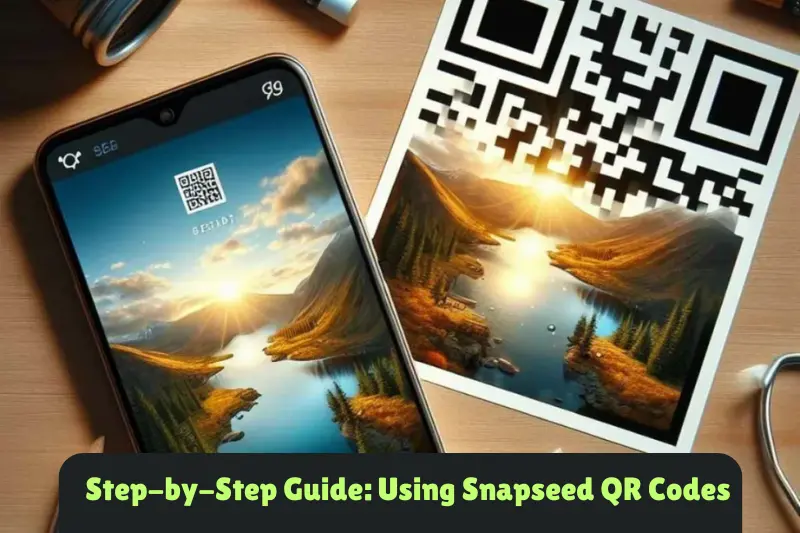
Creating and using Snapseed QR Codes is simple and straightforward. Follow these five steps to enhance your photo editing experience!
Step 1: Edit Your Photo
- Open Snapseed: Launch the Snapseed app on your device.
- Select a Photo: Tap on the “+” icon or “Open” to choose the photo you want to edit from your gallery.
- Apply Edits: Use Snapseed’s tools and filters to enhance your image. Experiment with adjustments like brightness, contrast, saturation, and any special effects you want to apply.
Step 2: Export Your Edits
- Access the Export Menu: Once you’re satisfied with your edits, tap on the “Export” option located at the bottom of the screen.
- Choose ‘Create QR Code’: In the export menu, select the “Create QR Code” option. This action will generate a unique QR Code that represents your specific editing settings.
Step 3: Share Your QR Code
- Display Your Code: After generating the QR Code, you’ll see it on your screen.
- Share It: You can save the QR Code image to your device or directly share it through social media, messaging apps, or even print it on physical materials like business cards.
Step 4: Scan a QR Code
- Open Snapseed: To use someone else’s QR Code, open the Snapseed app.
- Select ‘Scan QR Code’: Tap on the “Scan QR Code” option in the main menu. This feature allows you to scan codes from other users.
Step 5: Apply the Edits
- Scan the QR Code: Hold your device over the QR Code you wish to scan. The app will recognize the code and apply the edits to your selected photo automatically.
- Review and Adjust: Once the edits are applied, you can make any additional adjustments to personalize the image further if desired.
Advantages and Disadvantages of Snapseed QR Codes
While Snapseed QR Codes offer exciting features for photographers, it’s essential to consider both their advantages and disadvantages. Here’s a breakdown:
Advantages
| Easy Sharing Snapseed QR Codes allow for quick and straightforward sharing of editing styles, making it easy for users to exchange their techniques. |
| Time-Saving Users can apply multiple edits instantly by scanning a QR Code, significantly speeding up the editing process, especially for batch photo editing. |
| Enhanced Collaboration The feature fosters a sense of community among photographers, encouraging them to learn from one another and share creative techniques. |
| Consistency in Style Snapseed QR Codes help maintain a cohesive look across different images, which is especially beneficial for branding or personal style development. |
| User-Friendly No technical expertise is required to create or scan QR Codes, making it accessible for users of all skill levels. |
| Creative Exploration Users can experiment with various editing styles by scanning codes from different photographers, broadening their creative horizons. |
Disadvantages
| Limited Customization Applying a QR Code means accepting someone else’s edits without the opportunity to tweak them before application, which might not suit everyone’s style. |
| Dependency on the App Users must rely on the Snapseed app to create and scan QR Codes, limiting flexibility if they prefer other editing tools. |
| Quality Variations The results from scanning QR Codes can vary depending on the original photo and how well the edits apply, leading to inconsistent outcomes. |
| Loss of Originality Relying heavily on shared QR Codes may hinder personal creativity and individual expression, as users might end up adopting similar styles. |
| Potential Confusion For newcomers to photography or Snapseed, the concept of QR Codes may seem complicated at first, leading to confusion about how to use them effectively. |
You May Also Like It:
Premium Dark Tone Free Lightroom Preset – Aarya Editz
Blur Effect Video Editing Tutorial – Complete Guide
Lightroom Orange Effect Premium Dng Preset – Complete – Guide – Aarya Editz
Common FAQs About Snapseed QR Codes
What is a Snapseed QR Code?
A Snapseed QR Code is a special code that lets you share your photo editing settings with others. When someone scans your QR Code, they can apply the same edits to their own photos in the Snapseed app.
How do I create a Snapseed QR Code?
To create a QR Code, edit your photo in Snapseed, go to the “Export” menu, and select “Create QR Code.” The app will generate a unique code based on your edits that you can share with others.
How can I scan a Snapseed QR Code?
To scan a QR Code, open Snapseed, tap on “Scan QR Code” in the main menu, and point your device’s camera at the code. The app will automatically recognize it and apply the edits to your selected photo.
Can I customize the edits after scanning a QR Code?
Yes! After scanning and applying the QR Code edits, you can still make additional adjustments to the photo. This allows you to personalize it according to your taste.
What types of edits can I share with a Snapseed QR Code?
You can share any edits you’ve made using Snapseed’s tools, including adjustments to brightness, contrast, saturation, filters, and other creative effects.
Is it free to use Snapseed QR Codes?
Yes! Snapseed is a free app, and using QR Codes to share and apply edits costs nothing.
Can I scan QR Codes from other apps?
No, Snapseed QR Codes are specifically designed for use within the Snapseed app. You can only scan codes created using Snapseed..
What if the QR Code doesn’t work?
If a QR Code doesn’t work, make sure you’re scanning it correctly and that the code hasn’t been damaged or blurred. You can also try scanning it in a well-lit area to improve visibility.
Are there any limitations to using Snapseed QR Codes?
While QR Codes make sharing easy, they limit customization. When you apply someone else’s edits, you may not be able to adjust them before applying. However, you can always tweak the photo afterward.
Can anyone use my Snapseed QR Code?
Yes, anyone who has the QR Code can scan it and apply your edits to their photos, making it a great way to share your editing style with friends or followers.
Conclusion
Snapseed QR Codes are a fantastic way to share and explore photo editing styles easily. They simplify the process of applying edits, making it fun and accessible for everyone, whether you’re a beginner or a seasoned photographer. By using these codes, you can connect with others in the photography community, enhance your creative skills, and save time on your editing tasks. So go ahead, start creating and sharing your Snapseed QR Codes, and let your photos shine!
Bonus Points on Snapseed QR Codes
- User Community: Engaging with others who use Snapseed QR Codes can lead to discovering unique styles and techniques, expanding your creative network.
- Inspiration from Others: By trying out QR Codes shared by fellow photographers, you can gain inspiration and learn new editing approaches that you might not have considered before.
- Easy to Organize: Save your favorite QR Codes in a dedicated folder or album on your device. This way, you can quickly access and try out different editing styles whenever you want.
- Experiment with Multiple Codes: Don’t hesitate to scan and apply multiple QR Codes to the same photo. You can layer different styles and create a unique edit that showcases your creativity.
- Feedback Opportunity: Share your QR Code with friends and ask for feedback on the edits. This can provide valuable insights and help you refine your editing skills.
- Tutorials and Tips: Many photographers and content creators offer tutorials on how to achieve specific looks. Pairing their QR Codes with their tips can enhance your learning experience.
- Promote Your Work: If you’re a professional photographer, sharing your QR Code can help promote your unique style and attract new clients or followers.
- Fun Challenges: Participate in challenges where users create and share QR Codes based on specific themes or styles, fostering a spirit of creativity and fun.
- Time-Saving for Social Media: Use QR Codes to quickly edit photos for your social media posts, ensuring your content remains visually appealing and consistent.
- Stay Updated: Keep an eye on new trends in photo editing. As styles evolve, experimenting with various QR Codes can help you stay current and fresh in your approach
You May Also Like It:
Snapseed Double Expoure Photo Editing – A Comprehensive Guide
Picsart Editing Background Colour Change – Detail Guide – Aarya Editz
Snapseed Background Colour Change Photos Editing – Aarya Editz
Aqua And Yellow Free Lightroom Preset – Detail Guide – Aarya Editz.
