
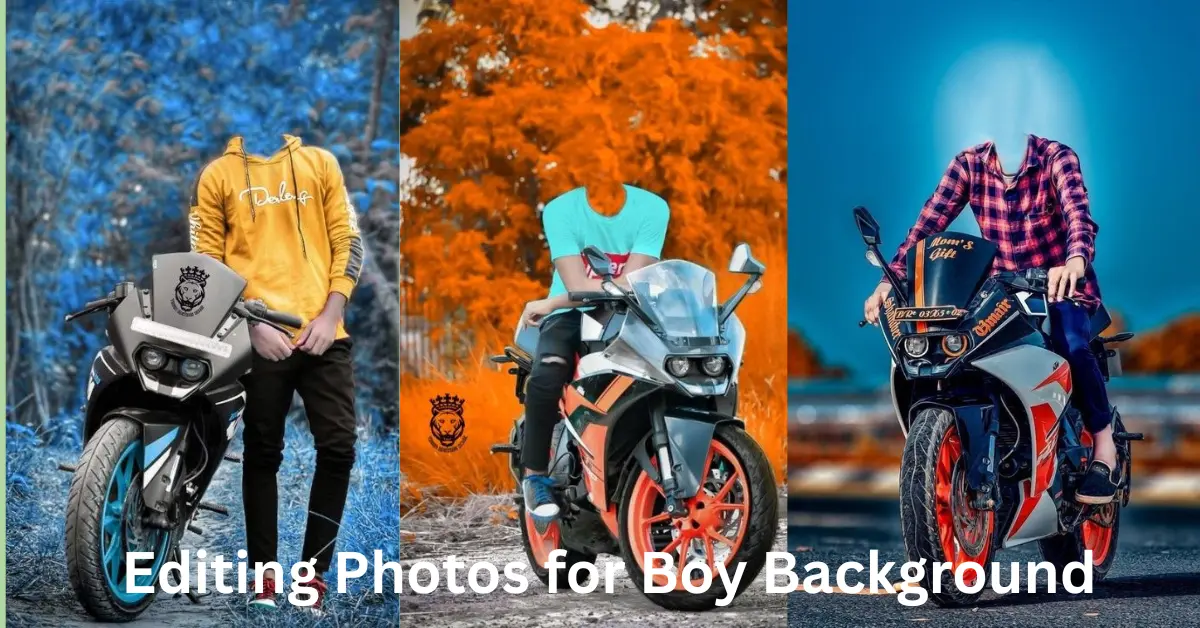
Editing photos for boys can be a fun and creative experience, especially when you know how to manipulate the background to complement the subject. The background plays a crucial role in photo editing, as it can enhance or detract from the focus of the image. Whether you’re looking to create a casual vibe, a sporty feel, or something entirely artistic, adjusting the background can completely transform the overall look and atmosphere of the photo.
In this article, we will walk you through the steps of editing photos for boy backgrounds, provide helpful tips, and offer a variety of suggestions for backgrounds that can elevate any photo. Let’s dive into the details!
Why Background Editing is Essential for Boy Photos

Before we jump into the technical details, it’s important to understand why background editing matters so much. The background serves as a frame for the subject of the photo—it helps set the tone and mood of the picture. For photos of boys, the right background can enhance their personality, match their interests, or simply make the photo more interesting.
Think of it this way: a background that’s too busy or unrelated to the subject may distract from the boy in the picture, while a well-chosen background will create harmony and emphasize the subject. The right background brings the entire image together, enhancing the boy’s style, energy, and overall look.
Step-by-Step Guide to Editing Photos for Boy Backgrounds
1. Choosing the Right Photo Editing Tool
The first step is to choose the right photo editing tool for your project. You don’t need to be a professional to edit a photo effectively; many user-friendly tools allow you to adjust backgrounds without complex procedures. Some popular photo editing software includes:
- Adobe Photoshop: The go-to software for professionals, it offers complete control over background manipulation, layer management, and effect application.
- Canva: A simpler tool for beginners, Canva offers background removal and editing features with drag-and-drop functionality, perfect for quick edits.
- GIMP: A free and open-source alternative to Photoshop, GIMP is packed with features for advanced editing.
- Snapseed: For those editing on mobile, Snapseed offers powerful tools for background adjustments and overall image enhancement.
Choose a tool that fits your experience level and your goals for the photo.
2. Remove the Existing Background
In many cases, the current background of the photo may not complement the subject, especially if the environment is cluttered or doesn’t fit the vibe you’re going for. To fix this, you’ll need to remove the background entirely.
Here are some methods for removing the background:
- Background Eraser Tool: Most editing software comes with a “Background Eraser” or “Magic Eraser” tool that allows you to remove the background easily. This is especially useful for simple backgrounds like solid colors or skies.
- Layer Masking: For more detailed and precise editing, use a “Layer Mask” to gently erase unwanted parts of the background while keeping the subject intact.
- Quick Selection Tool (Photoshop): This tool allows you to select and isolate the subject, making it easy to remove the background without affecting the subject itself.
It’s essential to zoom in and be precise when removing the background, especially around areas like hair or edges, to ensure a smooth, clean transition.
3. Adding the New Background
Once the old background is removed, it’s time to add a new one. The new background can be anything that complements the boy in the photo and enhances the overall vibe. Here’s how to add it:
- Import the Background: Import the new background into your editing software. Make sure it’s the correct size and resolution to fit the photo seamlessly.
- Position the Background: Place the background behind the boy’s image. If you’re using Photoshop or GIMP, this will be on a separate layer.
- Adjust the Background Size and Angle: Sometimes the background might need to be resized or rotated to match the perspective of the boy’s image. Ensure that the background aligns with the lighting and angle of the subject to make it appear more natural.
4. Adjust Lighting and Shadows
One common mistake in background editing is mismatching the lighting of the subject and the background. The key to a seamless blend is ensuring both the background and the subject share similar lighting, shadows, and tones.
Here’s how you can adjust the lighting:
- Adjust the Brightness and Contrast: If the background looks too bright or dark compared to the boy, tweak the brightness and contrast levels until they match.
- Shadows and Highlights: To make the background appear more natural, you can add shadows to the boy or adjust the highlights. This makes the photo look more three-dimensional.
- Light Source Matching: Ensure the direction of the light in the background aligns with the light falling on the subject. If the boy’s face is lit from the left, the background light source should match.
5. Enhance the Subject’s Image
Now that the background is in place, it’s time to focus on the boy’s image itself. You can enhance the subject by sharpening details, adjusting the skin tone, or adding a slight vignette to draw attention to him.
- Sharpening: If the boy’s image is a little soft, apply some sharpening to make the subject crisp and clear.
- Skin Smoothing: For portrait photos, use tools to smooth the skin without losing texture to keep the image looking natural.
- Vignetting: Adding a soft vignette around the edges of the photo can create a focus on the boy and make the background appear less intrusive.
6. Adding Creative Effects
For a creative touch, consider applying effects that enhance the background and subject. Here are a few options:
- Blur the Background: If you want the boy to be the center of attention, blur the background slightly using Gaussian Blur or Lens Blur. This effect mimics the look of shallow depth-of-field photography.
- Text or Graphics: Sometimes, adding text or small graphic elements to the background can give the photo a fun or personalized look. Consider adding the boy’s name, age, or a phrase that fits the theme.
You may also like to read these posts:
Stunning Easy Oil Pastel Drawing Ideas – Aarya Editz
Best Texture Paint Designs For A Stylish Home – Aarya Editz
Beautiful And Easy Pencil Drawing: A Unique Guide – Aarya Editz
Watercolor Landscape Painting – A Unique Guide – Aarya Editz
Creative Background Ideas for Boys

When choosing a background, think about the boy’s interests, personality, and the image’s purpose. Here are some creative background ideas:
- Sports Themes: Use a stadium, basketball court, or soccer field as a background if the boy is passionate about sports. It adds action and energy to the photo.
- Urban Vibe: For a cool, modern look, a graffiti wall or city skyline could give the photo a stylish, edgy feel.
- Nature Backdrops: Mountains, beaches, or forests work well for a more relaxed, outdoor look. These backgrounds evoke a sense of adventure and tranquility.
- Artistic and Abstract Backgrounds: Experiment with abstract designs or digital artwork that aligns with the boy’s style or interests. This could be anything from geometric patterns to digital landscapes.
Tips for Perfecting Your Photo Editing
- Keep the Focus on the Subject: Don’t let the background overshadow the boy in the photo. The background should complement the subject, not distract from it.
- Be Consistent with Colors: Ensure the colors in the background don’t clash with the boy’s clothing or skin tone.
- Match the Mood and Theme: Make sure the background aligns with the boy’s personality or the overall message of the photo (e.g., fun, serious, or artistic).
- Don’t Overdo the Effects: Sometimes less is more. Subtle background edits often create a more sophisticated and polished result.
- Test Different Backgrounds: Experiment with different backgrounds to find the one that works best for the photo. Don’t be afraid to try creative or unusual combinations.
More Queries?
1. How do I change the background in a photo?
To change the background, you’ll need to use a photo editing tool that allows background removal and replacement. Tools like Adobe Photoshop, GIMP, Canva, or even mobile apps like Snapseed provide easy ways to remove the existing background and insert a new one.
2. What is the best background for a boy’s portrait photo?
The best background depends on the boy’s personality and interests. For an active boy, sports-themed backgrounds like a basketball court or soccer field are great. For a more relaxed vibe, consider nature backgrounds like beaches, mountains, or forests. Urban settings like cityscapes or graffiti walls work well for trendy, edgy portraits.
3. How can I make the new background blend well with the boy’s image?
Ensure the lighting and shadows on the boy match the lighting in the background. Adjust the brightness and contrast of both the subject and the background until they feel cohesive. Adding a slight blur to the background can also help it appear more natural.
4. Can I remove a busy background without affecting the subject?
Yes! Most photo editing software comes with tools such as a “Magic Eraser” or “Layer Mask” that allow you to remove backgrounds while keeping the subject intact. Just be careful around the edges of the subject to ensure the process is clean.
5. What if I don’t have advanced photo editing skills?
If you’re a beginner, there are plenty of easy-to-use tools like Canva and Snapseed that simplify the process of changing backgrounds. These tools have drag-and-drop features, and they often come with background removal options that don’t require advanced skills.
Conclusion
Editing photos for boy background can dramatically enhance the overall effect and make the photo stand out. Whether you’re adding a sporty, nature-inspired, or artistic background, the key to success lies in making sure the subject remains the focal point while creating a balanced, cohesive image.
By following these steps and tips, you’ll be able to edit photos for boys with confidence, ensuring the result is eye-catching, professional, and fun. So, take your time, experiment with different styles, and enjoy the creative process!
Bonus Tips for Editing Photos for Boy Backgrounds
- Match the Perspective 📐 – Ensure the subject and background align in terms of angle and perspective for a natural look.
- Use Layers 🖼️ – Work with layers in editing tools for better control and flexibility.
- Try Filters 🎨 – Experiment with filters to enhance the mood of the photo and make it stand out.
- Color Harmony 🎨 – Make sure the colors of the subject and background complement each other for a cohesive feel.
- Keep It Simple ✂️ – Avoid busy backgrounds; sometimes a clean, minimal design works best.
- Get Creative with Effects 🌟 – Add fun effects like light flares or smoke for a dynamic touch.
- Gradient Magic 🌈 – A gradient background can create smooth, subtle transitions that highlight the subject.
- Match the Expression 😄 – The boy’s expression should fit the vibe of the background for a more authentic look.
Have fun experimenting with these tips, and watch your photos transform into eye-catching works of art! 📸✨
