
If you’ve been trying to understand gimp vs krita, you’re not alone. A lot of beginners, designers, and digital artists get confused between these two popular free tools. On the surface, they may look similar because both let you create and edit images, but in reality, they are built for different
types of creative work.
So instead of throwing technical terms at you, let’s break this down in a simple, friendly way—like you’re asking someone who actually uses both tools every day.
GIMP vs Krita: A Detailed and Simple Comparison Guide
When people search for gimp vs krita, what they really want to know is:
- Which one is better for photo editing?
- Which one is better for drawing?
- Which one should I learn first?
- Can I use both together?
We’ll answer all of that step by step so you can confidently choose the right tool for your needs.
First, Let’s Understand What GIMP Really Is
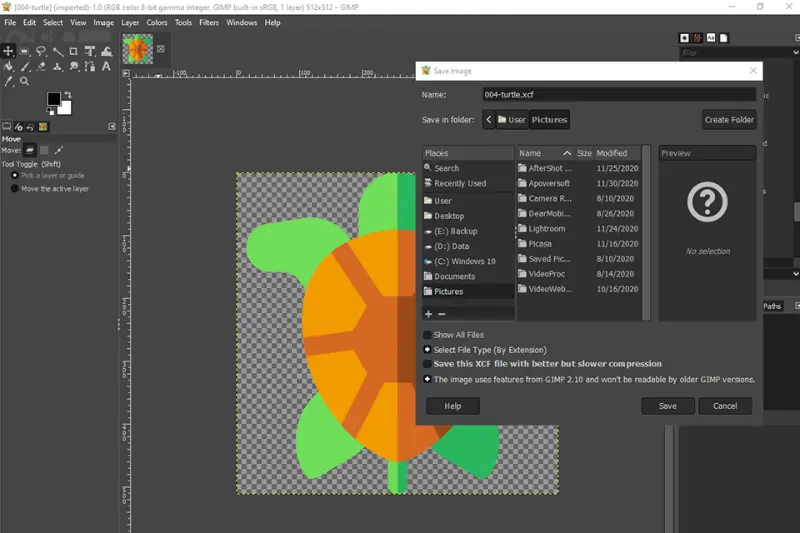
GIMP (GNU Image Manipulation Program) is one of the most powerful free image editors available today. It is often called the “free alternative to Photoshop,” and that comparison is not wrong.
But here’s the simple way to think about it:
GIMP is made for editing existing images.
What You Can Do with GIMP
If your work involves photos or graphic design, GIMP is very useful. It allows you to:
- Edit and retouch photos
- Remove backgrounds from images
- Adjust colors, brightness, and contrast
- Create banners, thumbnails, and posters
- Work with layers like in Photoshop
- Apply filters and effects
So if you’re someone who works with images rather than drawing from scratch, GIMP feels very natural.
Strengths of GIMP
Let’s be real—GIMP is powerful, especially for a free tool.
- Completely free and open-source
- Supports advanced image editing tools
- Works on Windows, Mac, and Linux
- Huge community and plugins available
- Great for photography and design work
Many freelancers and bloggers even use GIMP for professional work because it can handle serious editing tasks.
Weak Side of GIMP
Now, no tool is perfect.
- Interface feels a bit outdated
- Not very beginner-friendly at first
- Can feel overwhelming with too many options
- Not focused on drawing or painting
So while GIMP is powerful, it may take some time to learn.
Now Let’s Talk About Krita
Krita is also free and open-source, but it is designed with a completely different goal in mind.
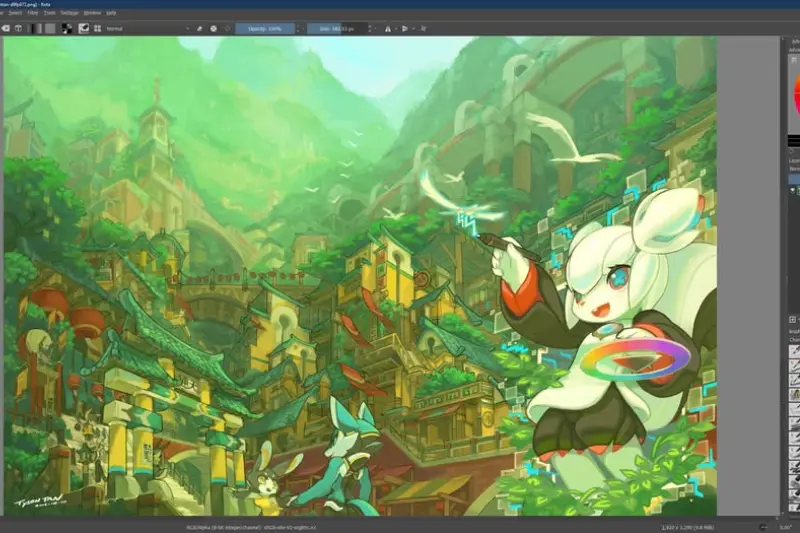
Krita is made for digital painting and illustration.
If GIMP is like Photoshop, then Krita is like a digital art studio.
What You Can Do with Krita
Krita is perfect if you love drawing or creating art. You can:
- Draw digital illustrations
- Create concept art
- Design characters
- Paint with realistic brushes
- Make comic panels
- Even do simple animations
If you use a drawing tablet, Krita feels extremely smooth and natural.
Strengths of Krita
Krita is especially loved by artists because:
- Extremely smooth brush engine
- Feels natural like real painting
- Very beginner-friendly interface
- Great for stylus and drawing tablets
- Built-in animation features
- Focused purely on creativity
Many artists prefer Krita over expensive tools because it gives a very natural drawing experience.
Weak Side of Krita
Of course, it also has limitations:
- Not built for heavy photo editing
- Limited advanced manipulation tools
- Not as strong in graphic design workflows
So if your main goal is editing photos, Krita is not the best option.
GIMP vs Krita: The Real Difference Explained
Now let’s get to the heart of gimp vs krita.
Instead of thinking “which one is better,” think like this:
They are made for different creative jobs.
1. Purpose
- GIMP: Editing and manipulating photos
- Krita: Creating digital art from scratch
This is the most important difference.
2. User Experience
- GIMP feels technical, like working in a design lab
- Krita feels creative, like sitting in a digital art studio
If you enjoy drawing freely, Krita feels more comfortable. If you like precise editing, GIMP makes more sense.
3. Tools and Features
GIMP focuses on:
- Selection tools
- Layer editing
- Image correction
- Filters and effects
Krita focuses on:
- Brushes and painting tools
- Pressure sensitivity
- Color blending
- Artistic effects
So one is editing-heavy, the other is drawing-heavy.
4. Learning Curve
Here’s where beginners usually feel a big difference:
- GIMP: Takes time to understand
- Krita: Easier to start drawing immediately
So if you’re new, Krita feels more welcoming.
5. Performance and Workflow
- GIMP is better for structured editing work
- Krita is better for fluid creative work
They are optimized for different workflows, not competing directly.
GIMP vs Krita: Which One Should YOU Choose?
Now let’s make this super simple so you can decide quickly.
Choose GIMP if:
- You edit photos regularly
- You want to remove or replace backgrounds
- You create thumbnails, banners, or social media posts
- You need Photoshop-like features for free
- You work with photography or marketing graphics
Choose Krita if:
- You love drawing or painting
- You are a digital artist or illustrator
- You want to create comics or characters
- You use a drawing tablet or stylus
- You prefer a creative, artistic workflow
Can You Use Both Together?
Yes, and this is actually a smart approach.
Many creators use both tools like this:
- Krita → for drawing illustrations
- GIMP → for editing final images
For example:
You can draw a character in Krita, then move it into GIMP to add text, effects, or prepare it for social media.
They work surprisingly well as a team.
Real-Life Example (Easy to Understand)
Imagine this:
- If you are a photographer → GIMP is your editing room
- If you are a digital artist → Krita is your painting studio
That’s the simplest way to understand gimp vs krita.
Final Verdict on GIMP vs Krita
When comparing gimp vs krita, there is no clear winner because both tools are excellent—but for different purposes.
- GIMP wins in photo editing and image manipulation
- Krita wins in digital painting and illustration
So the real question is not “which is better?”
It is: “What do you want to create?”
Once you answer that, the choice becomes very easy.
FAQs: GIMP vs Krita
1. What is the main difference between GIMP and Krita?
The main difference in gimp vs krita is their purpose. GIMP is mainly used for photo editing and image manipulation, while Krita is designed for digital painting and illustration.
2. Is GIMP better than Krita for beginners?
It depends on what you want to do. GIMP can feel a bit complex for beginners because of its technical tools. Krita is usually easier to start with if you want to draw or paint digitally.
3. Which is better for photo editing, GIMP or Krita?
GIMP is clearly better for photo editing. It has advanced tools for retouching, background removal, color correction, and graphic design tasks. Krita is not built for heavy photo editing.
4. Which software is best for digital art?
For digital art, Krita is the better choice. It offers smooth brush engines, pressure sensitivity support, and tools designed specifically for drawing and painting.
5. Can I use GIMP and Krita together?
Yes, many creators use both tools together. You can draw illustrations in Krita and then use GIMP for editing, adding text, or final adjustments.
