

If you’ve recently switched from Windows to Mac, you might be wondering what the Mac Paint equivalent is. While macOS doesn’t include a direct replacement for Microsoft Paint, there are several great alternatives that offer similar—or even better—features for basic image editing and drawing.
In this guide, we’ll explore the best Mac Paint equivalent tools, their features, and how to choose the right one for your needs.
What is the Mac Paint Equivalent?
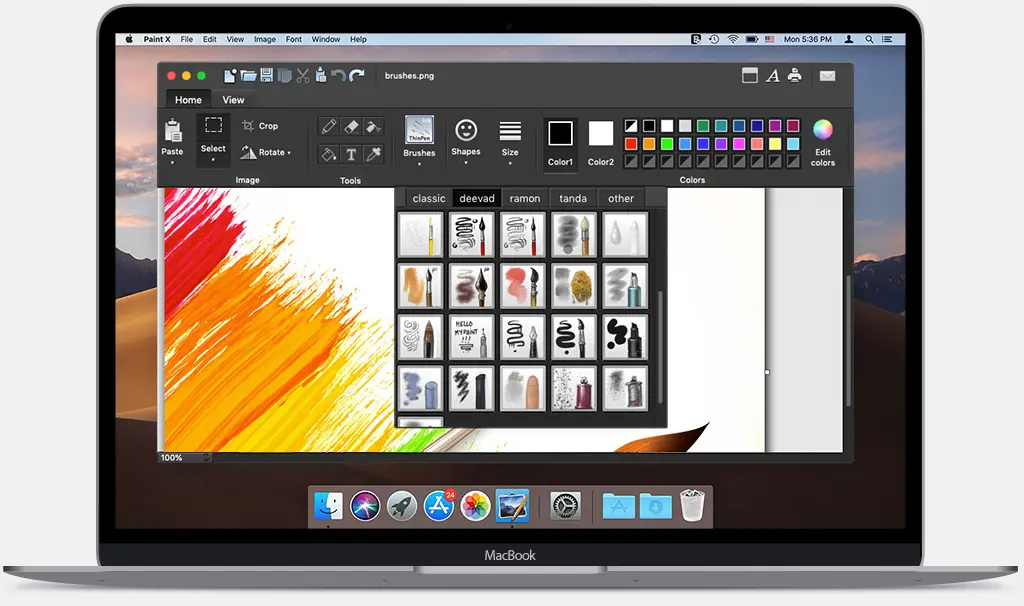
On Windows, Microsoft Paint is a simple and lightweight tool for drawing, editing images, and basic design work. macOS doesn’t come with Paint, but it does offer built-in and third-party apps that serve the same purpose.
The most common Mac Paint equivalent options include:
- Built-in apps like Preview
- Free drawing tools
- Advanced image editors
1. Preview (Best Built-in Mac Paint Equivalent)
Preview is the default image viewer on macOS, and it’s surprisingly powerful.
Key Features:
- Basic image editing (crop, resize, rotate)
- Annotation tools (text, shapes, signatures)
- Color adjustments
- Export in multiple formats
Why It’s a Good Mac Paint Equivalent:
Preview is already installed on your Mac and is perfect for quick edits—just like Paint. However, it lacks freehand drawing tools compared to Microsoft Paint.
2. Paintbrush (Closest to Microsoft Paint)
Paintbrush is one of the closest replicas of Microsoft Paint for Mac.
Key Features:
- Simple interface similar to Paint
- Pencil, brush, and fill tools
- Basic shapes and text options
- Lightweight and easy to use
Why It’s a Good Mac Paint Equivalent:
If you want a true Paint-like experience on Mac, Paintbrush is your best option.
3. GIMP (Advanced Free Alternative)
GIMP is a powerful, open-source image editor.
Key Features:
- Advanced editing tools
- Layers and filters
- Custom brushes
- Plugin support
Why It’s a Good Mac Paint Equivalent:
While GIMP is more complex than Paint, it’s ideal if you want professional-level editing for free.
4. Krita (Best for Digital Drawing)
Krita is designed for artists and illustrators.
Key Features:
- Professional brush engine
- Drawing tablets support
- Animation tools
- Customizable workspace
Why It’s a Good Mac Paint Equivalent:
Krita goes far beyond Paint, making it perfect for digital artists.
You may also like it:
31 Free Lightroom Mobile Presets Download For Stunning Photos
PicsArt Se Photo Edit Kaise Kare – Beginner’s Guide – Aarya Editz
Best Arya Movie Pics – Allu Arjun’s Iconic Film Moments
5. Pinta (Simple and Clean Interface)
Pinta is another lightweight tool inspired by Paint.
Key Features:
- Easy-to-use interface
- Layer support
- Basic drawing tools
- Undo history
Why It’s a Good Mac Paint Equivalent:
Pinta balances simplicity and functionality, making it great for beginners.
6. Adobe Photoshop (Professional Option)
Adobe Photoshop is the industry standard for image editing.
Key Features:
- Advanced editing tools
- AI-powered features
- Professional design capabilities
- Extensive plugin ecosystem
Why It’s a Good Mac Paint Equivalent:
Photoshop is not a direct Paint replacement, but it’s the best choice for professionals who need advanced tools.
How to Choose the Right Mac Paint Equivalent
Choosing the best Mac Paint equivalent depends on your needs:
- For quick edits: Preview
- For Paint-like experience: Paintbrush or Pinta
- For advanced editing: GIMP or Photoshop
- For drawing and art: Krita
Final Thoughts
Finding the right Mac Paint equivalent depends on how you plan to use it. While macOS doesn’t include Microsoft Paint, it offers a wide range of alternatives—from simple tools like Preview to powerful software like Photoshop.
If you just need something basic, go with Paintbrush. But if you want more creative control, tools like GIMP or Krita will take your editing and design skills to the next level.
FAQs About Mac Paint Equivalent
1. What is the best Mac Paint equivalent?
The best Mac Paint equivalent depends on your needs. For basic use, Preview works well. For a true Paint-like experience, Paintbrush is the closest option.
2. Does Mac have Microsoft Paint?
No, macOS does not include Microsoft Paint. However, you can use alternatives like Preview, Paintbrush, or other third-party apps.
3. Is there a free Mac Paint equivalent?
Yes, many free options are available such as Paintbrush, GIMP, and Pinta. These tools offer features similar to or better than Microsoft Paint.
4. Which Mac Paint equivalent is best for beginners?
Paintbrush and Pinta are ideal for beginners because they are simple, lightweight, and easy to use.
5. Can I draw on Mac like in Microsoft Paint?
Yes, you can draw on Mac using apps like Paintbrush, Krita, or Pinta, which provide brushes, shapes, and drawing tools similar to Paint.
