
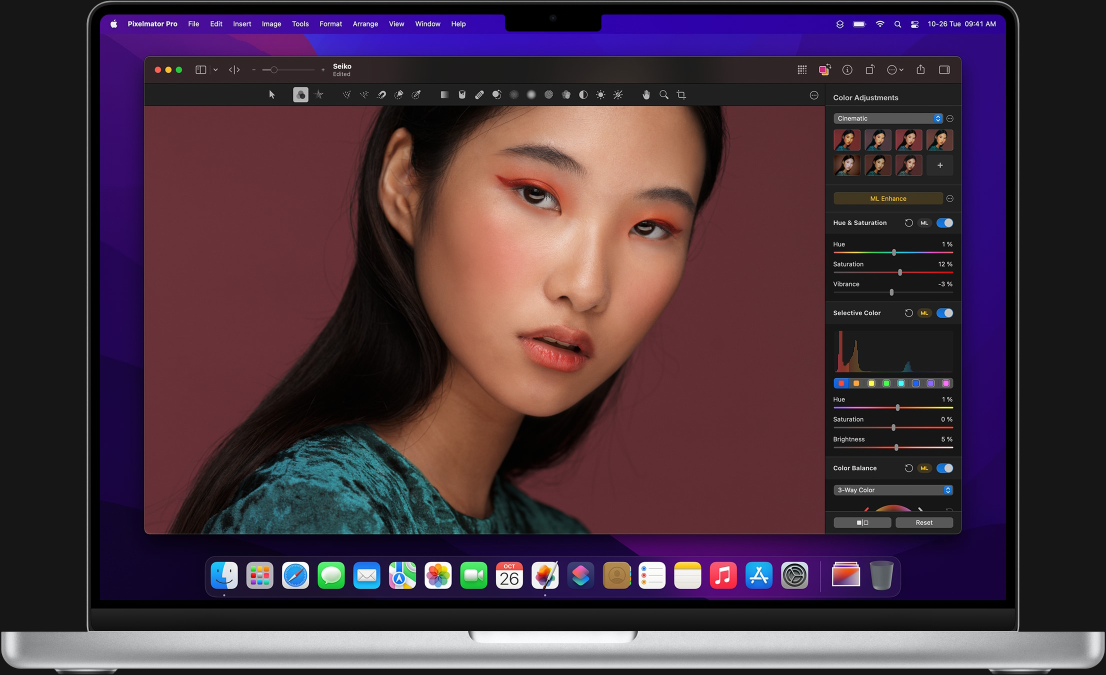
Editing photos on a Mac has become a common need for students, professionals, creators, and everyday users. Whether you want to improve personal pictures, prepare images for school or work, or simply organize and adjust your photo collection, a mac photo editor can help you do all of this in a simple and effective way.
This article explains what a mac photo editor is, how it works, what features matter most, and how to choose the right one for your needs. The focus is purely informational, written in clear and easy language, without promotion or technical overload.
What Is a Mac Photo Editor?
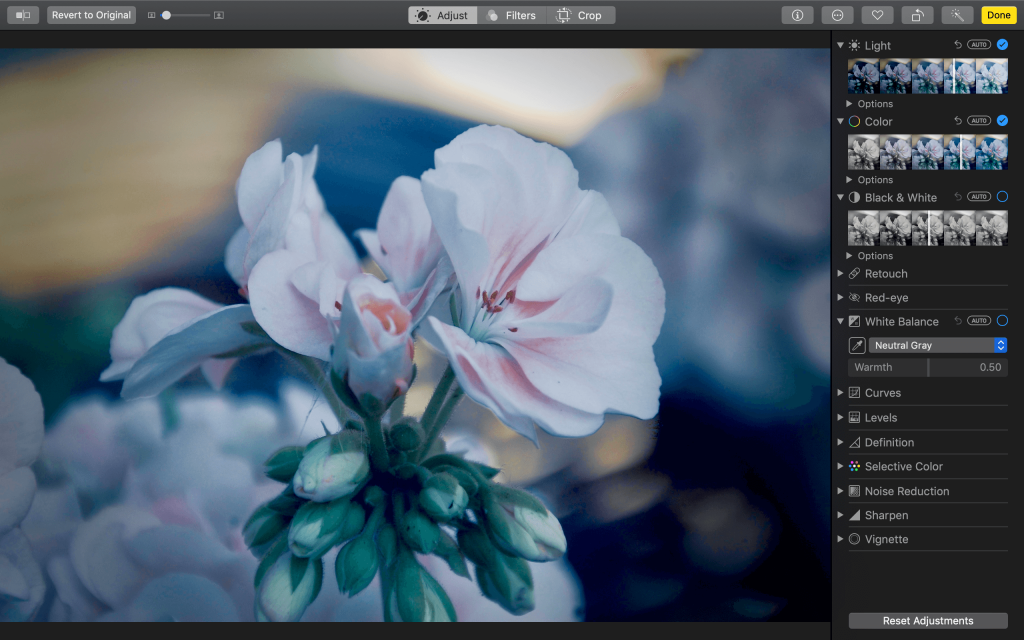
A mac photo editor is software designed to edit, enhance, and manage photos on macOS devices. It allows users to make changes to images such as adjusting brightness, cropping, resizing, correcting colors, removing small imperfections, and applying basic visual improvements.
These tools are built to work smoothly with macOS, using its system resources efficiently and supporting common image formats. Some editors are very simple, while others offer advanced controls for users who want more precision.
Why People Use Photo Editors on Mac
People use photo editors on Mac for many everyday reasons. Some want to make their pictures look clearer and brighter, while others need images for presentations, assignments, or online content.
Here are some common reasons:
- Improving photo quality
- Fixing lighting and color issues
- Cropping or resizing images
- Organizing photo collections
- Preparing images for printing or sharing
A mac photo editor helps users complete these tasks without needing deep technical knowledge.
Basic Features You Should Expect
Most mac photo editors share a core set of features that cover everyday photo editing needs. These features are designed to be easy to understand and quick to use.
Image Adjustments
This includes brightness, contrast, exposure, shadows, highlights, and saturation. These tools help improve the overall look of a photo.
Cropping and Resizing
Cropping removes unwanted parts of an image, while resizing changes image dimensions. Both are useful for focusing attention and fitting images into specific spaces.
Rotation and Straightening
These tools help fix tilted photos or rotate images taken in the wrong orientation.
Color Correction
Color correction tools help adjust white balance and remove color casts caused by lighting conditions.
Advanced Editing Tools Explained Simply
Some mac photo editors also include more advanced tools. While these sound complex, they are often presented in a user-friendly way.
Layers
Layers allow users to edit different parts of an image separately. This makes it easier to experiment without damaging the original photo.
Retouching Tools
These tools help remove small marks, dust spots, or blemishes from photos. They are often used for portraits and scanned images.
Filters and Presets
Filters apply a ready-made look to a photo. Presets save editing settings so the same style can be applied to multiple images.
You may also like it:
31 Free Lightroom Mobile Presets Download For Stunning Photos
PicsArt Se Photo Edit Kaise Kare – Beginner’s Guide – Aarya Editz
Best Arya Movie Pics – Allu Arjun’s Iconic Film Moments
Photo Organization and Management
A good mac photo editor is not just about editing. It also helps users manage their photo libraries.
Albums and Folders
Photos can be grouped into albums or folders for easier access.
Search and Sorting
Many editors allow searching by date, file name, or basic image details.
Metadata Viewing
Users can view information like date taken, image size, and format, which is helpful for organizing large collections.
Supported File Formats
Most mac photo editors support common image formats. Understanding formats helps avoid quality loss and compatibility issues.
Common formats include:
- JPEG for everyday photos
- PNG for images with transparency
- TIFF for high-quality images
- RAW files for professional photography
Some editors handle all formats, while others focus on basic ones.
Performance and System Compatibility
Mac photo editors are designed to work smoothly on macOS, but performance can vary depending on your system.
System Resources
Editing large images requires memory and processing power. Lighter editors work well on older Macs, while advanced editors may need newer hardware.
macOS Updates
Compatibility with the latest macOS version is important to avoid crashes and bugs.
Ease of Use and Learning Curve
One of the biggest strengths of a mac photo editor is ease of use. Many are designed with clean layouts and clear icons.
Beginner-Friendly Interfaces
Simple menus, sliders, and tooltips help new users understand editing tools quickly.
Keyboard Shortcuts
Shortcuts speed up common tasks and improve workflow for regular users.
Non-Destructive Editing
Non-destructive editing means changes do not permanently alter the original image.
Why It Matters
Users can undo changes, try different edits, and return to the original photo at any time.
How It Works
Edits are saved as instructions rather than changes to the actual image file.
Privacy and Offline Editing
Many users prefer editing photos offline to protect privacy.
Local Storage
Offline editors keep images on your device rather than uploading them online.
Data Safety
This reduces the risk of data exposure and gives users full control over their files.
Who Can Benefit from a Mac Photo Editor?
A mac photo editor is useful for many types of users.
- Students preparing projects
- Office workers creating documents
- Bloggers and writers handling images
- Photographers organizing photo libraries
- Everyday users enhancing personal photos
You do not need to be a professional to benefit from photo editing tools.
Tips for Better Photo Editing Results
Even basic editing can greatly improve photo quality if done thoughtfully.
Start with Small Adjustments
Small changes often look more natural than extreme edits.
Keep Colors Realistic
Avoid over-saturation to maintain a natural look.
Use Cropping Wisely
Cropping helps highlight the main subject and remove distractions.
Save Versions
Saving different versions lets you compare results and choose the best one.
Common Mistakes to Avoid
Understanding common mistakes helps improve editing results.
- Over-editing photos
- Ignoring image resolution
- Saving repeatedly in low-quality formats
- Forgetting to back up original files
Avoiding these mistakes keeps your photos looking clean and professional.
Future of Photo Editing on Mac
Photo editing tools continue to evolve with technology.
Smarter Tools
Automation and intelligent adjustments are becoming more common.
Better Performance
Editors are improving speed and efficiency, even on large images.
User-Friendly Design
Interfaces are becoming simpler, making editing accessible to everyone.
Frequently Asked Questions (FAQs)
1. What is the main purpose of a mac photo editor?
The main purpose is to edit, enhance, and manage photos on macOS devices in a simple and efficient way.
2. Can beginners use a mac photo editor easily?
Yes, many mac photo editors are designed with beginners in mind, offering simple tools and clear interfaces.
3. Does photo editing reduce image quality?
Editing itself does not reduce quality if done properly. Quality loss usually happens when saving images repeatedly in low-quality formats.
4. Are mac photo editors suitable for professional use?
Some mac photo editors offer advanced tools that are suitable for professional workflows, while others focus on everyday editing.
5. Is offline photo editing better for privacy?
Offline editing keeps images on your device, which can be better for privacy and data control.
Final Thoughts
A mac photo editor is a practical tool for anyone who works with images on a Mac. From basic adjustments to organized photo management, these editors make it easy to improve and control your photos without complexity. By understanding the features, benefits, and best practices explained in this guide, users can confidently choose and use a photo editor that fits their needs and skill level.
