LATEST POST'S

    Best Laptop for Adobe Creative Cloud (2026 Guide)

    16 Apr 2026

    GIMP Pixel Art – Complete Beginner to Pro Guide

    15 Apr 2026

    Best Photo App – Complete Guide to Choosing the Right One

    14 Apr 2026
    Facebook Twitter Instagram Pinterest YouTube WhatsApp
    Facebook Twitter Instagram Pinterest YouTube WhatsApp
    Aarya Editz
    • Homepage
    • Adobe Lightroom
    • Adobe Photoshop
    • Creative Photo Effects
    • Mobile Editing Apps
    • Portrait Retouching
    • Caption
    • Blog
    Aarya Editz
    Home»Mobile Editing Apps»What Is the Best Photo Editing Software? A Simple Guide for Everyone (2026)
    Mobile Editing Apps

    What Is the Best Photo Editing Software? A Simple Guide for Everyone (2026)

    Rabia AlamBy Rabia Alam05 Apr 2026No Comments3 Mins Read
    Facebook Twitter Pinterest LinkedIn Tumblr Email WhatsApp
    what is the best photo editing software
    Share
    Facebook Twitter LinkedIn Pinterest Email WhatsApp

    Table of Contents

    Toggle
    • Understanding What Makes a Photo Editing Software “The Best”
    • Top Photo Editing Software You Should Know
      • Adobe Photoshop – The Industry Standard
      • Adobe Lightroom – Perfect for Photographers
      • Affinity Photo – Powerful Without Subscription
      • Capture One – Advanced Editing Control
      • Pixlr – Quick and Easy Online Editing
      • Fotor – Simple and Beginner-Friendly
      • GIMP – Free and Flexible
    • How to Choose the Right Software for You
    • Key Features to Look For
    • FAQs
      • What is the best photo editing software for beginners?
      • Is free photo editing software good enough?
      • Do professionals only use Photoshop?
    • Final Thoughts

    If you’ve ever asked yourself what is the best photo editing software, you’re not alone. With so many tools available today, it can be hard to know which one actually fits your needs.

    The truth is, there isn’t just one perfect answer. The best choice depends on your experience level, budget, and what you want to create.

    Understanding What Makes a Photo Editing Software “The Best”
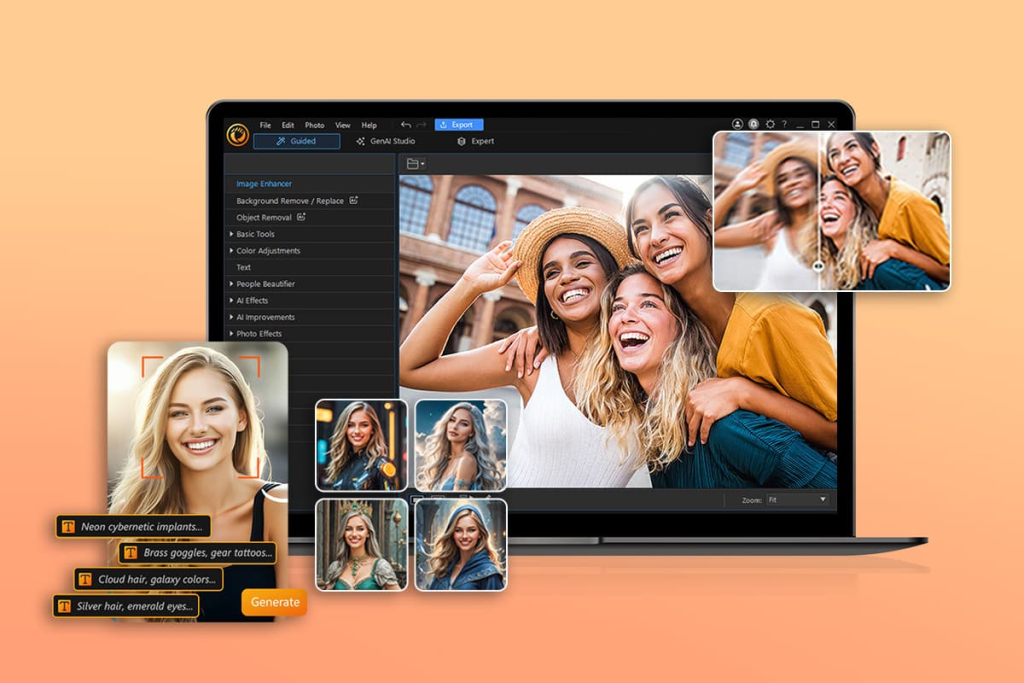
    Before deciding what to use, it’s important to understand what makes a tool stand out. The best options usually offer:

    • Easy-to-use interface
    • Powerful editing tools
    • Support for high-quality images (RAW files)
    • AI features like background removal
    • Fast performance

    So when people ask what is the best photo editing software, they’re really asking: Which tool works best for me?

    Top Photo Editing Software You Should Know

    Adobe Photoshop – The Industry Standard

    Photoshop is often the first name that comes up in this conversation—and for good reason. It offers advanced tools for editing, designing, and retouching images at a professional level.

    Best for: Designers, professionals, and advanced users

    Adobe Lightroom – Perfect for Photographers

    Lightroom focuses more on photo enhancement and organization. It’s especially useful if you’re working with large collections of images.

    Best for: Photographers and content creators

    Affinity Photo – Powerful Without Subscription

    If you want professional-level features without paying monthly fees, Affinity Photo is a great option.

    Best for: Budget-conscious users

    Capture One – Advanced Editing Control

    Capture One is known for its excellent color grading and high-quality output, making it popular among professionals.

    Best for: Studio photographers and experts

    Pixlr – Quick and Easy Online Editing

    Pixlr is a browser-based tool that lets you edit photos quickly without downloading anything.

    Best for: Beginners and quick edits

    Fotor – Simple and Beginner-Friendly

    Fotor is designed for users who want fast results without learning complex tools.

    Best for: Social media users

    GIMP – Free and Flexible

    GIMP is a free, open-source editor that offers surprisingly powerful features for those willing to learn.

    Best for: Free users and intermediate editors

    How to Choose the Right Software for You

    If you’re still wondering what to pick, here’s a simple way to decide:

    • Just starting out? Go with Pixlr or Fotor
    • Want professional results? Try Photoshop or Capture One
    • Need a free option? GIMP is a solid choice
    • Focused on photography? Lightroom is ideal

    The answer to what is the best photo editing software becomes much clearer when you match the tool to your goals.

    Key Features to Look For

    No matter which software you choose, keep an eye on these important features:

    • AI editing tools (auto-enhance, object removal)
    • Layer-based editing for flexibility
    • Presets and filters for quick edits
    • Export quality and format options

    FAQs

    What is the best photo editing software for beginners?

    Pixlr and Fotor are great starting points because they are easy to use.

    Is free photo editing software good enough?

    Yes, tools like GIMP can handle many advanced tasks without costing anything.

    Do professionals only use Photoshop?

    Not always. Many professionals also use Lightroom or Capture One depending on their workflow.

    Final Thoughts

    So, what is the best photo editing software?

    It really depends on you. Some people need quick edits for social media, while others require advanced tools for professional work.

    The key is to choose software that matches your skill level and goals. Once you do, editing becomes faster, easier, and much more enjoyable.

    Spread the love


    Share. Facebook Twitter Pinterest LinkedIn Tumblr Email WhatsApp
    Rabia Alam
    • Website

    Related Posts

    Best Photo App – Complete Guide to Choosing the Right One

    14 Apr 2026

    GIMP Image Editor: A Complete Beginner-Friendly Guide

    08 Mar 2026

    The Editors Podcast: Inside the Conversations That Shape Politics and Culture

    04 Mar 2026

    Leave A Reply Cancel Reply

    Ad
    • Facebook
    • Twitter
    • Pinterest
    • Instagram
    • YouTube
    • TikTok
    • Telegram
    • WhatsApp
    LATEST POST'S

    Best Laptop for Adobe Creative Cloud (2026 Guide)

    16 Apr 2026

    GIMP Pixel Art – Complete Beginner to Pro Guide

    15 Apr 2026

    Best Photo App – Complete Guide to Choosing the Right One

    14 Apr 2026

    PicsArt – Complete Guide to Photo Editing App

    12 Apr 2026
    Ad2
    About Us

    Aarya Editz brings creativity and quality together, offering engaging content and services that inform, inspire, and entertain. Connect with us to explore our latest work.

    You should also write articles for Aarya Editz

    We're accepting new partnerships right now.

    Email Us:
    blooginga@gmail.com |
    WhatsApp:
    +92 348 273 6504

    | ซื้อหวยออนไลน์

    บาคาร่า ออนไลน์

    สล็อต

    LATEST POST'S

    Best Laptop for Adobe Creative Cloud (2026 Guide)

    16 Apr 2026

    GIMP Pixel Art – Complete Beginner to Pro Guide

    15 Apr 2026

    Best Photo App – Complete Guide to Choosing the Right One

    14 Apr 2026

    Subscribe to Updates

    Get the latest creative news from FooBar about art, design and business.

    Facebook Twitter Instagram Pinterest YouTube WhatsApp
    • Homepage
    • Privacy Policy
    • About Us
    • Contact Us
    • Terms and Conditions
    • Disclaimer
    • Write For Us
    © 2026 Designed by Aarya Editz.

    Type above and press Enter to search. Press Esc to cancel.