
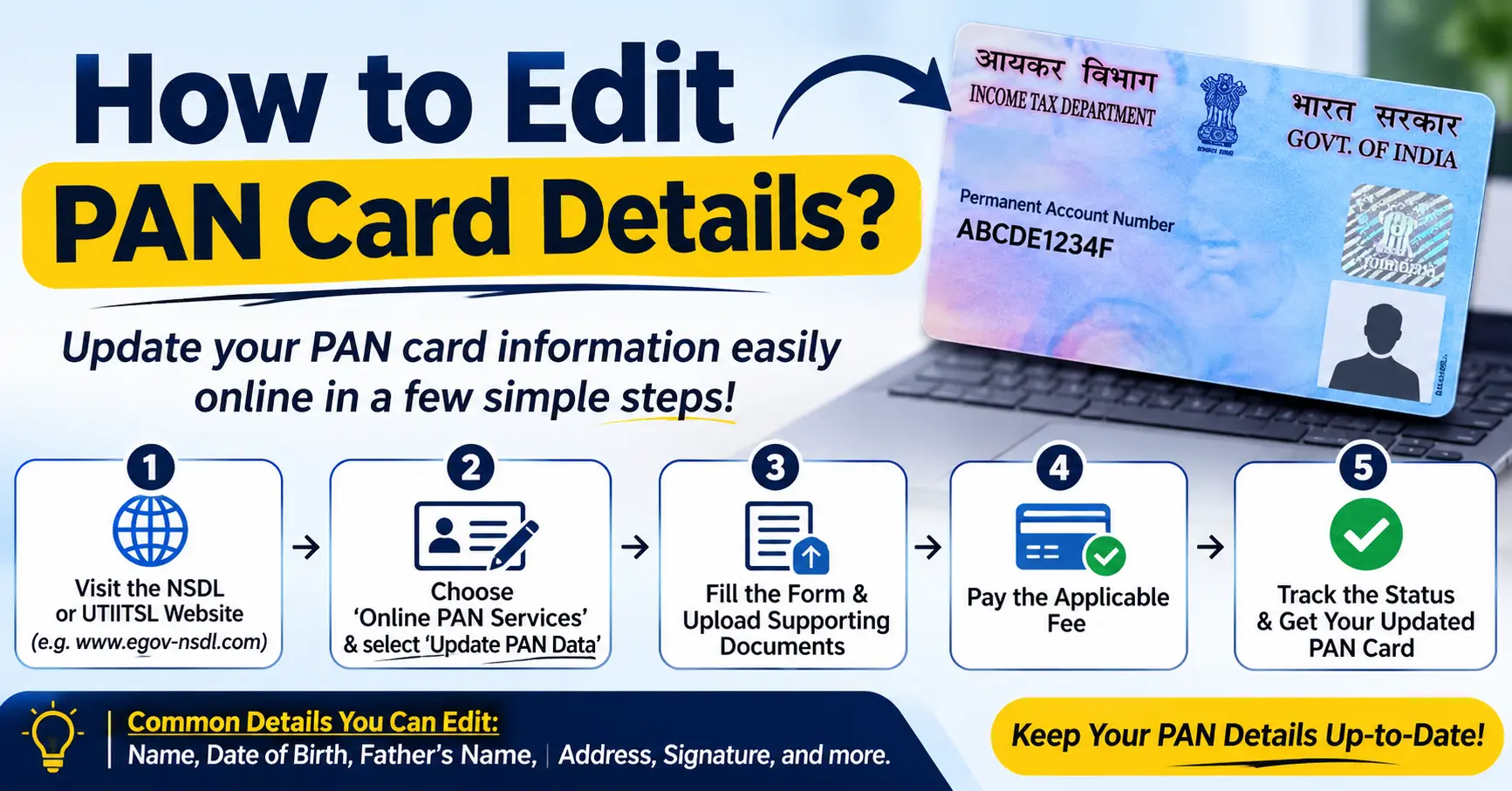
A PAN card is an important financial document in India. It is used for income tax filing, banking services, financial transactions, and identity verification. If your PAN card contains incorrect information, you should update it to avoid problems when using financial services.
Many people need to correct their name, date of birth, father’s name, photograph, signature, or other details on their PAN card. The good news is that you can request these changes online without visiting a PAN service centre.
The online correction process allows applicants to submit an application, upload supporting documents, pay the required fee, and track their application status.
In this guide, you will learn how to edit PAN card details online, which documents are required, how much the correction process costs, and how to check your application status.
What Does Editing PAN Card Details Mean?
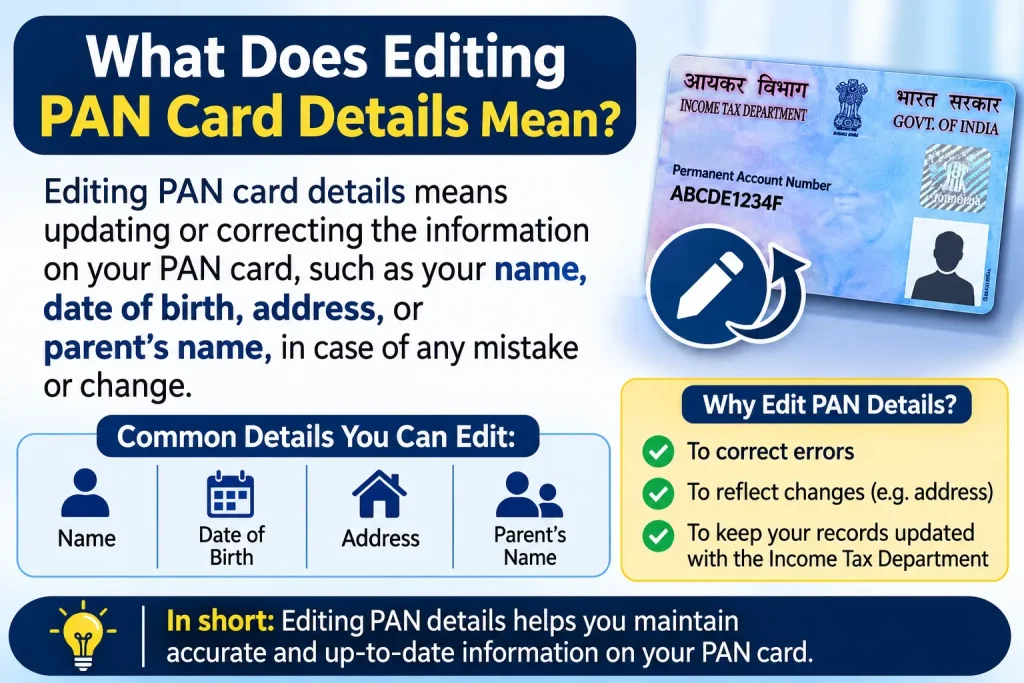
Editing PAN card details means correcting or updating information printed on your existing Permanent Account Number (PAN) card.
The Income Tax Department provides a correction facility for individuals who need to update inaccurate information.
You can request changes to several details, including:
- Name or surname
- Date of birth
- Father’s name
- Photograph
- Signature
- Communication address
- Other personal information
You do not need to apply for a new PAN number when correcting existing details. You should use the PAN correction facility and retain your existing PAN.
How to Edit PAN Card Details Online?
You can request PAN card corrections through authorised service providers, including Protean (formerly NSDL) and UTIITSL.
Follow these steps to submit your correction request.
Step 1: Visit an Official PAN Correction Website
First, open the official website of an authorised PAN service provider.
You can use either of these platforms:
- Protean PAN Services
- UTIITSL PAN Services
Look for the option called Changes or Correction in Existing PAN Data.
Select this option to start your application.
Step 2: Enter Your PAN Details
After opening the correction form, provide the required information.
You may need to enter:
- Existing PAN number
- Full name
- Date of birth
- Email address
- Mobile number
Select the appropriate application category and continue.
Make sure your existing PAN number is correct before moving forward.
Step 3: Select the Details You Want to Change
The application form contains different fields for personal information.
Select the boxes corresponding to the details you want to correct.
For example, if your name is incorrect, select the name correction option. If your date of birth needs an update, select the relevant field.
Only select the fields that require changes. This helps keep your application clear and accurate.
Step 4: Enter the Correct Information
Now enter the updated information in the correction form.
Check every detail carefully before submitting the application.
For example, if your name is incorrectly printed as Rabia Alam but your supporting documents show a different spelling, enter the correct name according to your official proof.
The updated details should match your supporting documents.
Step 5: Upload Supporting Documents
You may need to upload documents to prove the requested changes.
Commonly accepted documents include:
- Aadhaar card
- Passport
- Voter ID
- Driving licence
- Birth certificate
- Other officially accepted identity or date-of-birth documents
The required document depends on the type of correction.
Upload clear copies of the relevant documents in the accepted file format and size.
You may also like it:
How To Edit Image Text In Word – Aarya Editz
How To Edit Video In Iphone – Aarya Editz
How To Edit Resume In Laptop – Aarya Editz
How To Edit Photos In Mobile – Aarya Editz
Step 6: Pay the PAN Correction Fee
After completing the form, review your application and pay the applicable correction fee.
Online payment options may include:
- Debit card
- Credit card
- Net banking
- Other available payment methods
The fee depends on the delivery method and whether the physical PAN card needs to be delivered within India or outside India.
Step 7: Submit Your Application
After payment, submit your correction request.
You will receive an acknowledgement number or application reference number.
Keep this number safe because you will need it to track your PAN correction application.
Once the request is processed and approved, the updated PAN card will be issued according to your selected delivery option.
How to Correct Your Name on a PAN Card?
If your name is misspelled or has changed, you can request a name correction through the online PAN correction facility.
Follow these steps:
- Visit the Protean or UTIITSL official website.
- Select the PAN correction application.
- Enter your existing PAN number.
- Select the name correction option.
- Enter your correct name.
- Upload the required supporting documents.
- Pay the applicable fee.
- Submit your application.
For a name change due to marriage or another legal reason, additional supporting documents may be required.
How to Change Date of Birth on a PAN Card?
An incorrect date of birth can create problems during financial verification and other official processes.
To correct it, submit a PAN correction application and provide an accepted document showing your correct date of birth.
Depending on the applicable requirements, supporting documents may include:
- Birth certificate
- Passport
- Matriculation certificate
- Driving licence
- Other accepted proof of date of birth
Make sure the date entered in the application matches your supporting document.
How to Update Your Address on a PAN Card?
If you have moved to another location, you may need to update your communication address.
You can request an address change through the authorised PAN correction facility.
Enter your new address and provide the required proof.
If your Aadhaar details are being used for address verification, make sure the information is accurate and that the applicable verification requirements are satisfied.
Documents Required to Edit PAN Card Details
The documents required depend on the information you want to change.
Here is a general overview:
| Correction Type | Supporting Documents |
| Name | Aadhaar, passport, or accepted name-change proof |
| Date of Birth | Birth certificate or accepted DOB proof |
| Address | Aadhaar or accepted address proof |
| Father’s Name | Relevant identity or supporting documents |
| Photograph | Recent photograph, if required |
| Signature | Updated signature, if required |
Always check the current document requirements on the official service provider’s website before submitting your application.
How to Check PAN Card Correction Status?
After submitting your correction request, you can check its progress online.
Follow these steps:
- Visit the official Protean or UTIITSL website.
- Open the PAN application status section.
- Enter your acknowledgement number or application reference number.
- Complete the required verification.
- Click the submit or track button.
The website will display the current status of your correction request.
Possible application statuses include:
- Application received
- Under processing
- Documents required
- Application approved
- PAN card dispatched
If your application is rejected, review the reason and follow the instructions provided by the service provider.
How Long Does It Take to Edit PAN Card Details?
The processing time depends on the type of correction, document verification, and application workload.
Many applications are processed within a few weeks, but some may take longer if additional documents or verification are required.
You should regularly check your application status using the acknowledgement number.
Important Things to Remember Before Editing PAN Details
Before submitting your correction application, keep these points in mind:
- Use your existing PAN number for corrections.
- Do not apply for another PAN card just to correct personal information.
- Enter information exactly as shown in your supporting documents.
- Upload clear and valid documents.
- Check all details before submitting the application.
- Save your acknowledgement number.
- Use authorised PAN service provider websites.
- Never share your PAN details or OTP with unknown individuals.
Having accurate information on your PAN card can make financial and identity verification easier.
Conclusion
Editing PAN card details online is a straightforward process when you use an authorised service provider. You can request corrections to your name, date of birth, father’s name, photograph, signature, and communication address.
To complete the process, visit the Protean or UTIITSL website, fill out the correction form, upload the required documents, and pay the applicable fee.
After submitting your request, save the acknowledgement number and use it to track your application.
Always provide accurate information and valid documents to avoid delays or rejection.
Frequently Asked Questions (FAQs)
1. Can I edit my PAN card details online?
Yes. You can request corrections to your PAN card details online through authorised service providers such as Protean and UTIITSL.
2. How can I correct my name on a PAN card?
Visit an authorised PAN service provider, select the correction option, enter your correct name, upload the required supporting documents, and submit the application.
3. Can I change my date of birth on a PAN card?
Yes. You can request a date-of-birth correction by submitting an online application with an accepted document proving your correct date of birth.
4. What is the fee for PAN card correction?
The fee depends on the delivery method and the applicable service charges. Check the latest fee displayed by Protean or UTIITSL before making payment.
5. How can I check my PAN correction status?
You can check your application status through the official Protean or UTIITSL website using your acknowledgement or application reference number.
