
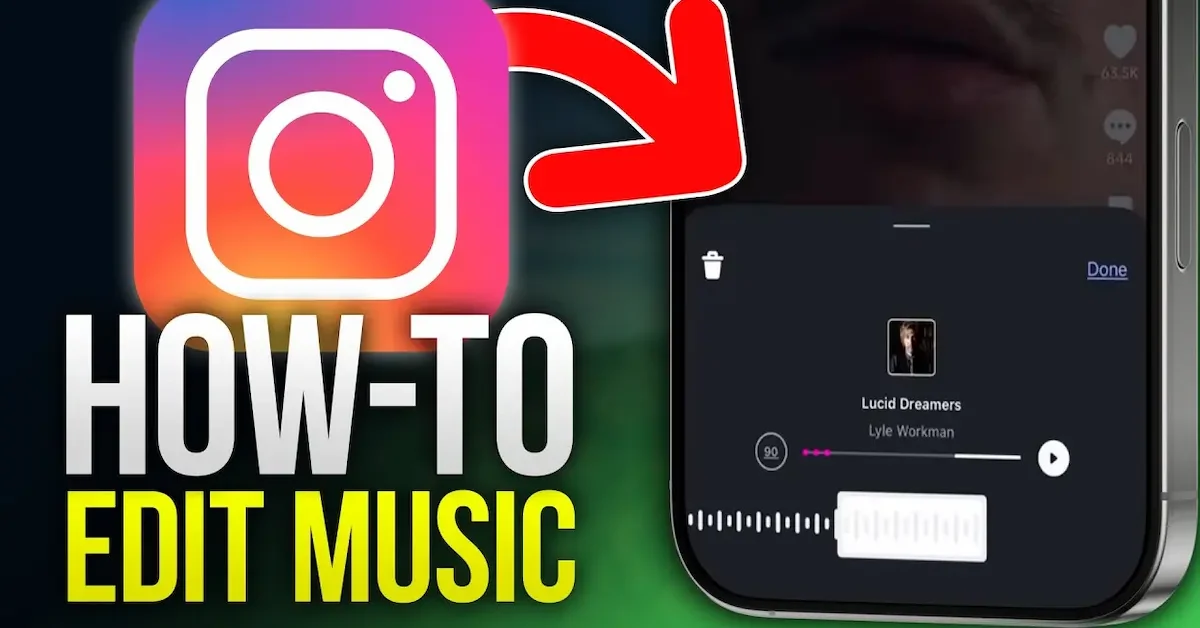
Adding music to an Instagram post can make your photo or content more interesting and help create the mood you want. Instagram allows users to add songs to supported posts and choose a specific part of a track to play with their content.
If you are wondering how to edit song in Instagram post, the process can depend on whether you are creating a new post or trying to change music on content that has already been published.
In this guide, we will explain how to add and edit songs on Instagram posts, how to select a specific part of a song, how to adjust the music, and what options are available if you want to change or remove a song. We will also cover some common music-related issues you may face on Instagram.
Can You Edit a Song After Posting on Instagram?
If you are learning how to edit song in Instagram post, the first thing to understand is that Instagram’s editing options can depend on the type of post and the features available on your account.
When creating a new post, Instagram may allow you to add a song and select the part of the track you want to use before publishing. This gives you more control over the music that plays with your photo or post.
Can You Change the Song on an Existing Post?
For an already-published post, Instagram may provide limited editing options. In many cases, you cannot simply open an old post and replace its song with another track in the same way you edit a caption.
If the music-editing option is not available on your existing post, you may need to create a new post with the correct song and music section.
Why Music Options Can Be Different
Instagram regularly updates its features, and music availability can vary by account, location, post type, and licensing restrictions. A song that is available to one user may not appear for another user.
For this reason, if you do not see the music or editing option described in a guide, make sure your Instagram app is updated and check whether the feature is available for your account.
Check Before Publishing
If the song is important to your post, choose it carefully before sharing. Select the track, choose the section you want to use, and preview the post when the available options allow you to do so.
This can save you from having to recreate the post later if the desired music cannot be changed after publishing.
How to Edit Song in Instagram Post Before Sharing

If you want to control which part of a song plays with your Instagram post, it is best to make the changes before publishing. The available options may vary depending on your Instagram version and account.
Create a New Instagram Post
Open Instagram and tap the + button to create a new post. Select the photo or other supported content you want to share, then continue to the editing screen.
Tap the Music Option
Look for the Add Music or music option while preparing your post. If the option is available, tap it to open Instagram’s music library.
If you cannot see the option, make sure your Instagram app is updated and check whether music is available for your account and location.
Search for a Song
Use the search box to find the song you want to add. You can search by the song title, artist, or other available information.
Tap the desired track to add it to your post.
Select the Part of the Song
After choosing a song, Instagram may allow you to select a specific section of the track. Move the music selector to find the part you want your audience to hear.
Choose a section that matches the mood or content of your photo.
Preview the Music
Before publishing, preview your post if Instagram provides the preview option. Check whether the selected part of the song starts and ends where you want it to.
If you are not happy with the selection, return to the music controls and choose another section.
Share Your Post
Once you are satisfied with the photo, song, and other details, continue through the posting options and share your post. How To Edit Song In Instagram Post
After publishing, music-editing options may be limited, so it is a good idea to make your preferred music selection before you tap Share.
How to Change the Song on an Existing Instagram Post
If you have already published a post and want to change its music, first open the post and tap the available editing options. If Instagram provides a music-editing option for that particular post, you can use it to make the available changes. How To Edit Song In Instagram Post
However, music editing is not available for every existing post or account. If you do not see an option to change the song, you may need to recreate the post with your preferred music.
How to Choose a Specific Part of a Song
When adding music to a supported Instagram post, you may be able to select the section of the song you want to play. How To Edit Song In Instagram Post
After selecting your track, look for the music timeline or selector. Move it forward or backward until you find the part you want. This is useful when you want a particular lyric, beat, or musical section to match your photo. How To Edit Song In Instagram Post
How to Adjust the Song
Instagram’s available music controls can vary by post type and account. When controls are available, use the music selector to choose the desired portion of the track. How To Edit Song In Instagram Post
Preview your post before sharing to make sure the selected section fits your content.
How to Remove Music From an Instagram Post
If Instagram gives you an editing option for the music on an existing post, you may be able to remove or change the selected track. How To Edit Song In Instagram Post
If there is no music-editing option, you may not be able to remove the song from that published post directly. In that situation, creating a new version of the post without music may be necessary.
Why Can’t I Find the Music Option?
There are several reasons why the music feature may not appear. Your app may need an update, the feature may not be available for your account, or music licensing restrictions may affect what is available in your region.
You can update Instagram and check again. You can also try searching for another song because some tracks may not be available for every account. How To Edit Song In Instagram Post
Tips for Editing Songs on Instagram
Before publishing your post, take a moment to check the selected music. Choose a song that matches your content and select a section that works well with the post.
It is also helpful to preview the post and make all available music adjustments before sharing, because editing options for published posts can be limited.
Common Problems When Editing Music on Instagram
Sometimes you may not see the music option or may have trouble finding a particular song. These issues can happen because Instagram features change regularly or because music availability depends on your account and region. How To Edit Song In Instagram Post
Music Option Is Missing
If the Add Music option is not visible, first make sure you are using the latest version of Instagram. Close and reopen the app after updating it and check the post-creation screen again.
The feature may also not be available for every account or post type.
Your Favorite Song Is Not Available
Not every song is available in Instagram’s music library. Music licensing restrictions can affect which tracks you can search for and use. How To Edit Song In Instagram Post
Try searching for another version of the song or a different track if the original is unavailable.
Song Does Not Play as Expected
If the selected music does not play correctly, check your internet connection and make sure Instagram is updated. You can also close and reopen the app before trying again.
Preview the post before publishing whenever Instagram provides that option.
Tips for Choosing Music for an Instagram Post
Choosing the right song can make your post feel more connected to the image or message you are sharing.
Match the Song With Your Content
Choose music that fits the mood of your photo. A calm song may work well with a relaxing image, while an energetic track may suit a fun or active post. How To Edit Song In Instagram Post
Select the Best Part of the Song
You do not always need to use the beginning of a track. If Instagram allows you to choose the music section, select the part that best matches your post. How To Edit Song In Instagram Post
Check the Music Before Posting
Always preview the post when possible. Make sure the selected song section sounds right and that the music is available before you publish.
Keep Instagram Updated
Instagram frequently changes its features and interface. If you are following a guide on how to edit song in Instagram post, the buttons or options may look slightly different in your app. How To Edit Song In Instagram Post
Keeping Instagram updated can help you access the latest available features and improvements.
Can I edit a song on an Instagram post after posting it?
Instagram may provide limited music-editing options for some published posts, but the available features can vary. If you do not see a music-editing option, you may need to create a new post with the correct song.
How do I add a song to an Instagram post?
Create a new supported Instagram post, look for the Add Music option, search for your desired song, and select the part of the track you want to use before sharing.
Can I choose a specific part of a song on Instagram?
Yes, when the music-selection feature is available, Instagram can allow you to choose a specific section of the song using the music timeline or selector.
Conclusion
Learning how to edit song in Instagram post can help you create more engaging content and choose music that matches your photos or message. When creating a new post, you may be able to search for a song, select a specific section, and preview it before sharing. How To Edit Song In Instagram Post
If you want to change music on an existing post, remember that Instagram’s editing options can be limited and may vary by account, region, and post type. For the best results, choose and adjust your song before publishing the post and keep your Instagram app updated.
