
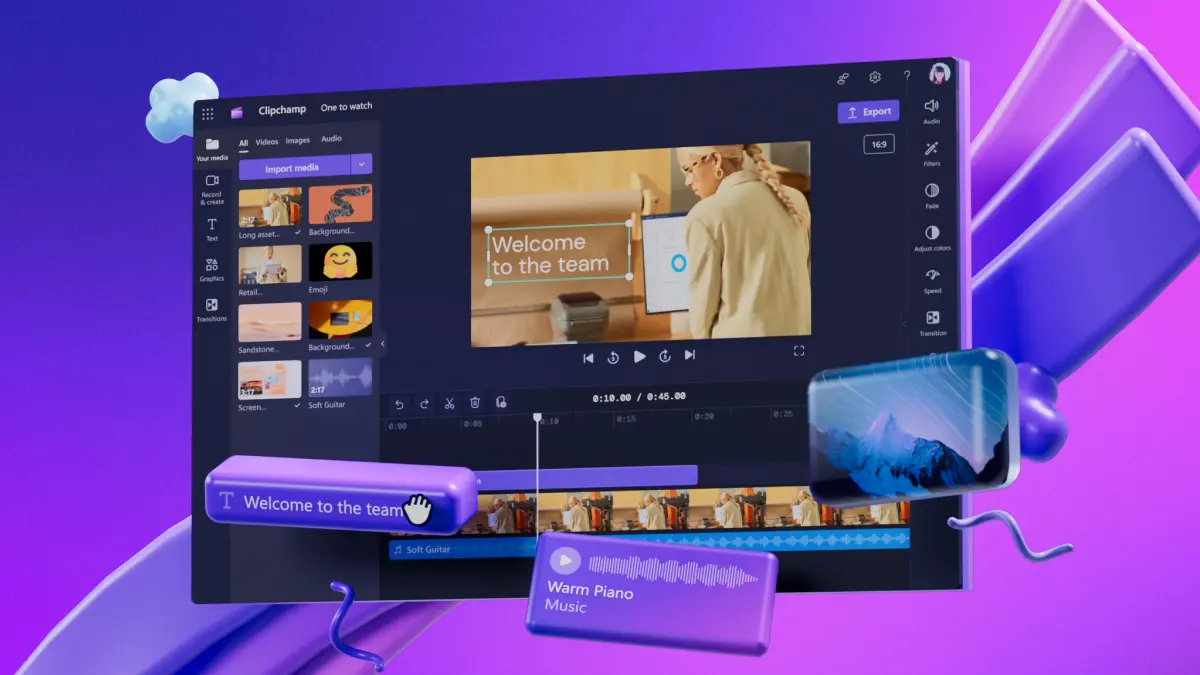
In today’s digital world, video content has become a cornerstone of marketing, social media, and personal storytelling. Whether you’re a content creator, marketer, or casual user, having the right video editing tool is essential. One platform that has gained significant attention is Clipchamp. But the question many people ask is: Is Clipchamp good? In this article, we’ll dive deep into its features, pros, cons, and overall usability to help you make an informed decision.
What is Clipchamp?
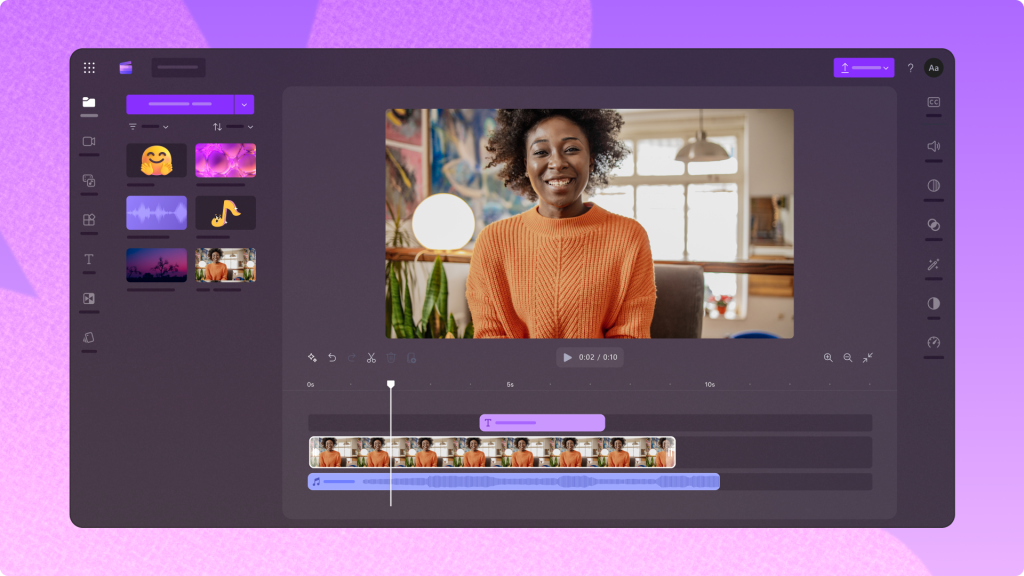
Clipchamp is an online video editor that allows users to create, edit, and export videos directly from their browser. Unlike traditional video editing software, Clipchamp doesn’t require heavy downloads or expensive subscriptions. Its simple interface makes it accessible for beginners, while advanced features cater to professionals.
Some of the standout features include:
- Drag-and-drop editing: Easily add video clips, images, and audio to your timeline.
- Templates: Pre-made templates for social media videos, ads, and presentations.
- Stock library: Access to royalty-free videos, images, and music.
- Screen recording and webcam recording: Ideal for tutorials and presentations.
- Export options: Multiple resolutions, including HD.
Pros of Using Clipchamp
There are several reasons why people choose Clipchamp:
- User-Friendly Interface: Even beginners can start editing videos without a steep learning curve.
- Cloud-Based Editing: Since it’s online, there’s no need to worry about storage space or software updates.
- Affordable Plans: Clipchamp offers a free plan with basic features and paid plans for more advanced needs.
- Integration with Microsoft 365: Since Microsoft acquired Clipchamp, it integrates well with Windows and other Microsoft tools.
- Fast Rendering: Exporting videos is quick, saving time for creators on a tight schedule.
You may also like it:
Lightroom App Download APK – Full Guide With Benefits
Best Photo Banavani App Guide With Features & Benefits
Top Wallpaper Set Karne Wala Apps Guide 2025
Cons of Using Clipchamp
While Clipchamp has many advantages, there are some limitations:
- Limited Advanced Features: Professionals looking for detailed effects or advanced color grading may find it lacking compared to software like Adobe Premiere Pro.
- Internet Required: Being cloud-based, you need a stable internet connection to use Clipchamp effectively.
- Watermark on Free Plan: Videos exported on the free plan may include a watermark.
Who Should Use Clipchamp?
Clipchamp is ideal for:
- Beginners and casual creators who need simple video editing tools.
- Social media marketers creating quick promotional videos.
- Teachers or educators making instructional videos.
- Small businesses creating video ads without hiring professional editors.
How to Get Started
Getting started with Clipchamp is straightforward:
- Sign up at Clipchamp.
- Choose a template or start from scratch.
- Upload your video clips, images, and music.
- Use drag-and-drop tools to edit your timeline.
- Export your final video in the desired resolution.
Conclusion: Is Clipchamp Good?
So, is Clipchamp good? The answer depends on your needs. If you’re looking for an easy-to-use, affordable, and cloud-based video editor, Clipchamp is an excellent choice. However, for high-end professional editing with advanced features, other software may be better suited. Overall, Clipchamp strikes a perfect balance between simplicity and functionality, making it a reliable option for most users.
FAQs About Clipchamp
1. Is Clipchamp free to use?
Yes, Clipchamp offers a free plan with basic editing features. However, videos exported on the free plan may include a watermark. Paid plans remove watermarks and offer advanced features.
2. Can beginners use Clipchamp easily?
Absolutely! Clipchamp has a simple, drag-and-drop interface, making it perfect for beginners and those new to video editing.
3. Do I need to download Clipchamp?
No, Clipchamp is cloud-based, so you can edit videos directly in your browser without installing heavy software.
4. Can I export videos in HD?
Yes, Clipchamp allows exporting in multiple resolutions, including HD, depending on your plan.
5. Does Clipchamp support Do-Follow links or video links?
While Clipchamp is a video editing platform, it doesn’t deal with website links. You can, however, add video links or integrate clips into your content.
